BTS for GX-100
3.8star
47 reviews
5K+
Downloads

Everyone
info
About this app
●Connect the BOSS GX-100 and your Android device via Bluetooth to use this app.
* BOSS GX-100 (later than ver.1.10) and BluetoothR Audio MIDI Dual Adaptor (BT-DUAL) are necessary to use this app.
* Set up the Bluetooth connection in the Connection window displayed after the app is launched.
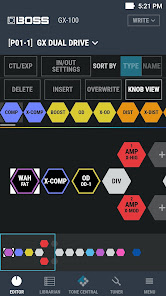
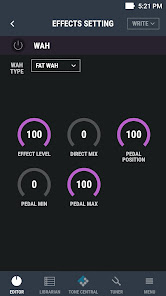
●BOSS TONE STUDIO incorporates convenient functions; ‘Download Function of Additional Tones (Livesets)’, ‘Tone Edit Function’, and ‘Tone Librarian Function’.
●This app provides an integrated access to the BOSS TONE CENTRAL website offering additional free contents for BOSS products.
*An active internet connection is required to download the additional tones (Livesets).
* BOSS GX-100 (later than ver.1.10) and BluetoothR Audio MIDI Dual Adaptor (BT-DUAL) are necessary to use this app.
* Set up the Bluetooth connection in the Connection window displayed after the app is launched.
●BOSS TONE STUDIO incorporates convenient functions; ‘Download Function of Additional Tones (Livesets)’, ‘Tone Edit Function’, and ‘Tone Librarian Function’.
●This app provides an integrated access to the BOSS TONE CENTRAL website offering additional free contents for BOSS products.
*An active internet connection is required to download the additional tones (Livesets).
Updated on
Safety starts with understanding how developers collect and share your data. Data privacy and security practices may vary based on your use, region, and age. The developer provided this information and may update it over time.

No data shared with third parties
Learn more about how developers declare sharing

No data collected
Learn more about how developers declare collection
What's new
Support GX-100 ver.1.10


