SharkSmart
4.0star
342 reviews
10K+
Downloads

Everyone
info


About this app
Enjoy NSW beaches. Be SharkSmart
Check the latest sightings by Surf Life Saving drones and tagged shark detections before you hit the water in NSW. A better awareness and understanding of sharks and their behaviour can help everyone enjoy the beach and reduce the chances of a shark encounter.
The SharkSmart app provides information and resources such as Alerts to help you reduce the chance of a close encounter with a shark at NSW beaches and estuaries.
Stay SharkSmart with our app.
Maps
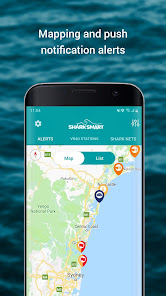
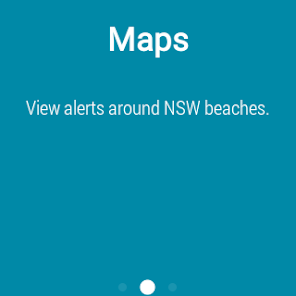
The Maps feature shows where the user is in relation to the general location of beaches with shark mitigation gear, alerts about shark-related incidents and news and real-time information from NSW’s VR4G tagged shark listening stations. Beachgoers can download the app and set it to receive tagged shark alerts at certain times and locations.
Wear OS compatible
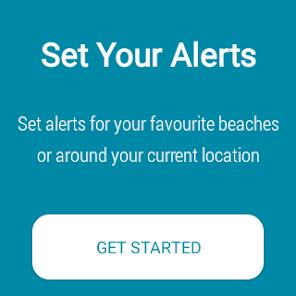
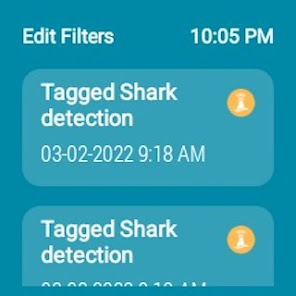
If you have a smart watch running Wear OS by Google, the SharkSmart App also comes with a companion smart watch app to receive SharkSmart alerts. These alerts can be viewed by your location with the “around me” feature or set up to receive alerts for a region, by time or favourite beaches. This is a companion app so it is necessary for the watch to be in sync with sharksmart phone app.
Species
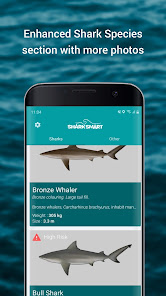
This feature presents images of dangerous and non-dangerous sharks and other marine animals that sting and bite for information and education purposes.
Social Media
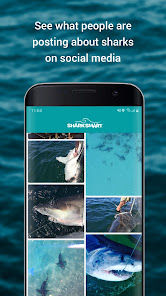
The app has links to official NSW Department of Primary Industries social media channels including Facebook, NSW SharkSmart Twitter and YouTube. There’s also a link to the Department’s SharkSmart webpage so users can be up to date with the latest information provided by the department.
Information
Details about the NSW Shark Meshing (Bather Protection) Program are provided.
My Risk
It provides a range of interactive features and resources including a fundamental risk assessment profile that allocates a user into a ‘risky’ or ‘safer’ behaviour rating using factors understood to affect shark bite risk. Risk rating escalates higher or lower subject to the input of the user (e.g. swimming at sunrise or dawn would increase the risk). The risk level can be reduced by adjusting risky behaviour but never eliminated (unless the user doesn’t go in the water)
Other Safety Programs
The NSW Government hosts, supports and/or promotes a range of other water safety programs. Links to key programs are provided so user can get the most out of NSW beautiful waterways while staying safer.
Check the latest sightings by Surf Life Saving drones and tagged shark detections before you hit the water in NSW. A better awareness and understanding of sharks and their behaviour can help everyone enjoy the beach and reduce the chances of a shark encounter.
The SharkSmart app provides information and resources such as Alerts to help you reduce the chance of a close encounter with a shark at NSW beaches and estuaries.
Stay SharkSmart with our app.
Maps
The Maps feature shows where the user is in relation to the general location of beaches with shark mitigation gear, alerts about shark-related incidents and news and real-time information from NSW’s VR4G tagged shark listening stations. Beachgoers can download the app and set it to receive tagged shark alerts at certain times and locations.
Wear OS compatible
If you have a smart watch running Wear OS by Google, the SharkSmart App also comes with a companion smart watch app to receive SharkSmart alerts. These alerts can be viewed by your location with the “around me” feature or set up to receive alerts for a region, by time or favourite beaches. This is a companion app so it is necessary for the watch to be in sync with sharksmart phone app.
Species
This feature presents images of dangerous and non-dangerous sharks and other marine animals that sting and bite for information and education purposes.
Social Media
The app has links to official NSW Department of Primary Industries social media channels including Facebook, NSW SharkSmart Twitter and YouTube. There’s also a link to the Department’s SharkSmart webpage so users can be up to date with the latest information provided by the department.
Information
Details about the NSW Shark Meshing (Bather Protection) Program are provided.
My Risk
It provides a range of interactive features and resources including a fundamental risk assessment profile that allocates a user into a ‘risky’ or ‘safer’ behaviour rating using factors understood to affect shark bite risk. Risk rating escalates higher or lower subject to the input of the user (e.g. swimming at sunrise or dawn would increase the risk). The risk level can be reduced by adjusting risky behaviour but never eliminated (unless the user doesn’t go in the water)
Other Safety Programs
The NSW Government hosts, supports and/or promotes a range of other water safety programs. Links to key programs are provided so user can get the most out of NSW beautiful waterways while staying safer.
Updated on
Safety starts with understanding how developers collect and share your data. Data privacy and security practices may vary based on your use, region, and age. The developer provided this information and may update it over time.

No data shared with third parties
Learn more about how developers declare sharing

No data collected
Learn more about how developers declare collection
Ratings and reviews
4.0
321 reviews

Luke Allen
- Flag inappropriate
April 17, 2024
Great app however notifications are no longer available on Android, I believe it needs an update to allow for notifications with Android 13
2 people found this review helpful

Ryan Gao
- Flag inappropriate
April 19, 2024
can't turn on notification. Android system thinks this app does not send notifications

Mark N
- Flag inappropriate
- Show review history
March 16, 2023
March 23:After a year of providing feedback, basic App functionality was finally fixed. How it was ever released without proper testing is still a mystery (bugs included no feedback,no push notification, no selection of favourite beach).Over the last few days, it has again dropped my favourite beaches. Even when re-entered, it is pushing notifications for events in all areas. Yes, my settings are correct. I've pretty much given up on this app. Please let me know if the development team changes.
10 people found this review helpful
NSW Department of Industry
November 16, 2022
Hi Mark, Thank you for updating your feedback. We re-tested the support link seems to work as expected. Our tech team will be in touch with you to identify if it s a device specific issue to help resolve. "My Beaches" Settings get over-ridden when there is an OS or system update as we do not store any personal data and is only on your device.
What's new
The Popular ‘My Beaches’ feature now has its own tab and is even easier to use. You can use ‘Manage beaches’ feature which lets you select and follow multiple favourite beaches for for any alert.
There are now multiple filters under the filter section.
We have also made some other minor bug fixes. If you have any feedback or need support you can use the ‘’App Feedback’ section from the settings section within the app.
There are now multiple filters under the filter section.
We have also made some other minor bug fixes. If you have any feedback or need support you can use the ‘’App Feedback’ section from the settings section within the app.