
Auto Move To SD Card
Contains adsIn-app purchases
3.3star
11.5K reviews
1M+
Downloads

Everyone
info

About this app
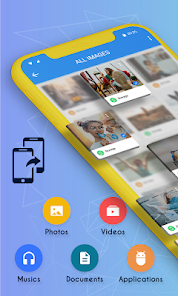
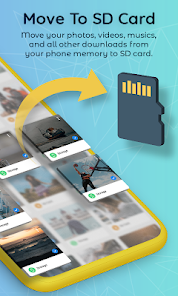
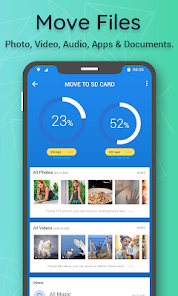
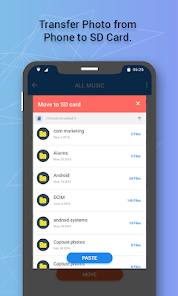
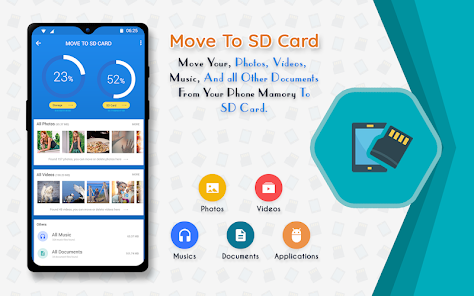
Get the all new and the most advanced Move To SD Card App which allows you to Move Files To SD Card as well as Move App To SD Card. Move your Photos, Videos, Musics, Zip Files, and all Other Downloads from your Phone Memory to SD card. You no longer have to worry about low Internal Memory.
Move To SD Card or Auto Move To SD Card is a must have app for everyone who is using a SD Card or a Memory Card so that your Phone Internal Memory occupies the lest place.
KEY FEATURES FOR MOVE TO SD CARD :-
1. Move Photos To SD Card :- Move Photos To SD Card feature helps you transfer all your Photos from Phone Internal Memory to SD Card or Memory Card.
2. Move Videos To Sd Card :- Transfer all your Videos from Internal Storage to SD Card using the all new Move To SD Card or Auto Move To SD Card.
3. Move Document to Sd Card :- Move To SD Card or Auto Move To SD Card allows you to transfer all your Documents from Phone Memory to Memory Card with ease.
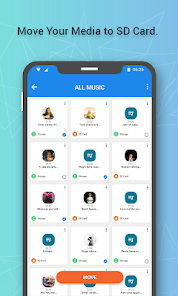
4. Move Audio To Sd Card :- If you are looking to transfer all your Audio and Music from Phone Storage to a SD Card then Move Files To SD Card or Move App To SD Card is the best app for you.
5. Move App To SD Card :- If you are looking to Move Apk to Sd Card or Move App To SD Card then look to further as this Move To SD Card or Auto Move To SD Card will help you do that.
Get the most advanced Move To SD Card or Auto Move To SD Card app for FREE!!
Move To SD Card or Auto Move To SD Card is a must have app for everyone who is using a SD Card or a Memory Card so that your Phone Internal Memory occupies the lest place.
KEY FEATURES FOR MOVE TO SD CARD :-
1. Move Photos To SD Card :- Move Photos To SD Card feature helps you transfer all your Photos from Phone Internal Memory to SD Card or Memory Card.
2. Move Videos To Sd Card :- Transfer all your Videos from Internal Storage to SD Card using the all new Move To SD Card or Auto Move To SD Card.
3. Move Document to Sd Card :- Move To SD Card or Auto Move To SD Card allows you to transfer all your Documents from Phone Memory to Memory Card with ease.
4. Move Audio To Sd Card :- If you are looking to transfer all your Audio and Music from Phone Storage to a SD Card then Move Files To SD Card or Move App To SD Card is the best app for you.
5. Move App To SD Card :- If you are looking to Move Apk to Sd Card or Move App To SD Card then look to further as this Move To SD Card or Auto Move To SD Card will help you do that.
Get the most advanced Move To SD Card or Auto Move To SD Card app for FREE!!
Updated on
Safety starts with understanding how developers collect and share your data. Data privacy and security practices may vary based on your use, region, and age. The developer provided this information and may update it over time.

No data shared with third parties
Learn more about how developers declare sharing

No data collected
Learn more about how developers declare collection

Data is encrypted in transit

Data can’t be deleted
Ratings and reviews
3.4
11.1K reviews

Darin Walker
- Flag inappropriate
- Show review history
April 16, 2024
Doesn't work. There are no instructions how to use. It makes you think you are moving files blindly, and without thought of impact on your apps and their functionality. In fact, it is so inundated with ads, you can barely distinguish between the ads and the controls. And further, there are no apparent controls to move anything. Then they ask you to pay for an upgrade blindly without letting you know if it will even provide you with any functionality beyond the free version. I don't pay blindly
19 people found this review helpful

Gerald Ottenwalder
- Flag inappropriate
September 27, 2022
This app does not do what it says, it basically gives directions to complete the tasks through the phones settings, tasks one can complete without the presence of the app at all. Also I paid for the upgrade then I restarted my phone and it's asking me to pay again. I do not recommend this app at all. It's a waste if time and made my phone worse
109 people found this review helpful

Malaika Gabaake
- Flag inappropriate
July 9, 2024
I wanted to move apps I have downloaded onto my phone to my SD card. Since these apps don't show in my files, this app cannot trace and identify them which makes it impossible to move. Maybe I just don't know the mechanics but please do better.
What's new
Bugs Fixed.
Ad Placement Changed.
Ad Placement Changed.


