
بيتي برنت


Everyone
info
10+
Downloads

Everyone
Learn more


About this app
BaytiPrint is the official printing application for the Bayti Internet Services platform, designed for distributors and point-of-sale (POS) owners who print internet cards on thermal printers.
★ Why BaytiPrint?
• Instant printing at a much faster speed than browser printing
• Smart resume: Paper runs out or printer stops? It resumes from the same card without duplication
• Reads printer and paper status before and after printing (on supported models)
• Easy printer selection: Your printers appear first, distinguishing them from other Bluetooth devices
• Automatic notification to the platform of the result of each print job to guarantee your rights
• Supports 58mm and 80mm paper widths and multiple card templates
★ How does it work?
1. Pair your thermal printer from your device's Bluetooth settings (the code is usually 0000 or 1234).
2. Open Baity Print, select your printer, and print a sample printout.
3. Purchase your cards from the Baity platform and tap "Print"—the app will open and print directly.
This app is for Baity internet platform users.
Contact and support: baitynet.net
★ Why BaytiPrint?
• Instant printing at a much faster speed than browser printing
• Smart resume: Paper runs out or printer stops? It resumes from the same card without duplication
• Reads printer and paper status before and after printing (on supported models)
• Easy printer selection: Your printers appear first, distinguishing them from other Bluetooth devices
• Automatic notification to the platform of the result of each print job to guarantee your rights
• Supports 58mm and 80mm paper widths and multiple card templates
★ How does it work?
1. Pair your thermal printer from your device's Bluetooth settings (the code is usually 0000 or 1234).
2. Open Baity Print, select your printer, and print a sample printout.
3. Purchase your cards from the Baity platform and tap "Print"—the app will open and print directly.
This app is for Baity internet platform users.
Contact and support: baitynet.net
The official printing app for the Bayti platform — Print internet cards directly from your thermal printer
Updated on
Safety starts with understanding how developers collect and share your data. Data privacy and security practices may vary based on your use, region, and age. The developer provided this information and may update it over time.
- No data shared with third partiesLearn more about how developers declare sharing
- No data collectedLearn more about how developers declare collection


What’s new
الإصدار الثالث الرسمي — الطباعة الفورية:
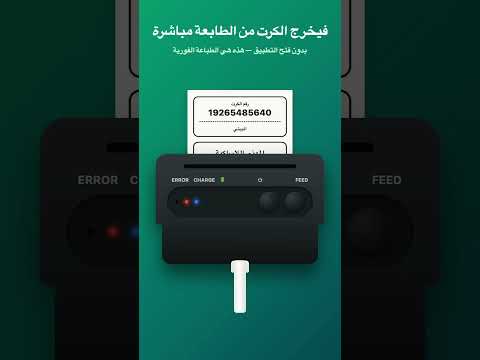
• كروتك تُطبع من المنصّة مباشرة بدون فتح التطبيق
• شاشة جديدة تعرض حالة طابعتك لحظياً: جاهزة · حالة الورق · حالة الإتصال
• دعم عدّة طابعات، ولكلٍّ منها إعداداتها الخاصة.
• خيار «طباعة أوضح» لحبرٍ أغمق يدوم أطول على الورق الحراري
• سِجل آخر العمليات ونتيجة كل طباعة
• معالجة أوامر الطباعة وتحسينات واسعة في الاستقرار
• كروتك تُطبع من المنصّة مباشرة بدون فتح التطبيق
• شاشة جديدة تعرض حالة طابعتك لحظياً: جاهزة · حالة الورق · حالة الإتصال
• دعم عدّة طابعات، ولكلٍّ منها إعداداتها الخاصة.
• خيار «طباعة أوضح» لحبرٍ أغمق يدوم أطول على الورق الحراري
• سِجل آخر العمليات ونتيجة كل طباعة
• معالجة أوامر الطباعة وتحسينات واسعة في الاستقرار
Everyone
Learn moreApp support
phone
Phone number
+967781255333
About the developer
ABDULRAHMAN YASLAM HAMDON AL-BAITI
ibnalbaity@gmail.com
Saudi Arabia
