Widget Screensaver
In-app purchases
4.3star
317 reviews
50K+
Downloads

Everyone
info
About this app
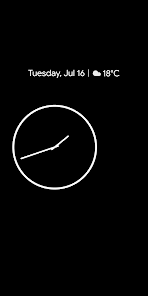
Android has a native screen saver option (yes, I also forgot about that) that was called Daydream and is now just called "Screen Saver".
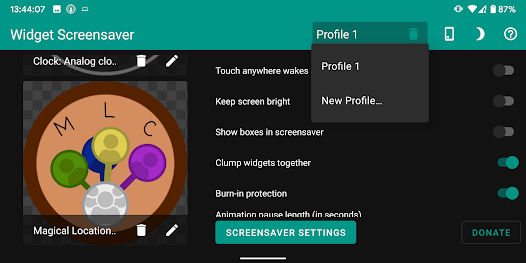
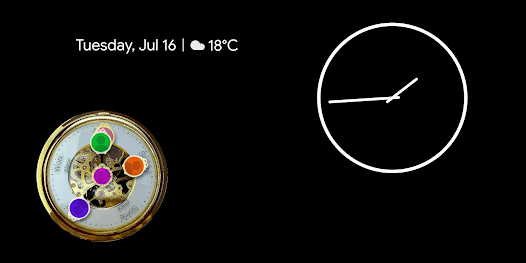
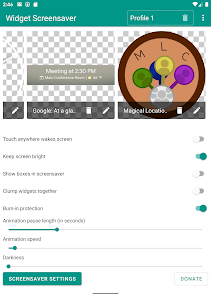
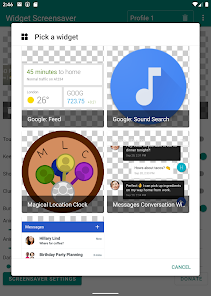
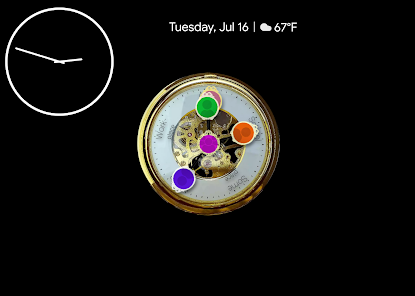
I was surprised not a single screen saver app allowed you to put a widget inside the screen saver, so I quickly whipped up this app to do exactly that.
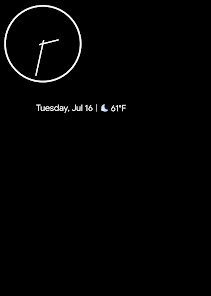
Now you can reuse that old tablet or phone (with Android 5.0+) as a nightstand with your favorite widget for instance!
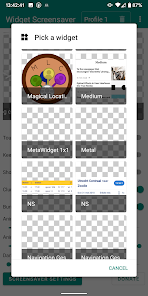
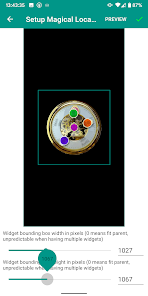
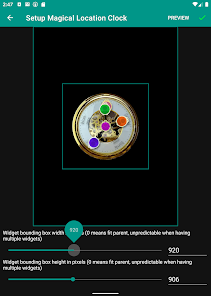
You can also show your calendar, the latest news, the location of your friends (see my Magical Location Clock app!), or use one of those apps where you can completely design a widget yourself.
The ecosystem is the limit!
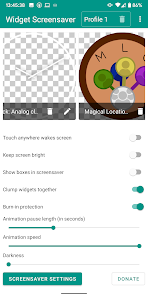
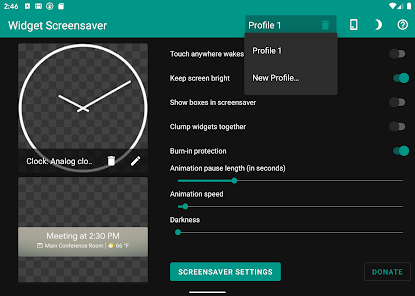
The app has burn-in protection, support for multiple widgets, profiles, and Tasker support for switching profiles (Widget Screensaver is a Tasker plugin, I'm not affiliated with Tasker), along with several other settings.
If you have any suggestions, please let me know!
Frequently asked questions:
Widget Screensaver doesn't work?
Please explain what's not working so I can fix it. If any crashes occur, submit them so I can see them, and if not, please tell me what does work and what steps you've taken until the problem occurs.
Widget Screensaver doesn't work for this widget?
Please tell me which widget suffers from the problem (with screenshots and link) so I can try and fix it.
Widget Screensaver doesn't work on my device? I only see default screensavers!
Unfortunately, this is due to some manufacturers blocking third-party screensavers. Check this post from XDA for a workaround: https://www.xda-developers.com/how-to-set-a-custom-screen-saver-on-huawei-and-honor-devices-running-emui/
The command to use is "adb shell settings put secure screensaver_components nl.jolanrensen.widgetscreensaver/.WidgetScreensaverService"
Can Widget Screensaver be used as always on display or when not charging?
While things like detecting when the screen is covered don't work, it is possible to start the screensaver anytime the screen turns off using Tasker (not affiliated)(https://play.google.com/store/apps/details?id=net.dinglisch.android.taskerm). Check out this profile I made: https://taskernet.com/shares/?user=AS35m8lSMUM1kmI1XBT43fz8jPnrlYjhice8CTl5hPp7dfqM4hBX6WmixBEmdjRJJm5dUxIy&id=Profile%3AStart+Screensaver+When+Screen+Off
For more help, you can visit the XDA thread over at https://forum.xda-developers.com/android/apps-games/app-widget-screensaver-t3880117 or email me at contact@jolanrensen.nl
I'll try to respond as quickly as possible, but it's just me, a software engineer with a hobby, so forgive me if I cannot always respond immediately.
I was surprised not a single screen saver app allowed you to put a widget inside the screen saver, so I quickly whipped up this app to do exactly that.
Now you can reuse that old tablet or phone (with Android 5.0+) as a nightstand with your favorite widget for instance!
You can also show your calendar, the latest news, the location of your friends (see my Magical Location Clock app!), or use one of those apps where you can completely design a widget yourself.
The ecosystem is the limit!
The app has burn-in protection, support for multiple widgets, profiles, and Tasker support for switching profiles (Widget Screensaver is a Tasker plugin, I'm not affiliated with Tasker), along with several other settings.
If you have any suggestions, please let me know!
Frequently asked questions:
Widget Screensaver doesn't work?
Please explain what's not working so I can fix it. If any crashes occur, submit them so I can see them, and if not, please tell me what does work and what steps you've taken until the problem occurs.
Widget Screensaver doesn't work for this widget?
Please tell me which widget suffers from the problem (with screenshots and link) so I can try and fix it.
Widget Screensaver doesn't work on my device? I only see default screensavers!
Unfortunately, this is due to some manufacturers blocking third-party screensavers. Check this post from XDA for a workaround: https://www.xda-developers.com/how-to-set-a-custom-screen-saver-on-huawei-and-honor-devices-running-emui/
The command to use is "adb shell settings put secure screensaver_components nl.jolanrensen.widgetscreensaver/.WidgetScreensaverService"
Can Widget Screensaver be used as always on display or when not charging?
While things like detecting when the screen is covered don't work, it is possible to start the screensaver anytime the screen turns off using Tasker (not affiliated)(https://play.google.com/store/apps/details?id=net.dinglisch.android.taskerm). Check out this profile I made: https://taskernet.com/shares/?user=AS35m8lSMUM1kmI1XBT43fz8jPnrlYjhice8CTl5hPp7dfqM4hBX6WmixBEmdjRJJm5dUxIy&id=Profile%3AStart+Screensaver+When+Screen+Off
For more help, you can visit the XDA thread over at https://forum.xda-developers.com/android/apps-games/app-widget-screensaver-t3880117 or email me at contact@jolanrensen.nl
I'll try to respond as quickly as possible, but it's just me, a software engineer with a hobby, so forgive me if I cannot always respond immediately.
Updated on
Safety starts with understanding how developers collect and share your data. Data privacy and security practices may vary based on your use, region, and age. The developer provided this information and may update it over time.

No data shared with third parties
Learn more about how developers declare sharing

No data collected
Learn more about how developers declare collection
Ratings and reviews
4.4
294 reviews

Varsega
- Flag inappropriate
- Show review history
July 12, 2023
I love this app, can't argue with extra customization! The only reason why I didn't give 5 stars is that I believe there can be more customization features, such as choosing the background for the screensaver, the ability to move and layer widgets, etc. Otherwise, awesome app! Looking forward to future updates.
4 people found this review helpful

Calambra_ 3001
- Flag inappropriate
- Show review history
November 26, 2023
I like the Idea of this app but there are to many down-sides. First, if I take the gallery widget, my gallery (Samsung Gallery 14.5.00.33) always stops working and I dont know why. Second, it would be better if I could choose in which edge of the screen the widgets start moving around. And third, there are too many bugs. Please fix all this. It is a really cool idea to put widgets on the screen saver!
3 people found this review helpful
Jolan Rensen
November 26, 2023
Thanks for letting me know! Which gallery app are you using? Otherwise I'd recommend using another.
You can actually change the order widgets are added to the screensaver by dragging them around (or adding them anew) on the home screen of the app.
Let me know any bugs you come across :)

Linus Loi
- Flag inappropriate
February 25, 2021
This is an interesting app and I wonder why did I miss this app for so long. It works great with my huawei mate 20 Pro after using adb to activate it. However I encountered an issue when I was displaying a clock widget from KWGT. The time on the widget did not get updated in the screensaver. It was stuck at the time when the screensaver came on. I had to touch it a few times to get it updated to the correct time. Will be great if there is a fix for this! Thank you.
11 people found this review helpful
Jolan Rensen
February 25, 2021
Thanks for letting me know! It might however be a problem with KWGT or your phone not providing updates to widgets when not at the home screen. I've not encountered this before or heard it from other users. And honestly I don't know what part of Widget Screensaver could cause this behaviour.
What's new
v8.0:
Android 14 ready!
Fixed donations getting refunded
Fixed unsupported widgets ("security" issue, like Google Weather)
"Fixed" preview button on Android 14
Fixed border around widgets inside screensaver
I had to bump to Android 5.0 as lowest-supported version
Android 14 ready!
Fixed donations getting refunded
Fixed unsupported widgets ("security" issue, like Google Weather)
"Fixed" preview button on Android 14
Fixed border around widgets inside screensaver
I had to bump to Android 5.0 as lowest-supported version


