
ClipRelay

Everyone
info
500+
Downloads

Everyone
Learn more


About this app
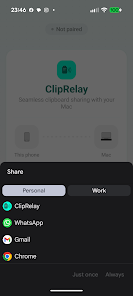
Copy on your Android, paste on your Mac — instantly. ClipRelay syncs your clipboard over Bluetooth, with no cloud or servers involved. More info: https://cliprelay.org
📲 HOW IT WORKS
1. Scan a QR code to pair with your Mac
2. ClipRelay runs quietly in the background
3. Copy on either device, paste on the other
🔒 PRIVATE BY DESIGN
• End-to-end encrypted (AES-256-GCM)
• Direct Bluetooth — no servers, no cloud, no accounts
• Works offline — no internet needed
✨ FEATURES
• Instant text sync over Bluetooth Low Energy
• Image sync (PNG & JPEG, up to 10 MB)
• Dead simple QR code setup
🔗 ACCESSIBILITY SERVICE USAGE
ClipRelay's optional "Auto-copy" feature uses the Accessibility Service to detect copy actions and automatically send clipboard text to your paired Mac. It only monitors tap actions — it does not read or store screen content.
📲 HOW IT WORKS
1. Scan a QR code to pair with your Mac
2. ClipRelay runs quietly in the background
3. Copy on either device, paste on the other
🔒 PRIVATE BY DESIGN
• End-to-end encrypted (AES-256-GCM)
• Direct Bluetooth — no servers, no cloud, no accounts
• Works offline — no internet needed
✨ FEATURES
• Instant text sync over Bluetooth Low Energy
• Image sync (PNG & JPEG, up to 10 MB)
• Dead simple QR code setup
🔗 ACCESSIBILITY SERVICE USAGE
ClipRelay's optional "Auto-copy" feature uses the Accessibility Service to detect copy actions and automatically send clipboard text to your paired Mac. It only monitors tap actions — it does not read or store screen content.
Share your clipboard with your Mac. Bluetooth-only, no cloud.
Updated on
Safety starts with understanding how developers collect and share your data. Data privacy and security practices may vary based on your use, region, and age. The developer provided this information and may update it over time.
- No data shared with third partiesLearn more about how developers declare sharing
- No data collectedLearn more about how developers declare collection


What’s new
Fix some bugs in auto-copy feature that prevented keyboard from being opened.
Everyone
Learn moreApp support
About the developer
Christian Theilemann
c.theilemann+apps@gmail.com
United States