

Mini Player Pro: Video Player


Everyone
info
50+
Downloads

Everyone
Learn more


About this app
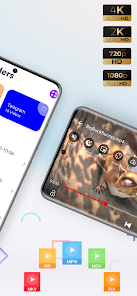
Mini Player Pro is a fast, all-format HD video player and media player for Android. Play virtually any video format, stream from URLs, protect personal videos in a Private Vault, and enjoy smooth, uninterrupted playback with a clean, modern interface.
KEY FEATURES:
● Private Vault protected by fingerprint, face unlock or PIN.
● Support for all major formats, including MP4, MKV, AVI, MOV, FLV, WMV, TS, 3GP and M4V.
● Smooth 4K, Ultra HD and Full HD playback with hardware acceleration.
● Stream videos directly from any URL — no download needed.
● Floating popup player for multitasking.
● Built-in equalizer with multiple audio track support.
● Subtitle support, toggle on or off in one tap.
● Gesture controls for brightness, volume and seeking.
● Double-tap to skip forward or back, with a custom skip interval — 5, 10, 15, 20 or 30 seconds.
● Mirror mode and screen lock.
● Modern folder view with light and dark themes.
● Available in English, German, Spanish, French, Hindi, Indonesian, Japanese, Korean and Brazilian Portuguese.
Private Video Vault
Move personal videos into a vault locked behind your fingerprint, face unlock or PIN. Vaulted videos stay hidden from your gallery and other apps.
HD Video Player
Play 4K, Ultra HD and Full HD video smoothly, with hardware acceleration so nothing lags or drains your battery.
Popup Video Player
Shrink your video into a small floating window and keep watching while you browse, chat or use other apps.
URL Video Player
Paste any video link and start streaming instantly, without downloading the file first. Useful for lectures, shared clips and other online videos.
Subtitle Support
Toggle subtitles on or off instantly, right from the playback screen.
Easy to Control
Adjust brightness, volume and seek position with simple one-handed gestures, and lock the screen to avoid accidental touches mid-playback.
Modern Interface
A clean, distraction-free folder view makes it easy to find your videos fast, with light and dark themes to match your style.
Mini Player Pro is a one-time purchase with nothing further to unlock inside the app.
KEY FEATURES:
● Private Vault protected by fingerprint, face unlock or PIN.
● Support for all major formats, including MP4, MKV, AVI, MOV, FLV, WMV, TS, 3GP and M4V.
● Smooth 4K, Ultra HD and Full HD playback with hardware acceleration.
● Stream videos directly from any URL — no download needed.
● Floating popup player for multitasking.
● Built-in equalizer with multiple audio track support.
● Subtitle support, toggle on or off in one tap.
● Gesture controls for brightness, volume and seeking.
● Double-tap to skip forward or back, with a custom skip interval — 5, 10, 15, 20 or 30 seconds.
● Mirror mode and screen lock.
● Modern folder view with light and dark themes.
● Available in English, German, Spanish, French, Hindi, Indonesian, Japanese, Korean and Brazilian Portuguese.
Private Video Vault
Move personal videos into a vault locked behind your fingerprint, face unlock or PIN. Vaulted videos stay hidden from your gallery and other apps.
HD Video Player
Play 4K, Ultra HD and Full HD video smoothly, with hardware acceleration so nothing lags or drains your battery.
Popup Video Player
Shrink your video into a small floating window and keep watching while you browse, chat or use other apps.
URL Video Player
Paste any video link and start streaming instantly, without downloading the file first. Useful for lectures, shared clips and other online videos.
Subtitle Support
Toggle subtitles on or off instantly, right from the playback screen.
Easy to Control
Adjust brightness, volume and seek position with simple one-handed gestures, and lock the screen to avoid accidental touches mid-playback.
Modern Interface
A clean, distraction-free folder view makes it easy to find your videos fast, with light and dark themes to match your style.
Mini Player Pro is a one-time purchase with nothing further to unlock inside the app.
HD video player with Private Vault, URL streaming & popup video
Updated on
Safety starts with understanding how developers collect and share your data. Data privacy and security practices may vary based on your use, region, and age. The developer provided this information and may update it over time.
- No data shared with third partiesLearn more about how developers declare sharing
- No data collectedLearn more about how developers declare collection


What’s new
Thanks for using MiNi Player Pro!
• Added Status Saver feature
• Added M3U Playlist support to Network Stream
• Fixed minor bugs
• Added Status Saver feature
• Added M3U Playlist support to Network Stream
• Fixed minor bugs
Everyone
Learn moreApp support
About the developer
Hritik Srivastav
support.beyondboring@gmail.com
103, Sehore road
Ratibad, Near IES Campus
Bhopal, Madhya Pradesh 462044
India


