PDF Scanner - Document Scanner
Zawiera reklamyZakupy w aplikacji
4,8star
435 tys. opinii
10 mln+
Pobrane

Dla wszystkich
info






Informacje o aplikacji
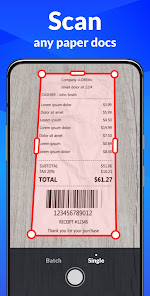
Any Scanner, a smart scanner app that turns your device into a portable PDF scanner, can easily convert paper documents and images to PDF/JPG in just one single tap.
Download Any Scanner and enjoy ALL FEATURES FOR FREE!
Amazing Features:
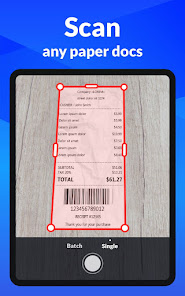
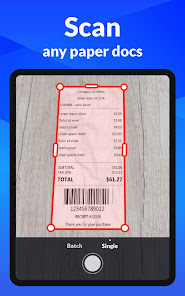
1.Convert All Kinds of Documents to PDFs
Easily scan & convert all kinds of documents to PDF format in a simple tap - receipts, invoices, notes, documents, photos, business cards, certificates, whiteboards, etc. The scan results can be printed out instantly via Cloud Print.
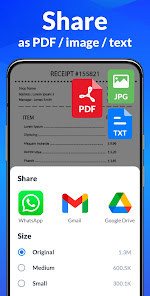
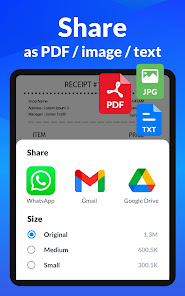
2.Easily Share Scanned Files
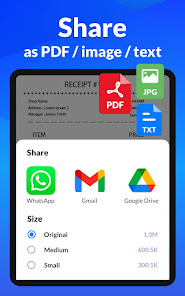
Conveniently share scanned files in PDF or JPEG formats with friends via Email, or post them on social media. Save and view the scanned files anytime, anywhere.
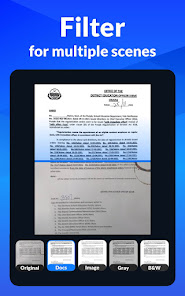
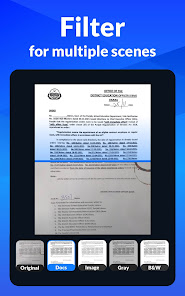
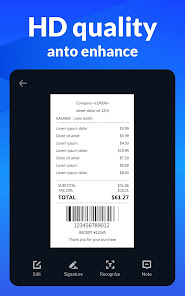
3.Professional Quality Scan Results
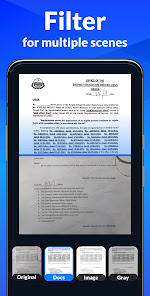
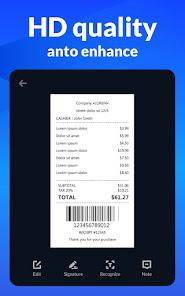
Its precise border detecting, smart cropping, and auto enhancing features ensure the PDF outputs clear, sharp, and high-resolution. Multiple filter options are also provided to further optimize the scan results - photo, document, clear, color, black & white.
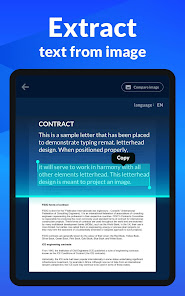
4.Extract Texts from Images Accurately
The integrated OCR (optical character recognition) technology can precisely recognize and extract texts from papers and images. After extraction, you can edit, copy, search, and share the texts for free.
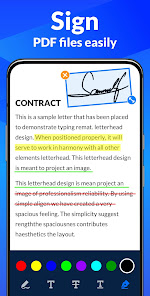
5.Add E-Signatures
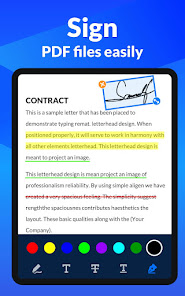
Any Scanner allows you to add electronic signatures to the scan results. Easily sign your PDFs before sending and printing them!
6.Add Security Watermarks
You can add security watermarks to protect your files. Mark scanned files with customized watermarks at any time!
7.Search Files Quickly
Thanks to its quick search feature, you can quickly find your target files among multiple category folders by entering keywords; its OCR search feature can help you find texts inside notes and images in the shortest time.
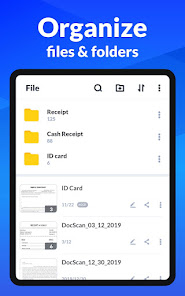
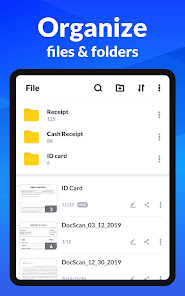
8.Easy and Useful File Management Tools
Supports creating subfolders to help you categorize messy documents. Its amazing searching, sorting, and adding notes features can help you quickly find the document you want.
9.Convenient Documents Editing
Add or delete one page or the entire document; adjust the layout of documents; set page sizes of your PDF (Letter, Legal, A4, and more), all are supported!
Coming Soon:
►Add Annotations
The advanced editing feature allows you to add annotations to the scan results. Conveniently review and mark the scanned documents!
►Protect Important Documents
You can set passwords to protect your confidential documents. Also, encrypting the files to be shared can effectively prevent others from peeking at it.
►Backup and Sync
Worried about losing important files when changing devices? Any Scanner helps you backup and sync scanned documents to Google Drive, Dropbox, Evernote, OneDrive, etc. Just log in to your account on any device, you can manage these documents conveniently. Store, sync and collaborate across smartphones, tablets, and computers.
Any Scanner can be used almost in any case:
*Receipt, Invoice, Contract, Tax Roll, Business Card...
*PPT, Whiteboard, Note, Book, Curriculum Vitae...
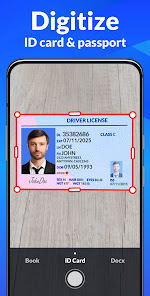
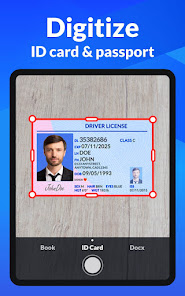
*Passport, ID Card, Driver License, Certificate...
*QR Code, Memo, Letter, Map...
*Travel Brochure, Paint, Work Plan, Manuscript...
Scanner
Try this scanner now! Scanner can convert all kinds of documents to PDF format!
Document Scanner
Document scanner supports to categorise messy documents. Try document scanner!
Scan to PDF
Scan to PDF can scan papers in high-quality. Just download Scan to PDF to scan documents!
Scanner Document App
Scanner document app helps you extract texts from images. Use scanner document app now!
Camera Scanner
Want an attractive camera scanner? Camera Scanner helps you extract PDFs.
Scanner App
This portable scanner app can meet your needs! Try scanner app!
PDF Scanner
PDF scanner is your best assistant! Download PDF scanner for free!
Download Any Scanner and enjoy ALL FEATURES FOR FREE!
Amazing Features:
1.Convert All Kinds of Documents to PDFs
Easily scan & convert all kinds of documents to PDF format in a simple tap - receipts, invoices, notes, documents, photos, business cards, certificates, whiteboards, etc. The scan results can be printed out instantly via Cloud Print.
2.Easily Share Scanned Files
Conveniently share scanned files in PDF or JPEG formats with friends via Email, or post them on social media. Save and view the scanned files anytime, anywhere.
3.Professional Quality Scan Results
Its precise border detecting, smart cropping, and auto enhancing features ensure the PDF outputs clear, sharp, and high-resolution. Multiple filter options are also provided to further optimize the scan results - photo, document, clear, color, black & white.
4.Extract Texts from Images Accurately
The integrated OCR (optical character recognition) technology can precisely recognize and extract texts from papers and images. After extraction, you can edit, copy, search, and share the texts for free.
5.Add E-Signatures
Any Scanner allows you to add electronic signatures to the scan results. Easily sign your PDFs before sending and printing them!
6.Add Security Watermarks
You can add security watermarks to protect your files. Mark scanned files with customized watermarks at any time!
7.Search Files Quickly
Thanks to its quick search feature, you can quickly find your target files among multiple category folders by entering keywords; its OCR search feature can help you find texts inside notes and images in the shortest time.
8.Easy and Useful File Management Tools
Supports creating subfolders to help you categorize messy documents. Its amazing searching, sorting, and adding notes features can help you quickly find the document you want.
9.Convenient Documents Editing
Add or delete one page or the entire document; adjust the layout of documents; set page sizes of your PDF (Letter, Legal, A4, and more), all are supported!
Coming Soon:
►Add Annotations
The advanced editing feature allows you to add annotations to the scan results. Conveniently review and mark the scanned documents!
►Protect Important Documents
You can set passwords to protect your confidential documents. Also, encrypting the files to be shared can effectively prevent others from peeking at it.
►Backup and Sync
Worried about losing important files when changing devices? Any Scanner helps you backup and sync scanned documents to Google Drive, Dropbox, Evernote, OneDrive, etc. Just log in to your account on any device, you can manage these documents conveniently. Store, sync and collaborate across smartphones, tablets, and computers.
Any Scanner can be used almost in any case:
*Receipt, Invoice, Contract, Tax Roll, Business Card...
*PPT, Whiteboard, Note, Book, Curriculum Vitae...
*Passport, ID Card, Driver License, Certificate...
*QR Code, Memo, Letter, Map...
*Travel Brochure, Paint, Work Plan, Manuscript...
Scanner
Try this scanner now! Scanner can convert all kinds of documents to PDF format!
Document Scanner
Document scanner supports to categorise messy documents. Try document scanner!
Scan to PDF
Scan to PDF can scan papers in high-quality. Just download Scan to PDF to scan documents!
Scanner Document App
Scanner document app helps you extract texts from images. Use scanner document app now!
Camera Scanner
Want an attractive camera scanner? Camera Scanner helps you extract PDFs.
Scanner App
This portable scanner app can meet your needs! Try scanner app!
PDF Scanner
PDF scanner is your best assistant! Download PDF scanner for free!
Ostatnia aktualizacja
Podstawą bezpieczeństwa jest wiedza o tym, jak deweloperzy zbierają i udostępniają Twoje dane. Sposoby zapewniania prywatności i bezpieczeństwa danych mogą się różnić w zależności od użycia aplikacji, regionu i wieku użytkownika. Te informacje podał deweloper i z czasem może je aktualizować.

Żadne dane nie są udostępniane innym firmom
Dowiedz się więcej o deklarowaniu udostępniania danych przez deweloperów

Ta aplikacja może zbierać te rodzaje danych
Aktywność w aplikacjach, Informacje o aplikacjach i ich działaniu i Identyfikatory urządzenia i inne

Dane są zaszyfrowane podczas przesyłania

Możesz poprosić o usunięcie danych
Oceny i recenzje
4,8
428 tys. opinii

Michał R
- Oznacz jako nieodpowiednią
22 kwietnia 2024
Otwierasz aplikację? Reklama! Konwertujesz dokument? Reklama! Wysyłasz skan mailem? Reklama! Mail wysłał się bez skanu? Otwórz jeszcze raz -> Reklama! Jakiś czas temu aplikacja nawet używalna, na dzień dzisiejszy jest to apka do reklam z dodatkową funkcją skanowania dokumentów.
Simple Design Ltd.
24 kwietnia 2024
Cześć Michał, przepraszam za reklamy. Zoptymalizujemy aplikację i ograniczymy reklamy w przyszłości. Ta aplikacja jest całkowicie darmowa, więc potrzebujemy reklam, aby zarabiać i dostarczać lepsze produkty. Bardzo dziękujemy za wyrozumiałość!🌹

Marek Libuda
- Oznacz jako nieodpowiednią
- Pokaż historię opinii
7 kwietnia 2024
Super narzędzie ! :))
1 osoba uznała tę opinię za przydatną

Dominika Szewczyk
- Oznacz jako nieodpowiednią
23 kwietnia 2024
Szybko, łatwo i przyjemnie


