
Princh

4.8star
3.15K reviews
100K+
Downloads

Everyone
info
About this app
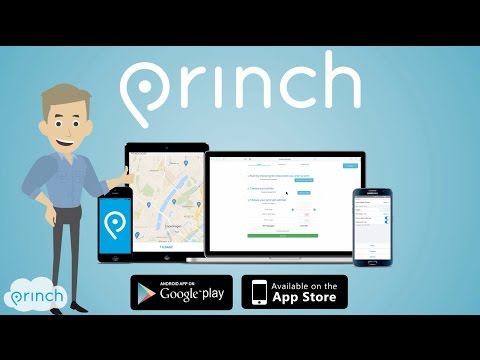
The Princh app lets you easily locate printers nearby and print documents directly from your device.
App quick-guide:
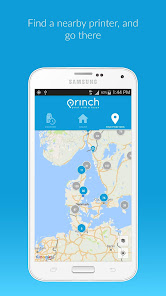
- Locate a nearby printer on the Princh map and go there.
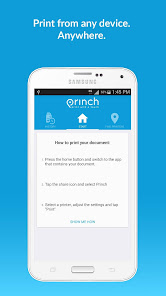
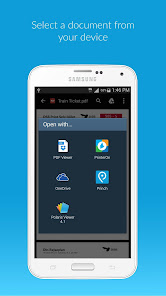
- Open the document you wish to print and tap “open in” Princh.
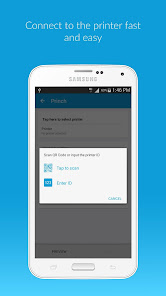
- Select the printer either by typing in the printer ID or by scanning the QR code by the printer.
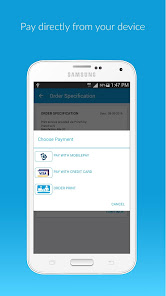
- Finish by paying for the print job with your credit card or other payment form and collect your document in the printer.
That’s it!
The Princh network consists of publicly available printers in a multitude of locations such as libraries and print shops etc.
We want to give you the best printing experience possible, so if you have any comments, questions or problems we would love to hear from you at support@princh.com
Thank you for your support!
App quick-guide:
- Locate a nearby printer on the Princh map and go there.
- Open the document you wish to print and tap “open in” Princh.
- Select the printer either by typing in the printer ID or by scanning the QR code by the printer.
- Finish by paying for the print job with your credit card or other payment form and collect your document in the printer.
That’s it!
The Princh network consists of publicly available printers in a multitude of locations such as libraries and print shops etc.
We want to give you the best printing experience possible, so if you have any comments, questions or problems we would love to hear from you at support@princh.com
Thank you for your support!
Updated on
Safety starts with understanding how developers collect and share your data. Data privacy and security practices may vary based on your use, region, and age. The developer provided this information and may update it over time.

No data shared with third parties
Learn more about how developers declare sharing

This app may collect these data types
Financial info and Files and docs

Data is encrypted in transit

Data can’t be deleted
Ratings and reviews
4.8
3.08K reviews

Eileen O'Brien
- Flag inappropriate
August 24, 2022
Was impressed, but not now. I wanted to print 2 documents using my local library's printer. Everything worked well: choosing a document, finding the printer, paying, etc. So where are my documents? The app shows that they're "pending" ... for almost 12 hours? I paid by credit card versus paying at the circulation desk upon pick-up. Won't make that mistake again. Now I must call the library for guidance. Will be uninstalling this app soon.
Princh A/S
August 26, 2022
Hi Eileen. I am sorry to hear that you have had issues using our app. From what you're saying it sounds like there was an error during the payment process. Our system automatically cancels all payments that are not ending in a printing process after 72 hours. This happens very rarely, so I hope you choose to use our service again later on :-)

Martin Malmer
- Flag inappropriate
- Show review history
March 15, 2024
Such an annoying app. For all of the nagging and permissions, it was still a cumbersome and annoying experience to get a single print through. Goes without saying, this is getting uninstalled right after it has served the purpose.
1 person found this review helpful
Princh A/S
March 19, 2024
Hi Martin - I am sorry you had a bad experience using our service. You're welcome to contact us at support@princh.com so we can find out why you had a bad time. We're always doing everything possible to make our service as easy as possible for our users!

Ralph Inekuku
- Flag inappropriate
- Show review history
May 1, 2024
After paying, I waited for the printer to print. I didn't know one had to click on something in the app for the printer to be instructed. On doing so, the printed paper came out super fast.
What's new
- Minor bugs fixed
