
e-Devlet Anahtar
2.1star
581 reviews
100K+
Downloads

Everyone
info


About this app
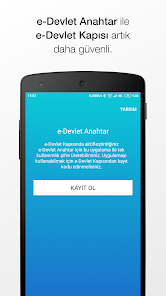
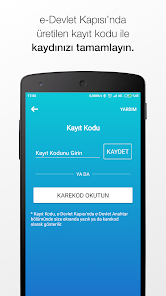
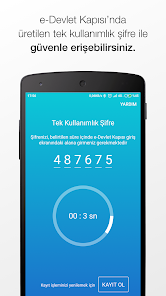
e-Government Key application, T.R. to e-Government Gateway. It provides extra single-use password security after logging in with your ID Number and password. You can activate your key from the e-Government Key menu at www.turkiye.gov.tr, and then use this application to generate one-time passwords. .
The password generated by the e-Government Key application is not sufficient on its own to log in to the e-Government Gateway. To log in, you must have a T.R. You must log in with your ID number and password. e-Government Key is an additional security method. Additionally, in order to log in with e-Government mobile applications after the e-Government Key feature is activated, the latest version of the mobile application must be installed on your device.
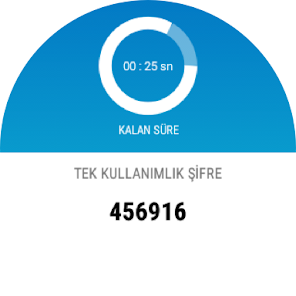
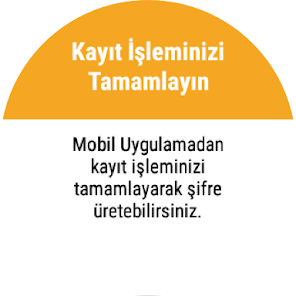
e-Government Key application has a smart watch feature. You can generate a one-time password via your smart watch connected to your e-Government Key installed device.
The password generated by the e-Government Key application is not sufficient on its own to log in to the e-Government Gateway. To log in, you must have a T.R. You must log in with your ID number and password. e-Government Key is an additional security method. Additionally, in order to log in with e-Government mobile applications after the e-Government Key feature is activated, the latest version of the mobile application must be installed on your device.
e-Government Key application has a smart watch feature. You can generate a one-time password via your smart watch connected to your e-Government Key installed device.
Updated on
Safety starts with understanding how developers collect and share your data. Data privacy and security practices may vary based on your use, region, and age. The developer provided this information and may update it over time.

No data shared with third parties
Learn more about how developers declare sharing

No data collected
Learn more about how developers declare collection

Data is encrypted in transit

Data can’t be deleted
Ratings and reviews
2.1
578 reviews

obm
- Flag inappropriate
May 10, 2023
Buggy, does not load in recent android versions, preventing me using critical services.

Tahar Charaf Eddine REZGUI
- Flag inappropriate
September 30, 2020
How i can disable it
5 people found this review helpful

Beytullah AKYÜZ
- Flag inappropriate
January 12, 2023
Düşük güvenlik seviyesi! Uygulamanın güvenlik seviyesi arttırılmalıdır. 2 faktörlü kimlik doğrulama için geliştirilen güvenlik uygulaması öncelikle kendi güvenliğini sağlamalıdır. Güvenlik konusunda sınıfta kalmış bir uygulamadır. Uygulama imzası bireysellikten arındırılıp, kurumsal düzeyde gerçekleştirilmelidir. Uygulama tarafımca güvenlik güncelleştirilmesi verildikten sonra tekrar değerlendirilecektir.
5 people found this review helpful
What's new
Gönderdiğiniz geri bildirimler için teşekkürler.
- Hata düzeltmeleri, performans iyileştirmeleri yapıldı.
- Hata düzeltmeleri, performans iyileştirmeleri yapıldı.


