
Video Editor - Crop, Cut & Mix
Contains ads

star
6.27K reviews

Everyone
info
1M+
Downloads

Everyone
Learn more


About this app
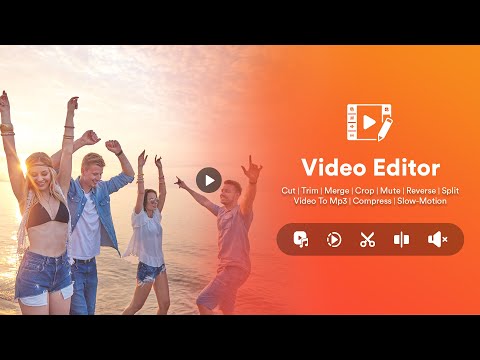
Video Editor - Crop, Cut & Mix is a powerful video editing tool to create stylish and awesome music videos. Which makes your videos attractive.
Edit your video like a pro and create stunning videos with the All-in-One powerful video editing app. Export your videos in high-definition quality.
this app gives you all the tools you need to crop, cut, and mix audio videos, convert video formats, compress video, split, reverse, mute, or make a fast or slow-motion video with ease — right from your phone.
✨ Key Features:
🔹Crop Video
Easily crop your videos to remove unwanted areas or fit your preferred aspect ratio. Perfect for making your videos for Instagram, YouTube, Facebook etc.
🔹 Cut & Trim Video
Cut out your video with a powerful cutting tool to get the exact video length you need. Keep only the best parts of your clips!
🔹 Audio Video Mixer
Mix audio with video effortlessly! add background music to make your video beautiful and engaging.
🔹 Video Converter
Convert video files into different video formats like AVI, FLV, MKV,3GP, etc., to suit your platform or device compatibility needs.
🔹 Video Compressor
Reduce file size without compromising on quality. Perfect for saving storage space and faster sharing.
🔹 Adjust Video Speed
Speed up or slow down your videos to create smooth slow-motion or energetic fast-forward effects with just a tap.
🔹 Reverse Video
Create cool rewind effects by reversing your video. Fun, creative, and perfect for social media magic tricks.
🔹 Video Mirror
Flip your video horizontally or vertically for stylish mirrored effects.
🔹 Video Splitter
Split long videos into shorter segments without losing quality. Ideal for stories, reels, or easy editing.
🔹 Export in HD
Save your videos in high-quality resolution and share them directly to social media, or save to your device’s gallery.
🔹 User-Friendly Interface
Designed for ease of use, with a clean and intuitive app that makes editing simple and enjoyable.
Why Choose Video Editor - Crop, Cut & Mixer App?
✔️ No watermark.
✔️ Fast and lightweight.
✔️ Supports multiple video formats.
✔️ Perfect for social media, vlogs, tutorials, etc.
✔️Multilingual support for multiple languages.
Overall, Video Editor - Crop, Cut & Mix is a great app for anyone who wants to create professional-grade videos on their Android device. With its intuitive interface and advanced editing tools, this app will deliver stunning results that are sure to impress.
Download now and start editing your perfect videos today!
Edit your video like a pro and create stunning videos with the All-in-One powerful video editing app. Export your videos in high-definition quality.
this app gives you all the tools you need to crop, cut, and mix audio videos, convert video formats, compress video, split, reverse, mute, or make a fast or slow-motion video with ease — right from your phone.
✨ Key Features:
🔹Crop Video
Easily crop your videos to remove unwanted areas or fit your preferred aspect ratio. Perfect for making your videos for Instagram, YouTube, Facebook etc.
🔹 Cut & Trim Video
Cut out your video with a powerful cutting tool to get the exact video length you need. Keep only the best parts of your clips!
🔹 Audio Video Mixer
Mix audio with video effortlessly! add background music to make your video beautiful and engaging.
🔹 Video Converter
Convert video files into different video formats like AVI, FLV, MKV,3GP, etc., to suit your platform or device compatibility needs.
🔹 Video Compressor
Reduce file size without compromising on quality. Perfect for saving storage space and faster sharing.
🔹 Adjust Video Speed
Speed up or slow down your videos to create smooth slow-motion or energetic fast-forward effects with just a tap.
🔹 Reverse Video
Create cool rewind effects by reversing your video. Fun, creative, and perfect for social media magic tricks.
🔹 Video Mirror
Flip your video horizontally or vertically for stylish mirrored effects.
🔹 Video Splitter
Split long videos into shorter segments without losing quality. Ideal for stories, reels, or easy editing.
🔹 Export in HD
Save your videos in high-quality resolution and share them directly to social media, or save to your device’s gallery.
🔹 User-Friendly Interface
Designed for ease of use, with a clean and intuitive app that makes editing simple and enjoyable.
Why Choose Video Editor - Crop, Cut & Mixer App?
✔️ No watermark.
✔️ Fast and lightweight.
✔️ Supports multiple video formats.
✔️ Perfect for social media, vlogs, tutorials, etc.
✔️Multilingual support for multiple languages.
Overall, Video Editor - Crop, Cut & Mix is a great app for anyone who wants to create professional-grade videos on their Android device. With its intuitive interface and advanced editing tools, this app will deliver stunning results that are sure to impress.
Download now and start editing your perfect videos today!
Video editor app has powerful editing features like crop, cut, motion and split.
Updated on
Safety starts with understanding how developers collect and share your data. Data privacy and security practices may vary based on your use, region, and age. The developer provided this information and may update it over time.
- This app may share these data types with third partiesPersonal info, Photos and videos and 4 others
- No data collectedLearn more about how developers declare collection
- Data is encrypted in transit
- Data can’t be deleted


Ratings and reviews
6.04K reviews

Jonny Silveus (SiliconJon)
- Flag inappropriate
May 15, 2021
Video cutter we all I used, that was enough to say no thanks. Clumsy low res slidebar had 2s resolution, I like my video editors to have much closer to frame by frame resolution. And then it was taking forever to split it, not a good sign that it's recoding the entire thing, as each recode is a quality loss. Other splitters cut the data without much recoding just fine.
228 people found this review helpful

Md Shahbaz
- Flag inappropriate
- Show review history
June 21, 2021
Worst app lots of ads and also image video editing is not available. I don't know how it has good rating.
152 people found this review helpful

Mongk Morine
- Flag inappropriate
August 28, 2021
This is the 6 video app i am trying this night yet i can't find the best🤦♀️🤦♀️ VIDEO EDITOR was so cool those people just spoiled it tall no way to add music in a video anymore
35 people found this review helpful
Everyone
Learn moreApp support
About the developer
Viralkumari Naimish Lakhani
destinytools7@gmail.com
148 Kshama Society, AK Road
Near Dharam Nagar Road
Surat, Gujarat 395008
India


