
LibraryThing
2.4star
948 reviews

Everyone
info
100K+
Downloads




About this app
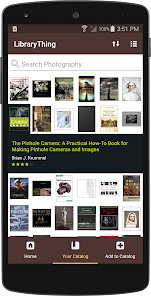
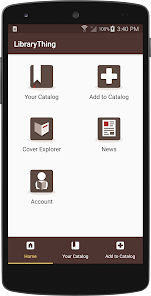
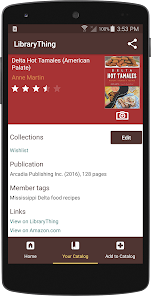
The LibraryThing app allows LibraryThing members to catalog and browse their collections. LibraryThing is focused on books, but you can add most media, including books, DVDs and CDs. LibraryThing relies on data from Amazon, and over 65 million library records.
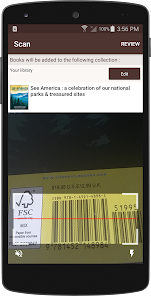
Add books by searching for them or scanning their ISBN barcode with the camera.
Add high-resolution cover photos of your books with the cover editor and browse your books by cover type to find copies that need better covers.
Add books by searching for them or scanning their ISBN barcode with the camera.
Add high-resolution cover photos of your books with the cover editor and browse your books by cover type to find copies that need better covers.
Updated on
Safety starts with understanding how developers collect and share your data. Data privacy and security practices may vary based on your use, region, and age. The developer provided this information and may update it over time.

No data shared with third parties
Learn more about how developers declare sharing

This app may collect these data types
Personal info, Photos and videos, and App activity

Data is encrypted in transit

You can request that data be deleted
Ratings and reviews
2.4
887 reviews

Randy Chrisman
- Flag inappropriate
May 26, 2026
I'm just getting started but so far I really like all that it provides. Pretty easy to maneuver around, but until you get used to it, it may take some patience. I'm just trying to find the barcode scanner to use my phones camera to scan the books, but even with what and where to find it, I have no clue. They tell me to look for the "catalog page", we'll, i gave not seen anything that says catalog. I've found "add books" or "import books" but thete is no barcode an either of those pages.

Ryan Beffrey
- Flag inappropriate
April 14, 2026
good program; shaky app. adding to your library is not at all easy. the barcode scanner is unusable. with the slightest movement it re-scans and automatically adds the book again, making you go back and delete the "duplicate copy." after it scans I want to see the details to confirm them and then tap an okay button or something to add thebook to my library, not have it add on its own.
3 people found this review helpful

Stitch
- Flag inappropriate
December 7, 2025
Could be better...works for what I need though The app will crash/close when you try to delete duplicates or mis-read additions from your library. That said, I logged into the website to remove it without issue. It's also easier to use the website to add items where the scanner doesn't read teh ISBN or if your ISBN info is messed up/covered with a sticker on the cover. So the APP needs to be more stable and not crash. Please change where the scanner window is to the top of my screen. Thnx!
5 people found this review helpful
What’s new
Fix for error and crash when trying to add books on some devices.
App support
About the developer
LIBRARYTHING.COM, INC.
christopher@librarything.com
286 Spring St
Portland, ME 04102
United States
+1 251-648-4100


