
Nomad Sculpt
In-app purchases
3.6star
7.93K reviews
1M+
Downloads

Everyone
info
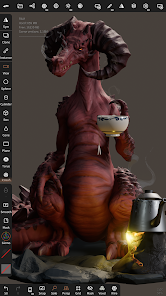


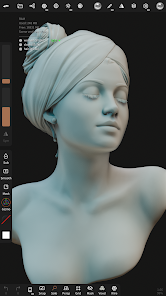
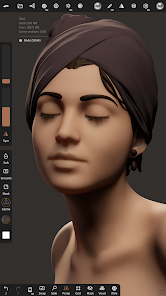
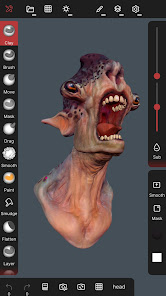







About this app
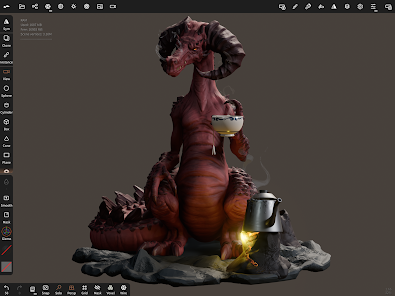
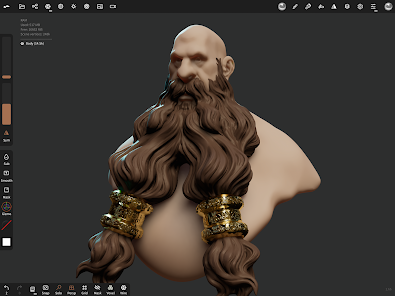
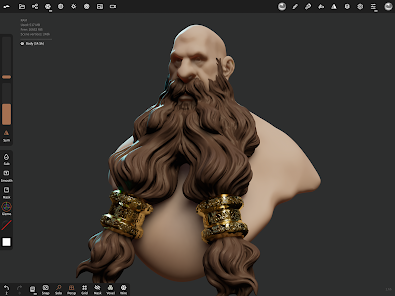
• Sculpting tools
Clay, flatten, smooth, mask and many other brushes will let you shape your creation.
You can also use the trim boolean cutting tool with lasso, rectangle and other shapes, for hardsurface purposes.
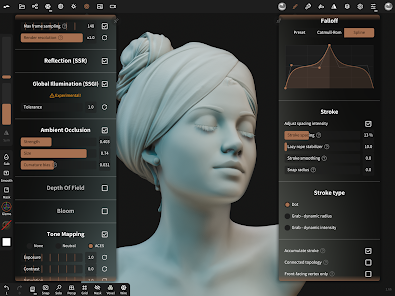
• Stroke customization
Falloff, alphas, tilings, pencil pressure and other stroke parameters can be customized.
You can save and load your tools preset as well.
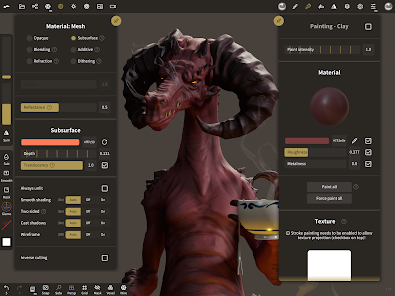
• Painting tools
Vertex painting with color, roughness and metalness.
You can easily manage all your material presets as well.
• Layers
Record your sculpting and painting operations in separate layers for easier iteration during the creation process.
Both the sculpting and painting changes are recorded.
• Multiresolution sculpting
Go back and forth between multiple resolution of your mesh for a flexible workflow.
• Voxel remeshing
Remesh quickly your mesh to get a uniform level of detail.
It can be used to quickly sketch a rough shape at the beginning of the creation process.
• Dynamic topology
Refine locally your mesh under your brush to get an automatic level of detail.
You can even keep your layers, as they will be automatically updated!
• Decimate
Reduce the number of polygons by keeping as many details as possible.
• Face Group
Segment your mesh into subgroups with the face group tool.
• Automatic UV unwrap
The automatic UV unwrapper can use face groups to control the unwrapping process.
• Baking
You can transfer vertex data such as color, roughness, metalness and small scaled detail in to textures.
You can also do the opposite, transfering textures data into vertex data or layers.
• Primitive shape
Cylinder, torus, tube, lathe and other primitives can be used to quickly start new shapes from scratch.
• PBR rendering
Beautiful PBR rendering by default, with lighting and shadows.
You can always switch to matcap for a more standard shading for sculpting purposes.
• Post processing
Screen Space Reflection, Depth of Field, Ambient Occlusion, Tone mapping, etc
• Export and Import
Supported formats include glTF, OBJ, STL or PLY files.
• Interface
Easy-to-use interface, designed for mobile experience.
Customization is possible as well!
Clay, flatten, smooth, mask and many other brushes will let you shape your creation.
You can also use the trim boolean cutting tool with lasso, rectangle and other shapes, for hardsurface purposes.
• Stroke customization
Falloff, alphas, tilings, pencil pressure and other stroke parameters can be customized.
You can save and load your tools preset as well.
• Painting tools
Vertex painting with color, roughness and metalness.
You can easily manage all your material presets as well.
• Layers
Record your sculpting and painting operations in separate layers for easier iteration during the creation process.
Both the sculpting and painting changes are recorded.
• Multiresolution sculpting
Go back and forth between multiple resolution of your mesh for a flexible workflow.
• Voxel remeshing
Remesh quickly your mesh to get a uniform level of detail.
It can be used to quickly sketch a rough shape at the beginning of the creation process.
• Dynamic topology
Refine locally your mesh under your brush to get an automatic level of detail.
You can even keep your layers, as they will be automatically updated!
• Decimate
Reduce the number of polygons by keeping as many details as possible.
• Face Group
Segment your mesh into subgroups with the face group tool.
• Automatic UV unwrap
The automatic UV unwrapper can use face groups to control the unwrapping process.
• Baking
You can transfer vertex data such as color, roughness, metalness and small scaled detail in to textures.
You can also do the opposite, transfering textures data into vertex data or layers.
• Primitive shape
Cylinder, torus, tube, lathe and other primitives can be used to quickly start new shapes from scratch.
• PBR rendering
Beautiful PBR rendering by default, with lighting and shadows.
You can always switch to matcap for a more standard shading for sculpting purposes.
• Post processing
Screen Space Reflection, Depth of Field, Ambient Occlusion, Tone mapping, etc
• Export and Import
Supported formats include glTF, OBJ, STL or PLY files.
• Interface
Easy-to-use interface, designed for mobile experience.
Customization is possible as well!
Updated on
Safety starts with understanding how developers collect and share your data. Data privacy and security practices may vary based on your use, region and age. The developer provided this information and may update it over time.

No data shared with third parties
Learn more about how developers declare sharing

No data collected
Learn more about how developers declare collection
Ratings and reviews
3.6
6.01K reviews

Charles Poltenson
- Flag inappropriate
- Show review history
16 October 2024
It seems like a decent sculpting program. However, just like it's competitor Sculpt+, it's paywalled, which makes it tough to decide which to go with. To the developers, I'd recommend giving free users the chance to do some more things, maybe after watching an ad. As a new digital sculpter, it's especially a pain not being able to import models. For beginner sculpters like me, it may be best to just stick to Blender on a PC while learning.
111 people found this review helpful

S R
- Flag inappropriate
1 December 2025
too confusing. there's no guides either so you have to go on YouTube and there's not only a small amount of people who use it so there's not many tutorials, but they don't explain it well either. I struggled for 30mkns just to figure out how to SCALE a cylinder. blender is 10x easier than this.. not to mention, there's way too much ui that it 1. covers up where I'm trying to sculpt a model and 2. there's too much to go through. not beginner friendly at all.

Amy Silenieks
- Flag inappropriate
- Show review history
6 January 2021
I love it! I want to practice 3D modeling, but it feels like I never have the time by the time I get home... now I can do it on the go anytime anywhere! ^_^ My phone stylus feels useful again. Not having more than one undo isn't a huge deal in a sculpting program, as it's pretty easy to smooth things out and rework, but it annoys me enough and I feel like I'll use this enough to justify buying the full version day one of playing with this. Love everything it has to offer. Sold.
107 people found this review helpful
What's new
layer: fix crash on clone
App support
About the developer
HEXANOMAD
support@nomadsculpt.com
122 RUE AMELOT
75011 PARIS
France
+33 7 45 07 19 72


