PDF editor & PDF converter pro
4.3star
3.32K reviews
50K+
Downloads

Everyone
info



About this app
PDF Converter & PDF Editor - All-in-One Document Tool
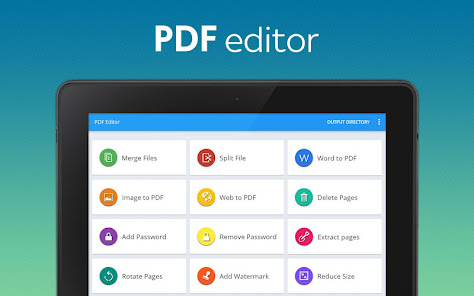
Boost your productivity with the ultimate PDF Converter & PDF Editor app! Unlock a world of possibilities for your documents with our feature-packed, user-friendly tool.
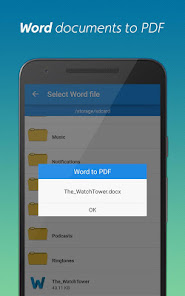
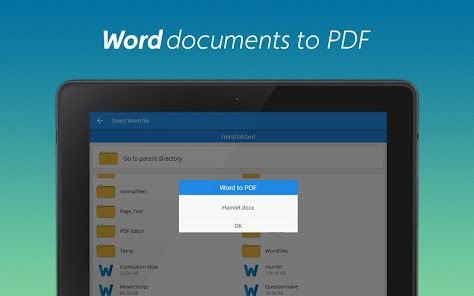
📄 Convert Word to PDF:
Effortlessly convert DOC files to PDF on the go. Seamlessly transform your documents with a simple tap.
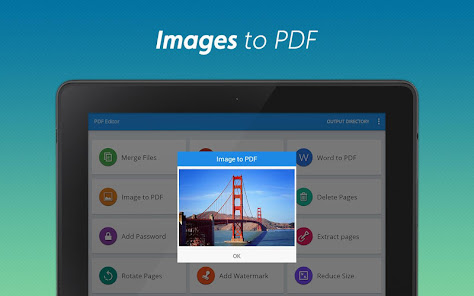
🖼️ Convert Image to PDF:
Turn JPGs into PDFs instantly. Choose multiple images from the gallery & convert them to PDF with ease.
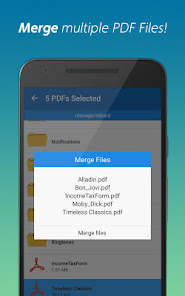
➕ PDF Merge:
Combine multiple PDFs into a single, organized file. Simplify your document management.
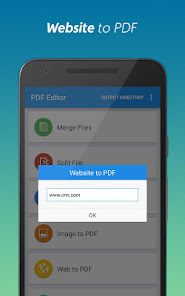
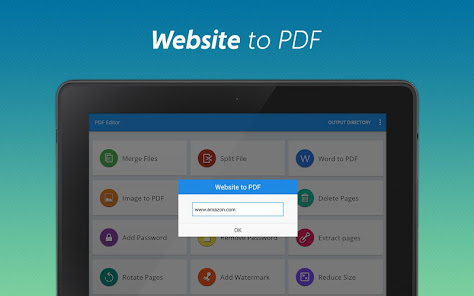
🌐 Website to PDF:
Save webpages as PDFs for offline reading. Archive articles and reports hassle-free.
🪓 Split Document:
Break down large files into manageable units. Customize your PDFs to suit your needs.
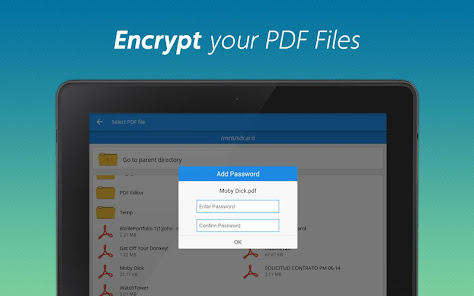
🔒 Add Password:
Enhance document security. Encrypt your PDFs with password protection.
🚫 Remove Password:
Eliminate repetitive password entries. Easily remove password protection from frequently accessed PDFs.
🗑️ Delete Pages:
Streamline your PDFs by removing unnecessary pages. Easy, efficient, and clutter-free.
📤 Extract Pages:
Isolate and extract specific pages from any PDF document. Tailor your content to your requirements.
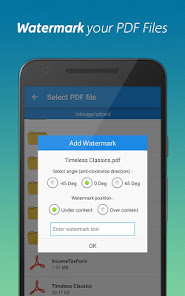
🖋️ Add Watermark:
Personalize your files by adding watermark text. Make your documents uniquely yours.
🔄 Rotate Pages:
Effortlessly adjust the orientation of selected pages. Enhance readability and presentation.
💾 Compress:
Optimize your PDFs for easy sharing. Reduce file size without compromising quality.
Download our PDF Converter & PDF Editor now for a seamless and efficient PDF experience. Convert, edit, and manage PDFs with ease!
Boost your productivity with the ultimate PDF Converter & PDF Editor app! Unlock a world of possibilities for your documents with our feature-packed, user-friendly tool.
📄 Convert Word to PDF:
Effortlessly convert DOC files to PDF on the go. Seamlessly transform your documents with a simple tap.
🖼️ Convert Image to PDF:
Turn JPGs into PDFs instantly. Choose multiple images from the gallery & convert them to PDF with ease.
➕ PDF Merge:
Combine multiple PDFs into a single, organized file. Simplify your document management.
🌐 Website to PDF:
Save webpages as PDFs for offline reading. Archive articles and reports hassle-free.
🪓 Split Document:
Break down large files into manageable units. Customize your PDFs to suit your needs.
🔒 Add Password:
Enhance document security. Encrypt your PDFs with password protection.
🚫 Remove Password:
Eliminate repetitive password entries. Easily remove password protection from frequently accessed PDFs.
🗑️ Delete Pages:
Streamline your PDFs by removing unnecessary pages. Easy, efficient, and clutter-free.
📤 Extract Pages:
Isolate and extract specific pages from any PDF document. Tailor your content to your requirements.
🖋️ Add Watermark:
Personalize your files by adding watermark text. Make your documents uniquely yours.
🔄 Rotate Pages:
Effortlessly adjust the orientation of selected pages. Enhance readability and presentation.
💾 Compress:
Optimize your PDFs for easy sharing. Reduce file size without compromising quality.
Download our PDF Converter & PDF Editor now for a seamless and efficient PDF experience. Convert, edit, and manage PDFs with ease!
Updated on
Safety starts with understanding how developers collect and share your data. Data privacy and security practices may vary based on your use, region, and age. The developer provided this information and may update it over time.

No data shared with third parties
Learn more about how developers declare sharing

No data collected
Learn more about how developers declare collection
Ratings and reviews
4.3
3.12K reviews

Ava Turner
- Flag inappropriate
October 5, 2024
I haven't done anything else yet, but pretty disappointed that you can't create the web pdf by sharing from the browser. You also can't paste into the input field when renaming the file, which is completely flabbergasting--why would any app ever prevent you from using the clipboard on a text input?? Not great signs and both together make the primary purpose of my app purchase more of a pain to achieve than it should be.
7 people found this review helpful

A Google user
- Flag inappropriate
January 2, 2020
I was trying and trying to print out some important documents and all i kept getting was documents couldn't be printed because it was locked with a password. I downloaded two different apps that were supposed to convert them,all i got was conversion failed. I went through the play store and found this app, I downloaded it had to pay .99 cents but it was worth it! I got my documents printed and now i'm satisfied.
40 people found this review helpful

an di
- Flag inappropriate
- Show review history
November 8, 2025
no way to search directly through your downloads, it was unable to find my pdf And whenever I tried to share the PDF from within the default reader this app wasn't an option to share it to for some reason (jetsign, however, was) so ultimately it's worthless to me, other apps that are free work better than this one which is paid, i want my money back
3 people found this review helpful
What’s new
🌍 Your PDF Buddy Goes Global!
Now available in French, German, Turkish, Indonesian, Portuguese (EU & Brazil), Spanish, and many more languages — making it easier than ever to work with PDFs in your own language.
Now available in French, German, Turkish, Indonesian, Portuguese (EU & Brazil), Spanish, and many more languages — making it easier than ever to work with PDFs in your own language.
App support
About the developer
Neeru Maini
pdfbuddies@gmail.com
F-65, Green Park Main
New Delhi, Delhi 110016
India


