
WPS Office-PDF, Word, Sheet
يتضمن إعلاناتعمليات شراء داخل التطبيق
4.5star
5.81 مليون مراجعة
+500 مليون
عملية تنزيل

الجميع
info




لمحة عن هذا التطبيق
★WPS Office-Free Office suite for Word, PDF, Sheet, is an all-in-one office suite integrates Word docs, PDF, Sheet spreadsheets, PowerPoint slides, WPS AI, Forms, Cloud Storage, Online Editing, Template library and Sharing. Access various WPS Office functions through mobile devices, such as scan PDF files, edit slides, convert spreadsheets, or view documents anytime, anywhere. WPS AI revolutionizes your workflow by offering functions like AI-Powered document scanner, AI-generated content, rewriting, ChatPDFs, and more.
「Features of WPS AI 」
1. AI-Powered Document Scanner
• Digitize paper documents, extract & erase elements rapidly and accurately!
2. WPS AI-generated content (AIGC)
• Get instant and high-quality content like meeting summaries, event planning, resumes, etc, all with a prompt!
3. AI-powered rewriting
• WPS AI is here to offer professional rewriting and polishing work.
• WPS AI is committed to be a powerful writing assistant and revolutionize the writing process.
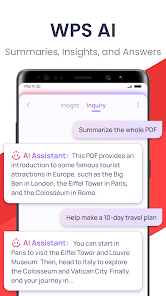
4. ChatPDFs
• Free from tedious PDF-reading workload!
• WPS AI is able to effortlessly process long PDFs and provides summaries, outlines or translations as you like.
• Engage in conversations with WPS AI and get instant answers about the PDFs.
5. AI-powered OCR
• Revolutionized OCR technology helps to deal with the data entry work.
• Ready to provide insights for any scanned document.
★As a professional word processor, WPS Office is compatible with various office softwares in core functions, more intelligent and easier.
「 Typical Features of WPS Office 」
1. Powerful Office Suite on your Android device
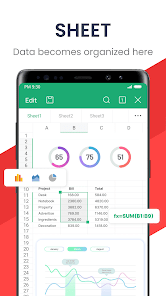
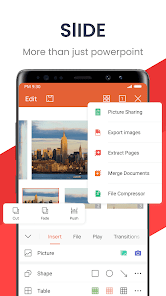
• Using templates to start editing your budget, Word, Presentations, sheet, resumes, documents and other files.
•Using tools to convert and process Document, PDF and images.
•Easy to create, edit, share files and collaborated on with others in real-time.
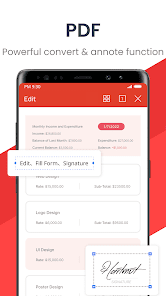
2. Scan, view, edit, convert PDF on your Android device
• Free PDF viewer that can open, view, share and comment on PDFs anywhere and on any device.
• Convert all Office documents (Word, Text, Sheet, PowerPoint, Docs, Images) to PDF.
• Scan paper documents to PDF.
• Support PDF annotation, PDF signature, PDF extraction/split, PDF merge.
• Easily add and delete watermarks in PDF.
3. Powerful cloud storage function, you are not afraid of losing documents
• Use WPS Cloud to manage all documents, synchronize in real time on mobile phones and computers, and easily and directly access and edit office documents
• Save documents to third-party clouds: Dropbox, Google Drive, Box, Evernote and Microsoft OneDrive.
4. Solutions for working remotely on Android devices
• 1G free cloud storage, support online editing and sharing of files, easy to build and join the cloud team.
• Easy to share office documents via WIFI, NFC, DLNA, email, instant messaging, WhatsApp, Telegram, Facebook and Twitter.
Now available PC and Mac for free , please visit the following link: https://www.wps.com/download/
Support page: https://www.wps.com/support/
「Features of WPS AI 」
1. AI-Powered Document Scanner
• Digitize paper documents, extract & erase elements rapidly and accurately!
2. WPS AI-generated content (AIGC)
• Get instant and high-quality content like meeting summaries, event planning, resumes, etc, all with a prompt!
3. AI-powered rewriting
• WPS AI is here to offer professional rewriting and polishing work.
• WPS AI is committed to be a powerful writing assistant and revolutionize the writing process.
4. ChatPDFs
• Free from tedious PDF-reading workload!
• WPS AI is able to effortlessly process long PDFs and provides summaries, outlines or translations as you like.
• Engage in conversations with WPS AI and get instant answers about the PDFs.
5. AI-powered OCR
• Revolutionized OCR technology helps to deal with the data entry work.
• Ready to provide insights for any scanned document.
★As a professional word processor, WPS Office is compatible with various office softwares in core functions, more intelligent and easier.
「 Typical Features of WPS Office 」
1. Powerful Office Suite on your Android device
• Using templates to start editing your budget, Word, Presentations, sheet, resumes, documents and other files.
•Using tools to convert and process Document, PDF and images.
•Easy to create, edit, share files and collaborated on with others in real-time.
2. Scan, view, edit, convert PDF on your Android device
• Free PDF viewer that can open, view, share and comment on PDFs anywhere and on any device.
• Convert all Office documents (Word, Text, Sheet, PowerPoint, Docs, Images) to PDF.
• Scan paper documents to PDF.
• Support PDF annotation, PDF signature, PDF extraction/split, PDF merge.
• Easily add and delete watermarks in PDF.
3. Powerful cloud storage function, you are not afraid of losing documents
• Use WPS Cloud to manage all documents, synchronize in real time on mobile phones and computers, and easily and directly access and edit office documents
• Save documents to third-party clouds: Dropbox, Google Drive, Box, Evernote and Microsoft OneDrive.
4. Solutions for working remotely on Android devices
• 1G free cloud storage, support online editing and sharing of files, easy to build and join the cloud team.
• Easy to share office documents via WIFI, NFC, DLNA, email, instant messaging, WhatsApp, Telegram, Facebook and Twitter.
Now available PC and Mac for free , please visit the following link: https://www.wps.com/download/
Support page: https://www.wps.com/support/
تاريخ التحديث
يبدأ الحفاظ على أمان بياناتك بفهم الطريقة التي يتّبعها مطوِّرو التطبيقات لجمع بياناتك ومشاركتها. قد تختلف خصوصية البيانات وممارسات الأمان حسب كيفية استخدامك للتطبيق ومنطقتك وعمرك. يوفّر مطوِّر التطبيقات هذه المعلومات وقد يعدِّلها بمرور الوقت.

لا تتم مشاركة أيّ بيانات مع جهات خارجية.
مزيد من المعلومات حول الآلية التي يتّبعها مطوِّرو البرامج للإشارة إلى مشاركة بيانات المستخدمين

لم يتم تجميع أي بيانات.
مزيد من المعلومات حول الآلية التي يتّبعها مطوِّرو البرامج للإشارة إلى جمع بيانات المستخدمين

يتم تشفير البيانات أثناء النقل

يمكن أن تطلب حذف البيانات
التقييمات والتعليقات
4.6
5.63 مليون مراجعة

A. Benaoumeur
- الإبلاغ عن مراجعة غير ملائمة
- عرض سجلّ المراجعة
9 ديسمبر 2025
البرنامج ليس كأي برنامج جد رائع ومتميز كالعادة خاصة في الميزات والخصائص، ولكن هناك مشكلة قديمة و متعبة نوعًا ما، لم تعالج منذ مدّة طويلة، المشكلة هي في طريقة وإتجاه مؤشر الكتابة في الصيغة عند كتابة الدالة والرموز فهي متعبة وغير منضبطة ومنسّقة في وضع المؤشر في المكان المراد ، وهذا في اللغة العربية، أرجو معالجة الأمر، وشكرًا.
رأى 445 شخصًا أنّ هذه المراجعة مفيدة.

هاشم If قاسم
- الإبلاغ عن مراجعة غير ملائمة
10 ديسمبر 2025
لقد افادني في فتح الكثير من الملفات والاحتفاظ بها لوقت طويل و استلمهم و اقرا فيه عند الحاجة هل هذه الفادة مفيد
رأى 9 أشخاص أنّ هذه المراجعة مفيدة.

Nawaf Thaq
- الإبلاغ عن مراجعة غير ملائمة
12 نوفمبر 2025
تطبيق سلسل في العمل ورائع جداً انصح فيه وبجده ، وأيضاً في خانات مجانيه و متوفره في نفس التطبيق هاذا مع استخدام ai , و pdf tools,و أدوات مدرسيه ايضا ال, ,IMAGE,SCNNER ,أفضل شي ليتيح لك سهولة العمل و التصفح من التطبيق شكرا جداً على إبتكار تطبيق لامثيل لهWPS OFFICE-PDF 🔥🔥🔥🔥🔥🔥🔥🔥🔥🔥🔥🔥🔥🔥🔥
رأى 178 شخصًا أنّ هذه المراجعة مفيدة.
أحدث الميزات
يوفر WPS AI إمكانات مدعومة بالذكاء الاصطناعي لكتابة النصوص وتعديلها وترجمتها بالإضافة إلى تعديل الصور:
1. الترجمة بالذكاء الاصطناعي: ترجمة النصوص بدقة والاحتفاظ بالتنسيقات الأصلية. يدعم 105 لغات.
2. الماسح الضوئي: إنشاء نُسخ واضحة ممسوحة ضوئيًا، يدعم استخراج النصوص المكتوبة بخط اليد ويتيح استخراج النُسخ الممسوحة ضوئيًا في صورة ملفات قابلة للتعديل.
3. القراءة بصوت عالٍ: إنشاء إخراجات صوتية طبيعية سلسة ذات انفعالات.
الحصول على الدعم
لمحة عن المطوّر
WPS SOFTWARE PTE. LTD.
feedback@wps.com
C/O: SINGAPORE FOZL GROUP PTE LTD 6 Raffles Quay #14-06
Singapore 048580
+1 206-225-9862


