
DeepL Translate
4.7star
392K reviewsinfo
10M+
Downloads

PEGI 3
info



About this app
- Camera translation: take a picture with your camera to get instant text translation
- Photo translation: upload a photo to translate the text
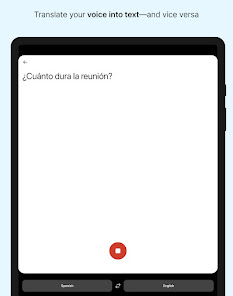
- Dictation: translate what you speak out loud
- Text to speech: hear your translated text read out loud
- File translation: translate text from files
- Quick detection: translations begin as you type
- Alternative translations: explore different options for single words and short phrases
- Favorites: save words and phrases for future reference
- History: easily find, edit, and reuse past translations
- Transliteration: read translations of non-Latin languages, such as Japanese or Russian, in the Latin alphabet
- Glossary: translate key words and phrases as defined by you or your organization (available with a paid plan)
- Tone: choose a formal or informal tone (available with a paid plan)
- Handwriting: draw text characters instead of typing (available on iPad)
- DeepL Write: get intelligent writing suggestions to help you create clear, error-free, and impactful texts with ease
Feature support varies by language. Currently available: Acehnese, Afrikaans, Albanian, Arabic, Aragonese, Armenian, Assamese, Aymara, Azerbaijani, Bashkir, Basque, Belarusian, Bengali, Bhojpuri, Bosnian, Breton, Bulgarian, Burmese, Cantonese, Catalan, Cebuano, Chinese (simplified)*, Chinese (traditional)*, Croatian, Czech, Danish, Dari, Dutch, English (American)*, English (British)*, Esperanto, Estonian, Finnish, French*, Galician, Georgian, German*, Greek, Guarani, Gujarati, Haitian Creole, Hausa, Hebrew, Hindi, Hungarian, Icelandic, Igbo, Indonesian, Irish, Italian*, Japanese*, Javanese, Kapampangan, Kazakh, Konkani, Korean*, Kurdish (Kurmanji), Kurdish (Sorani), Kyrgyz, Latin, Latvian, Lingala, Lithuanian, Lombard, Luxembourgish, Macedonian, Malagasy, Malay, Maithili, Maltese, Maori, Marathi, Mongolian, Nepali, Norwegian (bokmål), Occitan, Pangasinan, Pashto, Persian, Polish, Portuguese*, Portuguese (Brazilian)*, Quechua, Romanian, Russian, Sanskrit, Serbian, Sicilian, Slovak, Slovenian, Spanish*, Spanish (Latin American), Sundanese, Swahili, Swedish, Tagalog, Tajik, Tamil, Tatar, Telugu, Tsonga, Tswana, Turkish, Turkmen, Ukrainian, Urdu, Uzbek, Vietnamese, Welsh, Wolof, Xhosa
*Also available for DeepL Write
Free to download - access core features without cost!
- Enjoy more translation features with a DeepL account
- Log in to your organization's team account via SSO
- To unlock all features, you may need a DeepL paid plan
Like millions of others every day, get DeepL for Android to communicate effortlessly across language barriers—wherever you are.
︎Terms & Conditions: https://www.deepl.com/app-terms
Privacy Policy: https://www.deepl.com/privacy.html
DeepL Support: https://www.deepl.com/support
- Photo translation: upload a photo to translate the text
- Dictation: translate what you speak out loud
- Text to speech: hear your translated text read out loud
- File translation: translate text from files
- Quick detection: translations begin as you type
- Alternative translations: explore different options for single words and short phrases
- Favorites: save words and phrases for future reference
- History: easily find, edit, and reuse past translations
- Transliteration: read translations of non-Latin languages, such as Japanese or Russian, in the Latin alphabet
- Glossary: translate key words and phrases as defined by you or your organization (available with a paid plan)
- Tone: choose a formal or informal tone (available with a paid plan)
- Handwriting: draw text characters instead of typing (available on iPad)
- DeepL Write: get intelligent writing suggestions to help you create clear, error-free, and impactful texts with ease
Feature support varies by language. Currently available: Acehnese, Afrikaans, Albanian, Arabic, Aragonese, Armenian, Assamese, Aymara, Azerbaijani, Bashkir, Basque, Belarusian, Bengali, Bhojpuri, Bosnian, Breton, Bulgarian, Burmese, Cantonese, Catalan, Cebuano, Chinese (simplified)*, Chinese (traditional)*, Croatian, Czech, Danish, Dari, Dutch, English (American)*, English (British)*, Esperanto, Estonian, Finnish, French*, Galician, Georgian, German*, Greek, Guarani, Gujarati, Haitian Creole, Hausa, Hebrew, Hindi, Hungarian, Icelandic, Igbo, Indonesian, Irish, Italian*, Japanese*, Javanese, Kapampangan, Kazakh, Konkani, Korean*, Kurdish (Kurmanji), Kurdish (Sorani), Kyrgyz, Latin, Latvian, Lingala, Lithuanian, Lombard, Luxembourgish, Macedonian, Malagasy, Malay, Maithili, Maltese, Maori, Marathi, Mongolian, Nepali, Norwegian (bokmål), Occitan, Pangasinan, Pashto, Persian, Polish, Portuguese*, Portuguese (Brazilian)*, Quechua, Romanian, Russian, Sanskrit, Serbian, Sicilian, Slovak, Slovenian, Spanish*, Spanish (Latin American), Sundanese, Swahili, Swedish, Tagalog, Tajik, Tamil, Tatar, Telugu, Tsonga, Tswana, Turkish, Turkmen, Ukrainian, Urdu, Uzbek, Vietnamese, Welsh, Wolof, Xhosa
*Also available for DeepL Write
Free to download - access core features without cost!
- Enjoy more translation features with a DeepL account
- Log in to your organization's team account via SSO
- To unlock all features, you may need a DeepL paid plan
Like millions of others every day, get DeepL for Android to communicate effortlessly across language barriers—wherever you are.
︎Terms & Conditions: https://www.deepl.com/app-terms
Privacy Policy: https://www.deepl.com/privacy.html
DeepL Support: https://www.deepl.com/support
Updated on
Safety starts with understanding how developers collect and share your data. Data privacy and security practices may vary based on your use, region, and age. The developer provided this information and may update it over time.


Ratings and reviews
4.7
380K reviews

EonBlue
- Flag inappropriate
August 27, 2025
A recent update broke the "sentences" tab. It used to show translations line by line in small sections. Now, it's just one in a huge section. Having to swipe to get the next translation is very annoying and to top it off, it doesn't work if the phone is in desktop mode. Trying to swipe with a mouse will mess with the entire app.
16 people found this review helpful

Christophe
- Flag inappropriate
April 5, 2023
Disappointed by this app, while I use it a lot online, but the app is less responsive(takes more time to translate than on browser), and doesn't translate correctly, or at all, a lot of words(I used it for crosswords, and it was really really bad). So overall, I'm really disappointed about the app but the browser version seems to work better.
31 people found this review helpful

Abigail Warlow
- Flag inappropriate
March 19, 2023
I used the free trial for informal translations and it worked perfectly but as soon as I started paying monthly for that very service it stopped working and would only allow formal translations. I contacted deepl and they said they were aware of the problem and that was the last of it. It's a shame because it did work well but no longer does.
25 people found this review helpful
What’s new
No big news this time, but that’s only because we’ve been working hard on improving your experience:
- Fixed several bugs
- Enhanced the usability
- Planned and designed further for the future of translation
- Fixed several bugs
- Enhanced the usability
- Planned and designed further for the future of translation
App support
About the developer
DeepL SE
android@deepl.com
Maarweg 165
50825 Köln
Germany
+49 221 65031688


