
Pencil Photo Sketch : Drawing
Contains ads
4.4star
308K reviews
50M+
Downloads

Rated for 3+
info

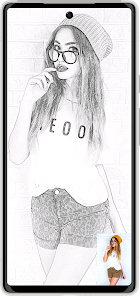
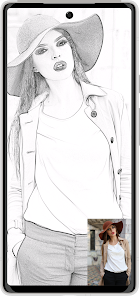
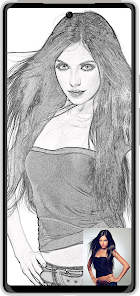
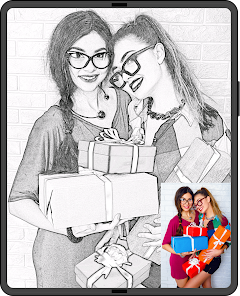
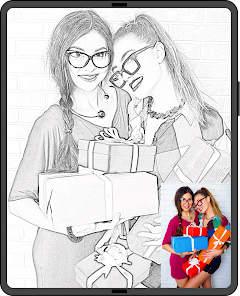

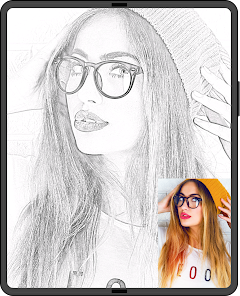
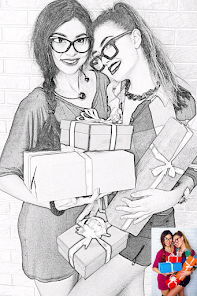

About this app
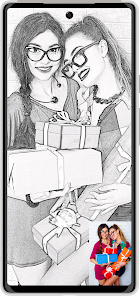
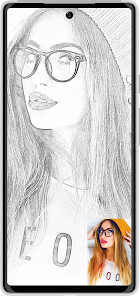
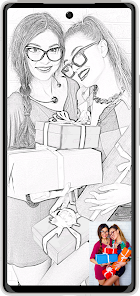
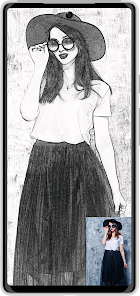
Pencil Sketch Photo Editor is a powerful and creative photo editing app that transforms your favorite pictures into realistic pencil sketches, drawings, or cartoon art with a single tap.
Enjoy converting your photo to sketch, pencil photo sketch, or image to drawing using dozens of unique artistic effects designed for creators, designers, and hobbyists around the world. Whether you want a detailed photo to pencil sketch converter for portraits or a fun sketch photo maker for selfies, this app has every style you need.
⸻
🎨 Create Beautiful Sketch Art
Turn ordinary pictures into beautiful pencil sketch art and expressive photo to drawing images.
The smart photo sketch converter automatically detects outlines, blends tones, and produces realistic pencil drawings that look hand-drawn by an artist.
From soft shading to bold strokes, each effect in this pencil sketch app delivers a unique artistic look.
Use it as your daily photo to sketch converter app, pencil art photo editor, or image to sketch converter — the results always look natural and artistic.
⸻
🖌️ Key Features
• One-tap photo to sketch converter powered by AI.
• Multiple artistic styles: pencil, color sketch, cartoon, crayon, outline, and pencil drawing app modes.
• Export sketches in HD, Full HD, or 4 K quality.
• Remove watermark — watch a short ad or unlock via premium upgrade.
• Save and share your photo sketch directly to Instagram, WhatsApp, or Facebook.
• Works offline for most filters and effects.
• Supports portrait, landscape, and square photos.
• Lightweight photo sketch maker that saves storage space.
With Pencil Sketch Photo Editor, you can easily switch between every image to sketch converter style — from smooth pencil shading to vivid color pencil drawing art.
⸻
📷 Popular Sketch Effects
• Pencil Sketch Effect – Classic black-and-white shading with fine lines.
• Color Drawing Effect – Mix real photo colors with sketch outlines.
• Cartoon Art Effect – Transform portrait photos into cartoon illustrations.
• Crayon Effect – Soft textured drawing style for artistic looks.
• Photo to Drawing Converter – Make any picture resemble a real hand-drawn sketch.
• Pencil Art Drawing App Mode – Add smooth strokes and cross-hatching effects.
• Outline Sketch of My Picture – Perfect for stylized selfies and profile photos.
Each filter offers a new creative way to enjoy your pictures — explore all photo to sketch and pencil photo sketch styles to find your signature look.
⸻
⚙️ How to Use
1️⃣ Select a photo from gallery or capture one with the camera.
2️⃣ Choose your preferred sketch effect or photo to pencil sketch converter style.
3️⃣ Adjust brightness, contrast, and texture depth for precise control.
4️⃣ Preview instantly and export your pencil art photo.
5️⃣ Share your photo sketch art or drawing photo app results with friends.
In just seconds, any image can become a professional-looking pencil drawing, ready to print or post online.
⸻
💎 Premium and Reward Options
• Free users: Unlock HD export or remove watermark by watching a rewarded ad.
• Premium users: Get lifetime access with ad-free experience, unlimited HD exports, and all pencil art effects unlocked.
Choose your way — either watch a quick video or upgrade once to enjoy complete pencil sketch photo editor freedom.
⸻
🌟 Why Users Love It
• Realistic photo to sketch converter results powered by smart filters.
• Smooth UI with instant preview for faster editing.
• Works on portraits, landscapes, selfies, and creative projects.
• High-resolution export suitable for printing or framing.
• Trusted by millions who enjoy turning their photos into sketches and drawings daily.
No complicated tools — just your creativity, a photo, and one tap to make amazing pencil sketch art.
Enjoy converting your photo to sketch, pencil photo sketch, or image to drawing using dozens of unique artistic effects designed for creators, designers, and hobbyists around the world. Whether you want a detailed photo to pencil sketch converter for portraits or a fun sketch photo maker for selfies, this app has every style you need.
⸻
🎨 Create Beautiful Sketch Art
Turn ordinary pictures into beautiful pencil sketch art and expressive photo to drawing images.
The smart photo sketch converter automatically detects outlines, blends tones, and produces realistic pencil drawings that look hand-drawn by an artist.
From soft shading to bold strokes, each effect in this pencil sketch app delivers a unique artistic look.
Use it as your daily photo to sketch converter app, pencil art photo editor, or image to sketch converter — the results always look natural and artistic.
⸻
🖌️ Key Features
• One-tap photo to sketch converter powered by AI.
• Multiple artistic styles: pencil, color sketch, cartoon, crayon, outline, and pencil drawing app modes.
• Export sketches in HD, Full HD, or 4 K quality.
• Remove watermark — watch a short ad or unlock via premium upgrade.
• Save and share your photo sketch directly to Instagram, WhatsApp, or Facebook.
• Works offline for most filters and effects.
• Supports portrait, landscape, and square photos.
• Lightweight photo sketch maker that saves storage space.
With Pencil Sketch Photo Editor, you can easily switch between every image to sketch converter style — from smooth pencil shading to vivid color pencil drawing art.
⸻
📷 Popular Sketch Effects
• Pencil Sketch Effect – Classic black-and-white shading with fine lines.
• Color Drawing Effect – Mix real photo colors with sketch outlines.
• Cartoon Art Effect – Transform portrait photos into cartoon illustrations.
• Crayon Effect – Soft textured drawing style for artistic looks.
• Photo to Drawing Converter – Make any picture resemble a real hand-drawn sketch.
• Pencil Art Drawing App Mode – Add smooth strokes and cross-hatching effects.
• Outline Sketch of My Picture – Perfect for stylized selfies and profile photos.
Each filter offers a new creative way to enjoy your pictures — explore all photo to sketch and pencil photo sketch styles to find your signature look.
⸻
⚙️ How to Use
1️⃣ Select a photo from gallery or capture one with the camera.
2️⃣ Choose your preferred sketch effect or photo to pencil sketch converter style.
3️⃣ Adjust brightness, contrast, and texture depth for precise control.
4️⃣ Preview instantly and export your pencil art photo.
5️⃣ Share your photo sketch art or drawing photo app results with friends.
In just seconds, any image can become a professional-looking pencil drawing, ready to print or post online.
⸻
💎 Premium and Reward Options
• Free users: Unlock HD export or remove watermark by watching a rewarded ad.
• Premium users: Get lifetime access with ad-free experience, unlimited HD exports, and all pencil art effects unlocked.
Choose your way — either watch a quick video or upgrade once to enjoy complete pencil sketch photo editor freedom.
⸻
🌟 Why Users Love It
• Realistic photo to sketch converter results powered by smart filters.
• Smooth UI with instant preview for faster editing.
• Works on portraits, landscapes, selfies, and creative projects.
• High-resolution export suitable for printing or framing.
• Trusted by millions who enjoy turning their photos into sketches and drawings daily.
No complicated tools — just your creativity, a photo, and one tap to make amazing pencil sketch art.
Updated on
Safety starts with understanding how developers collect and share your data. Data privacy and security practices may vary based on your use, region, and age. The developer provided this information and may update it over time.


Ratings and reviews
4.4
299K reviews

Nicola Stone
- Flag inappropriate
September 12, 2025
this app is a con! ive subscribe to the HD export uve took £1.29 and i still cant get past the pick a subscription page. i also cant cancel the subscription because it doesnt show on any of my subscription files, so how do i stop you from taking another payment for an app that doesnt work
8 people found this review helpful
Minerva Studios Private Limited
September 12, 2025
Dear User, thank you for your comments and feedback. We would like to support you with this issue and so we’d appreciate it if you could write back to us at hqgames1080@gmail.com.

B Pup
- Flag inappropriate
March 23, 2021
This is probably the best sketch app that I have come across. It's very easy to use, there are many style choices to choose - from different styles of pencil sketches to crayons to colored pencils to watercolors to cartoon, etc. Each style has a slider bar that allows you to fine-tune the amount of the style you apply. The app also includes Filter and Editor functions. I like this app so much that I paid for the version without ads, which was reasonably priced. I would definitely recommend this.
1,951 people found this review helpful

A Google user
- Flag inappropriate
June 24, 2019
There are lots of different options to change your pictures into drawings or color art! There are ads and if you want to save your picture in HD you need to pay with credits, but the free option looks just fine to me. For a free app, I can't complain. I just gave 4 stars because of the ads and charges (only if you choose to pay, NOT required!) I'd definitely recommend this.
484 people found this review helpful
What’s new
Some small bugs are fixed.
App support
About the developer
MINERVA STUDIOS PRIVATE LIMITED
hqgames1080@gmail.com
H NO 6/1661, CHAKROTA ROAD PURANI CHUNGI
Saharanpur, Uttar Pradesh 247001
India
+91 99970 45610


