
OP Auto Clicker - Auto Tap
3.9star
12.4K reviews
50L+
Downloads

Everyone
info



About this app
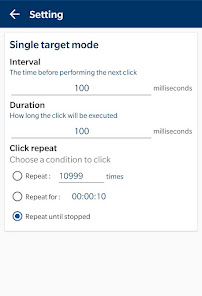
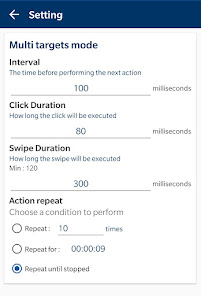
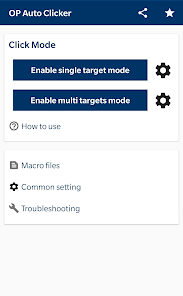
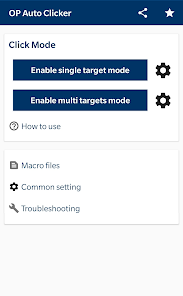
A full-fledged auto clicker with two modes of auto-tap, single target or multi targets mode. You can also set the number or time of clicks.
Feature:
· User-friendly interface, easy to use
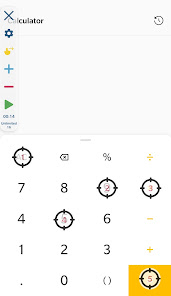
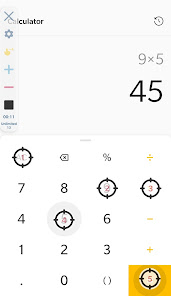
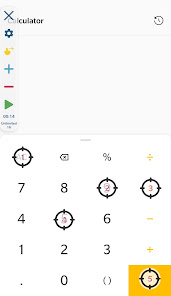
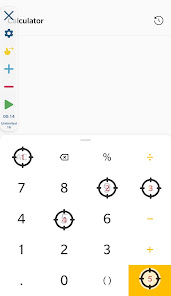
· Support multiple click points and multiple swipes
· You can adjust the size and opacity of the operator interface
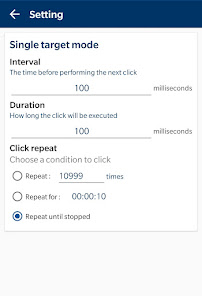
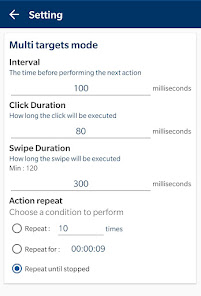
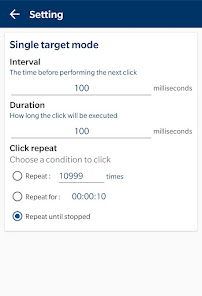
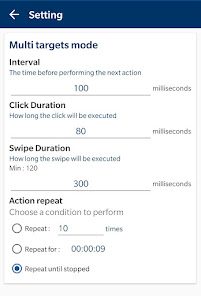
· Set the parameters of the click, such as delay, touch time and number of repetitions, respectively
· It can save/load scripts
· No Root
Permission description
- Require Accessibility Service to achieve autoclicking, so it requires authorization.
- Available for Android 7.0 or above.
Why use Accessibility Service?
We use this approach to implement things like clicks, swipes and other core functionality.
Do we collect private data?
We do not collect any private data in this way.
Feature:
· User-friendly interface, easy to use
· Support multiple click points and multiple swipes
· You can adjust the size and opacity of the operator interface
· Set the parameters of the click, such as delay, touch time and number of repetitions, respectively
· It can save/load scripts
· No Root
Permission description
- Require Accessibility Service to achieve autoclicking, so it requires authorization.
- Available for Android 7.0 or above.
Why use Accessibility Service?
We use this approach to implement things like clicks, swipes and other core functionality.
Do we collect private data?
We do not collect any private data in this way.
Updated on
Safety starts with understanding how developers collect and share your data. Data privacy and security practices may vary based on your use, region and age. The developer provided this information and may update it over time.

No data shared with third parties
Learn more about how developers declare sharing

No data collected
Learn more about how developers declare collection
Ratings and reviews
4.3
10.3K reviews

Sarah Christian
- Flag inappropriate
10 November 2022
I've tried several auto click apps and I just keep coming back to this one. It's simple and doesn't require an hour long video to set up. One thing I wish it would do is pause when it detects user activity and then start again after a certain period of time. I wish this because it messes with my game controls if I move and it's happens to run and click as I'm moving. Half of my controls get suck/frozen. But it does the job! The first reason I went with this app is there are no ads! So thank you!
730 people found this review helpful

Joe Mama
- Flag inappropriate
7 March 2024
Absolutely love it. Very easy to use, there is a built in tutorial at the very start, you know exactly what your gonna get, can click very fast, always come back to this specific auto clicker even on PC/Laptop. I would love to see a recording mode for this app, just would be cool to see, if there was a 4.9 starts I would do that, only reason being sometimes the app doesn't work, happened 1 time so far so that's why it wouldn't really be all that much of a difference, amazing app.
861 people found this review helpful

Ellie “Felina”
- Flag inappropriate
22 December 2021
This auto clicker is the best on Google play, there are alternatives, but they are not very different and have less features. also just helping: If you're having problems with the clicker clicking when you open Android menu or when turning display off, you can force restart your phone. Just hold the power button (for about 15 seconds) until your device says it's restarting. Restarting won't get rid of data, I've done it before.
686 people found this review helpful
What's new
Fix some bugs.
App support
About the developer
MERIDIAN FLOW LTD
support@opautoclicker.com
71-75 Shelton Street
Covent Garden
LONDON
WC2H 9JQ
United Kingdom
+1 302-283-9058


