
AIMP
4.5star
466K reviews
10M+
Downloads

Everyone
info


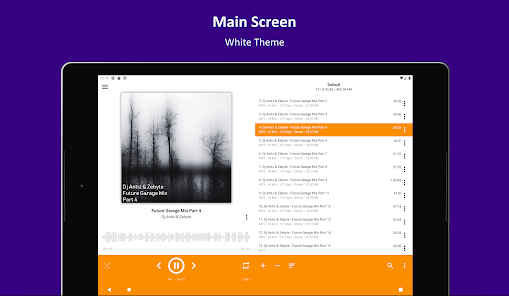
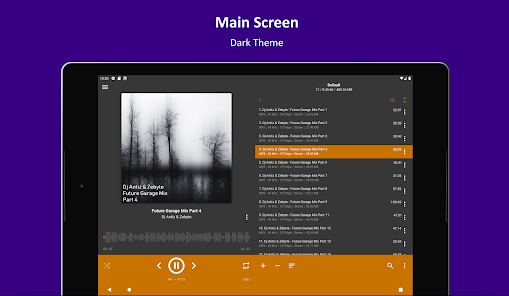
About this app
Attention!
App may works incorrectly on devices based on M.I.U.I firmware.
Key features:
+ Supported formats: aac, ape, dff, dsf, flac, it, m4a, m4b, mo3, mod, mp2, mp3, mp4, mpc, mpga, mtm, ogg, opus, s3m, tta, umx, wav, webm, wv, xm
+ Supported playlists: m3u, m3u8, xspf, pls and cue
+ Support for Android Auto and custom Car PCs
+ Support for OpenSL / AudioTrack / AAudio output methods
+ Support for CUE Sheets
+ Support for OTG-storages and custom file providers
+ Support for user bookmarks
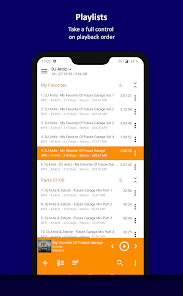
+ Support for user defined playback queue
+ Support for album arts and lyrics
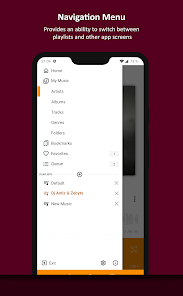
+ Support for multiple playlists and smart-playlists based on folders
+ Support for internet radio (including Http Live Streaming)
+ Automatic detection of tags encoding
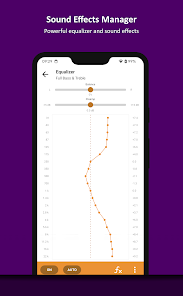
+ Built-in 20-band graphic equalizer
+ Balance, Pitch and speed control
+ A-B track part repeat
+ Volume normalization using replay gain or peak-based normalization
+ Sleep timer feature
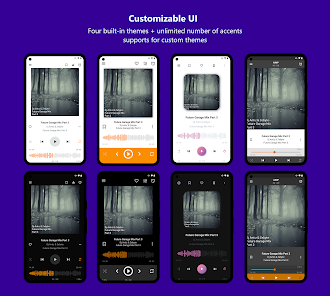
+ Custom themes support
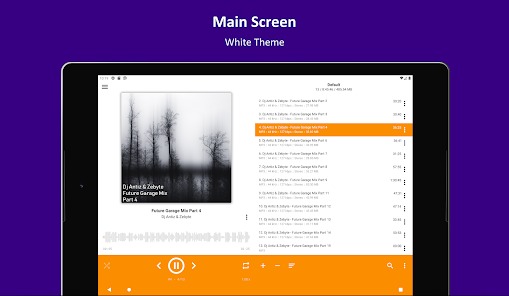
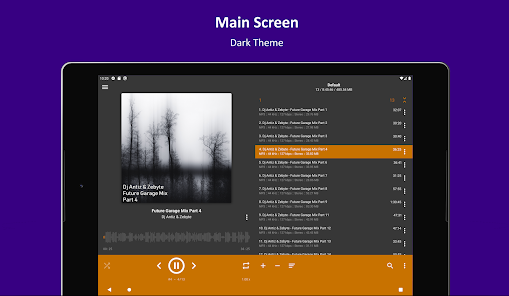
+ Built-in light, dark and black themes
+ Support for night and day mode
Optional features:
+ Automatic music search and indexing
+ An ability to cross-fade tracks
+ An ability to repeat playlist / track / playback without repeating
+ An ability to down mix multi-channels audio files to stereo
+ An ability to down mix audio files to mono
+ An ability to control playback from notification area
+ An ability to control playback via gestures in album art area
+ An ability to control playback via headset
+ An ability to switch the tracks via volume buttons
Additional features:
+ An ability to play files from the File Manager applications
+ An ability to play files from Windows shared folders (only v2 and v3 of samba protocol are supported)
+ An ability to play files from WebDAV-based cloud storage
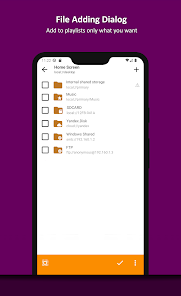
+ An ability to add to playlist only chosen files / folders
+ An ability to delete files physically
+ An ability to sort files by template / manually
+ An ability to group files by template
+ An ability to search files in filtering mode
+ An ability to share audio files
+ An ability to register playing track as ringtone from player
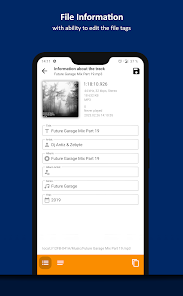
+ An ability to edit meta of APE, MP3, FLAC, OGG and M4A file formats
Additionally, our app is ads free.
App may works incorrectly on devices based on M.I.U.I firmware.
Key features:
+ Supported formats: aac, ape, dff, dsf, flac, it, m4a, m4b, mo3, mod, mp2, mp3, mp4, mpc, mpga, mtm, ogg, opus, s3m, tta, umx, wav, webm, wv, xm
+ Supported playlists: m3u, m3u8, xspf, pls and cue
+ Support for Android Auto and custom Car PCs
+ Support for OpenSL / AudioTrack / AAudio output methods
+ Support for CUE Sheets
+ Support for OTG-storages and custom file providers
+ Support for user bookmarks
+ Support for user defined playback queue
+ Support for album arts and lyrics
+ Support for multiple playlists and smart-playlists based on folders
+ Support for internet radio (including Http Live Streaming)
+ Automatic detection of tags encoding
+ Built-in 20-band graphic equalizer
+ Balance, Pitch and speed control
+ A-B track part repeat
+ Volume normalization using replay gain or peak-based normalization
+ Sleep timer feature
+ Custom themes support
+ Built-in light, dark and black themes
+ Support for night and day mode
Optional features:
+ Automatic music search and indexing
+ An ability to cross-fade tracks
+ An ability to repeat playlist / track / playback without repeating
+ An ability to down mix multi-channels audio files to stereo
+ An ability to down mix audio files to mono
+ An ability to control playback from notification area
+ An ability to control playback via gestures in album art area
+ An ability to control playback via headset
+ An ability to switch the tracks via volume buttons
Additional features:
+ An ability to play files from the File Manager applications
+ An ability to play files from Windows shared folders (only v2 and v3 of samba protocol are supported)
+ An ability to play files from WebDAV-based cloud storage
+ An ability to add to playlist only chosen files / folders
+ An ability to delete files physically
+ An ability to sort files by template / manually
+ An ability to group files by template
+ An ability to search files in filtering mode
+ An ability to share audio files
+ An ability to register playing track as ringtone from player
+ An ability to edit meta of APE, MP3, FLAC, OGG and M4A file formats
Additionally, our app is ads free.
Updated on
Safety starts with understanding how developers collect and share your data. Data privacy and security practices may vary based on your use, region, and age. The developer provided this information and may update it over time.

No data shared with third parties
Learn more about how developers declare sharing

No data collected
Learn more about how developers declare collection

Committed to follow the Play Families Policy
Ratings and reviews
4.5
440K reviews

[Reda cted]
- Flag inappropriate
- Show review history
January 6, 2026
I love this, I was previously using a Video player app that is combined with a MP3 player (in the same application) and whenever I play audio files/Music from there, audio spikes that are really loud at the start would pop up and it got annoying. This player does none of that and I love it for that! Thank you so much for your hard work!
2 people found this review helpful

Sam Sykora (Bible Buddy)
- Flag inappropriate
December 1, 2025
Easily the best app for songs you downloaded. Allows you to: edit metadata, loop specific section, play queue, slow/speed up, adjust pitch, make playlists, stop playing after one of many options, shuffle order. I've never had it crash or break. It's extremely fast (I have over 2000 songs). Plays while the phone is off. Has controls on lock and home screen. There's absolutely no ADs anywhere. The only complaints: The player only uses title inside of filename; and the playlist can't show icons.
9 people found this review helpful
Artem Izmaylov
December 8, 2025
Yes, thumbnails are unavailable for playlists now. Metadata that displayed in playlist can be setup in app settings.

Landon Mohr
- Flag inappropriate
- Show review history
December 29, 2025
The only complaint I have ever had about this is that there isn't a button that let's you immediately jump into a playlist on a random song. Everything else is excellent to perfect. Lovely app design. Update: The most recent update for the app isn't letting me update my music library when I refresh it. I have tried going into the files through the app and searching for the mp3 files I want to add, but it can't see them. I double checked with Google Files and they are still visible there.
Artem Izmaylov
September 26, 2025
Thanks!
What’s new
Migrate to SDK 36 (Android 16)
App support
About the developer
Артем Измайлов
support@aimp.ru
Russia


