
Citrix Workspace

4.2star
65.7K reviewsinfo
10M+
Downloads

PEGI 3
info



About this app
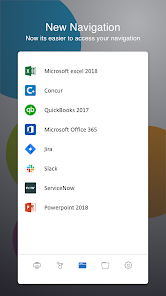
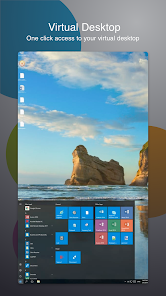
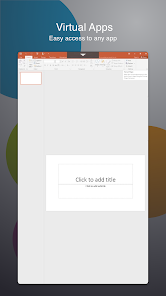
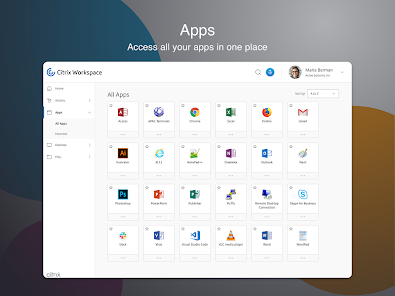
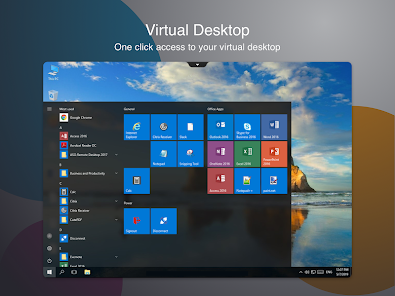
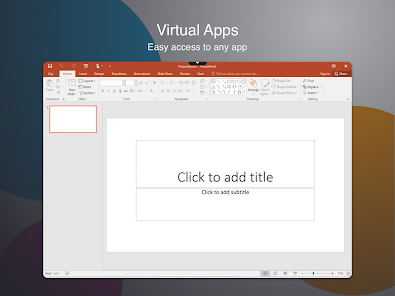
The new Citrix Workspace app (formerly known as Citrix Receiver) provides a great user experience - a secure, contextual, and unified workspace - on any device. It gives you instant access to all your SaaS and web apps, your mobile and virtual apps, files, and desktops from an easy-to-use, all-in-one interface powered by Citrix Workspace services.
Using your mobile and virtualized applications, files and desktops is faster and easier than ever. Just ask your IT department how to get started.
• Work on your favorite device from wherever you are
• Access email or other corporate applications
• Access your files, apps, desktop from your phone, tablet, or all in one from a unified view
• Provide single sign on capabilities with Citrix SecureHub and Citrix Files.
Client Drive Mapping Virtual Channel:
Client drive mapping (CDM) allows plug-and-play storage devices in a session. This means that you can use your local device storage or mass storage devices(for example, pen drives) to copy and paste documents between the session and the user device.
Location and Sensor Virtual Channel:
This virtual channel allows Workspace to redirect sensor information to applications running on server. For example, applications can use accelerometer data to drive 3D-modelling application, use ambient light level to control the brightness of the screen, use location data to alter behavior of application, and so on.
VpnService functionality
You can access the internal Web, Software‑as‑a‑Service (SaaS) apps, and websites hosted by your company.
Support for Citrix Ready workspace hub:
Built on the Raspberry Pi 3 platform, the Citrix Ready workspace hub provides a secure connection to authorized apps and data. Citrix Workspace app for Android supports user authentication to Citrix Ready workspace hubs as an experimental feature. This allows authenticated users to cast their sessions to a hub. The feature is disabled by default.
Note: Location permission is required for the Citrix Ready workspace hub experimental feature. You can deny this permission if there are no workspace hubs present.
Accessibility service:
Enable the Citrix accessibility service to have a smooth functioning of Citrix Workspace app sessions. We do not collect any user data. We use this service to enable gesture and touch passthrough functionality in virtual sessions.
Problems downloading or installing the app? See https://www.citrix.com/downloads/workspace-app/
Still need help? Please tell us more about the issue. http://discussions.citrix.com/forum/1269-receiver-for-android
If your company doesn’t use Citrix yet, you can install Citrx Workspace app and request a demo account by “Try the demo” in Citrix Workspace app.
For more information about Citrix Workspace app, visit the product documentation https://docs.citrix.com/en-us/citrix-workspace-app-for-android.html
Using your mobile and virtualized applications, files and desktops is faster and easier than ever. Just ask your IT department how to get started.
• Work on your favorite device from wherever you are
• Access email or other corporate applications
• Access your files, apps, desktop from your phone, tablet, or all in one from a unified view
• Provide single sign on capabilities with Citrix SecureHub and Citrix Files.
Client Drive Mapping Virtual Channel:
Client drive mapping (CDM) allows plug-and-play storage devices in a session. This means that you can use your local device storage or mass storage devices(for example, pen drives) to copy and paste documents between the session and the user device.
Location and Sensor Virtual Channel:
This virtual channel allows Workspace to redirect sensor information to applications running on server. For example, applications can use accelerometer data to drive 3D-modelling application, use ambient light level to control the brightness of the screen, use location data to alter behavior of application, and so on.
VpnService functionality
You can access the internal Web, Software‑as‑a‑Service (SaaS) apps, and websites hosted by your company.
Support for Citrix Ready workspace hub:
Built on the Raspberry Pi 3 platform, the Citrix Ready workspace hub provides a secure connection to authorized apps and data. Citrix Workspace app for Android supports user authentication to Citrix Ready workspace hubs as an experimental feature. This allows authenticated users to cast their sessions to a hub. The feature is disabled by default.
Note: Location permission is required for the Citrix Ready workspace hub experimental feature. You can deny this permission if there are no workspace hubs present.
Accessibility service:
Enable the Citrix accessibility service to have a smooth functioning of Citrix Workspace app sessions. We do not collect any user data. We use this service to enable gesture and touch passthrough functionality in virtual sessions.
Problems downloading or installing the app? See https://www.citrix.com/downloads/workspace-app/
Still need help? Please tell us more about the issue. http://discussions.citrix.com/forum/1269-receiver-for-android
If your company doesn’t use Citrix yet, you can install Citrx Workspace app and request a demo account by “Try the demo” in Citrix Workspace app.
For more information about Citrix Workspace app, visit the product documentation https://docs.citrix.com/en-us/citrix-workspace-app-for-android.html
Updated on
Safety starts with understanding how developers collect and share your data. Data privacy and security practices may vary based on your use, region, and age. The developer provided this information and may update it over time.

No data shared with third parties
Learn more about how developers declare sharing

This app may collect these data types
App activity and App info and performance

Data is encrypted in transit

Data can’t be deleted
Ratings and reviews
4.0
57.6K reviews

Zaid Adia
- Flag inappropriate
October 28, 2025
Poor experience. I'm able to get to the screen where it shows my available apps, but the apps don't open when I tap the first time. Sometimes they open after some time, then close and I gotta log out a few times before it works again. showings the keyboard doesn't translate correctly and I'm not able to use any special characters. I will always need to change the mouse mode.
2 people found this review helpful

Charlie Peeler
- Flag inappropriate
- Show review history
September 6, 2025
No problem at all on a computer, but horrendous on a phone. I can't seem to get any app to work - it's just constant file downloading. I've cleared the cache and data multiple times, made sure everything was updated, uninstalled and reinstalled multiple times, and tried as many methods as I can think of to get anything to work. Complete junk.
5 people found this review helpful

Kevin Lopez
- Flag inappropriate
November 18, 2025
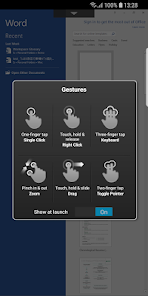
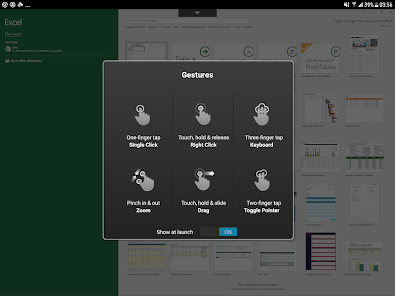
It is very glitchy especially with dex. I hope this helps someone: sometimes the app will go into fullscreen in dex, and you wont have window controls. there will seem like there is no way to get out. the way is pressing escape to exit out of that menu that pops up when you launch a session. The menu that shows the touch gestures etc.
What’s new
Enhance user experience by displaying the progress status during resource launch.
General Bug Fixes
General Bug Fixes
App support
About the developer
Citrix Systems, Inc.
android@cloud.com
851 NW 62ND St
Fort Lauderdale, FL 33309-2040
United States
+91 99023 88884


