

PDF to Image - PDF to JPG
Contains adsIn-app purchases

3.7star
2.38K reviewsinfo
1M+
Downloads

PEGI 3
info


About this app
PDF to JPG Converter - Convert PDF to images in various formats like JPG, PNG and WebP
Steps to use PDF to JPG Converter
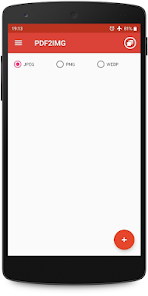
1. Select PDF file with + icon.
2. Click on image to preview and deselect unwanted images.
3. Convert to image/images.
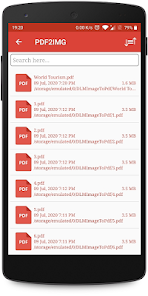
4. View newly created folder in list.
5. View all images inside new folder.
6. Share or delete the image by long pressing the image/images in image list.
PDF to Image Converter is free and can be used offline.
Steps to use PDF to JPG Converter
1. Select PDF file with + icon.
2. Click on image to preview and deselect unwanted images.
3. Convert to image/images.
4. View newly created folder in list.
5. View all images inside new folder.
6. Share or delete the image by long pressing the image/images in image list.
PDF to Image Converter is free and can be used offline.
Updated on
Safety starts with understanding how developers collect and share your data. Data privacy and security practices may vary based on your use, region, and age. The developer provided this information and may update it over time.

This app may share these data types with third parties
Location and Device or other IDs

No data collected
Learn more about how developers declare collection

Data is encrypted in transit

Data can’t be deleted
Ratings and reviews
3.7
2.32K reviews

Jurein Paredes
- Flag inappropriate
October 27, 2024
definitely the best pdf to image converter, you need to look for 0/android/media to get the image (googles policy), its at high quality compared to others with only a 5 second ad. unlike the others where you need premium, or you wont get the image without a watermark and its at low res (wps) this is definitely a better app. would recommend
9 people found this review helpful

A Google user
- Flag inappropriate
November 24, 2019
the best free app to convert pdf to pictures, although it has a plenty of advertisements it carry out the task perfectly well, it allows you to select the pages on the document to convert and the resulting pictures come out with a lot of resolution and high quality
75 people found this review helpful

Sarangie .V
- Flag inappropriate
November 14, 2025
This app is so good. And fastest!
1 person found this review helpful
What’s new
- Added support for Android 16
- Performance Improvement
- Minor bug fix(s)
- Performance Improvement
- Minor bug fix(s)
App support
About the developer
Palakben Malay Khandhediya
dlminfosoft@gmail.com
F204, Pramukhnagar Flats
Nr. Sargasan Cross Roads, KH Road
Gandhinagar, Gujarat 382421
India
undefined


