
Linux Command Library
4.6star
7.89K reviewsinfo
1M+
Downloads

PEGI 3
info


About this app
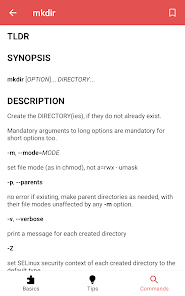
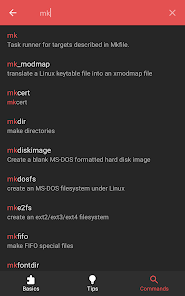
The app currently has 4608 manual pages, 21 basic categories and a bunch of general terminal tips. It works 100% offline, doesn't need an internet connection and has no tracking software.
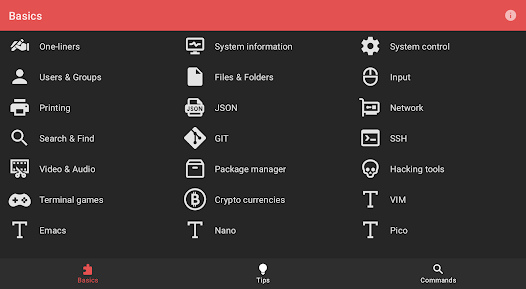
Categories
* One-liners
* System information
* System control
* Users & Groups
* Files & Folders
* Input
* Printing
* JSON
* Network
* Search & Find
* GIT
* SSH
* Video & Audio
* Package manager
* Hacking tools
* Terminal games
* Crypto currencies
* VIM
* Emacs
* Nano
* Pico
Tips
* Clear and reset the terminal
* List of recent commands
* Close a frozen window/application
* Tab Completion
* Temporary aliases
* Permanent aliases
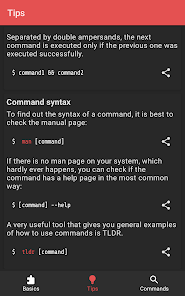
* Chain commands
* Command syntax
* Cursor navigation
* Redirection
* Special characters in commands
* View file permissions
* Modify file permissions
* Set file permissions via binary references
Categories
* One-liners
* System information
* System control
* Users & Groups
* Files & Folders
* Input
* Printing
* JSON
* Network
* Search & Find
* GIT
* SSH
* Video & Audio
* Package manager
* Hacking tools
* Terminal games
* Crypto currencies
* VIM
* Emacs
* Nano
* Pico
Tips
* Clear and reset the terminal
* List of recent commands
* Close a frozen window/application
* Tab Completion
* Temporary aliases
* Permanent aliases
* Chain commands
* Command syntax
* Cursor navigation
* Redirection
* Special characters in commands
* View file permissions
* Modify file permissions
* Set file permissions via binary references
Updated on
Safety starts with understanding how developers collect and share your data. Data privacy and security practices may vary based on your use, region, and age. The developer provided this information and may update it over time.

No data shared with third parties
Learn more about how developers declare sharing

No data collected
Learn more about how developers declare collection
Ratings and reviews
4.7
7.56K reviews

Ankit Das
- Flag inappropriate
November 30, 2025
Hello dev, it's a nice app which catalogues a wide variety of commands which are pretty useful in operating on a linux system. I have found a bug recently. In my Android 15 phone, when I click 'aider' in the commands section. The app crashes. Or it sometimes open the 'aider' command, but when I click on the 'synopsis' option. The app crashes. I have tried many times, and all the time, it crashes mostly on the synopsis option of the command 'aider'. Fix this.

Samuel Jorge
- Flag inappropriate
January 7, 2026
Some of your texts need formating, the \n is showing up in the screen! And it's really hard to read the editors (nano, VIM, Emacs, etc) commands because they're all grouped together in the same paragraph! Other than that, the app is peak! 💯

Andrey F
- Flag inappropriate
- Show review history
November 8, 2025
It's s great reference book targeted at Linux command line users with a broader spectrum of skills. Carefully preserved classical man pages look even more practically oriented with a focus shifted to usage patterns plus common caveats and problems. I hope that a full text search will appear in the next version of the app.
5 people found this review helpful
What’s new
Add commands
App support
About the developer
Simon Schubert
sschubert89@gmail.com
Sonnenallee 29
12047 Berlin
Germany


