
AutoApp for Arduino
Contains ads
10K+
Downloads

PEGI 3
info


About this app
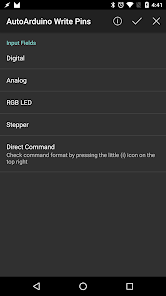
AutoArduino allows you to control your Arduino pins right from Tasker.
IMPORTANT: Install the following sketch on your Arduino to use AutoArduino: https://github.com/joaomgcd/AutoArduino-Sketch/blob/master/pins.ino
You can set any output pin's digital or analog value from a Tasker action. This allows you to do just about anything on your Arduino from your Android device with the advantage of never having to change the code in your Arduino itself!
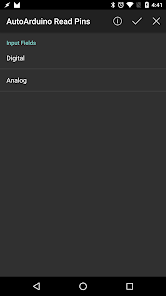
You can also read pin values and even react to them in real time.
Check out the example video to check how a Tasker scene can control an RGB LED.
AutoArduino connects to your Arduino through USB OTG, Bluetooth or Ethernet.
IMPORTANT: Install the following sketch on your Arduino to use AutoArduino: https://github.com/joaomgcd/AutoArduino-Sketch/blob/master/pins.ino
You can set any output pin's digital or analog value from a Tasker action. This allows you to do just about anything on your Arduino from your Android device with the advantage of never having to change the code in your Arduino itself!
You can also read pin values and even react to them in real time.
Check out the example video to check how a Tasker scene can control an RGB LED.
AutoArduino connects to your Arduino through USB OTG, Bluetooth or Ethernet.
Updated on
Safety starts with understanding how developers collect and share your data. Data privacy and security practices may vary based on your use, region, and age. The developer provided this information and may update it over time.

No data shared with third parties
Learn more about how developers declare sharing

No data collected
Learn more about how developers declare collection
What’s new
- First public release!
App support
About the developer
KITXOO
support@joaoapps.com
Rua Elias Garcia
n17 4A
2700-310 Amadora
Portugal
+351 969 390 591


