

Smart Notes: Notepad & Tasks
Contains ads

10K+
Downloads

PEGI 3
info
About this app
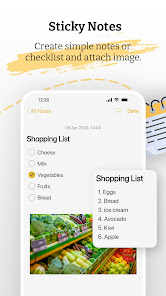
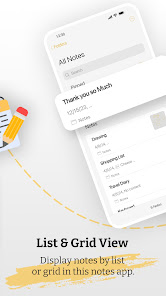
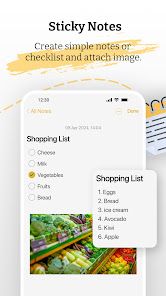
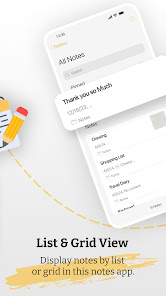
Smart Notes is a clean, powerful and modern notes app designed for fast writing, organizing and securing your ideas. Create notes, add images, make checklists, draw sketches, lock private notes and organize everything with custom folders. Perfect for daily tasks, study notes, personal reminders and work planning.
⭐ FEATURES
📝 Fast & Simple Note Writing
• Write unlimited notes smoothly
• Format text with bold, italic, underline, headings & alignment
• Create to-do lists, checklists and bullet-style notes
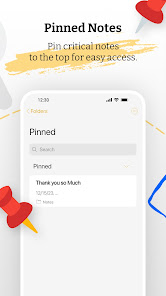
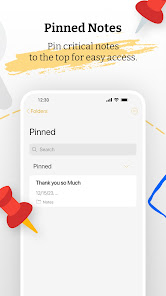
• Pin important notes at the top
🖼️ Add Images Inside Notes
• Insert photos inside any note
• Useful for study, work, travel, receipts & reminders
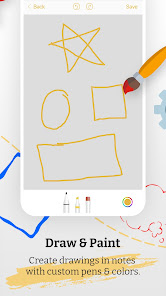
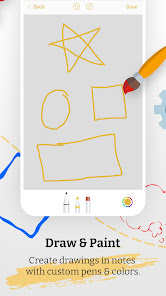
✏️ Drawing Pad (Handwriting Notes)
• Draw, sketch or doodle directly inside notes
• Perfect for diagrams, creative ideas and handwritten planning
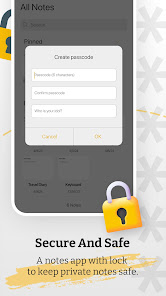
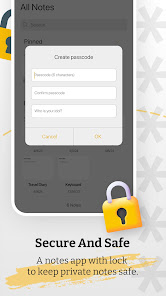
🔒 Secure Your Notes
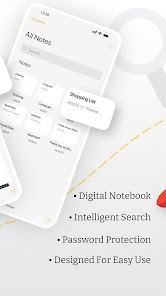
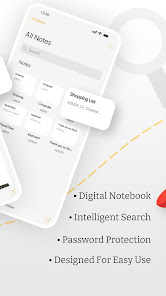
• Lock any note with PIN/password
• Keep private notes safe and hidden
• Deleted notes move to Trash for recovery
📂 Organize With Custom Folders
• Create custom folders for different categories
• Organize notes by Work, Personal, Study, Ideas & more
• Smooth left-to-right swipe navigation
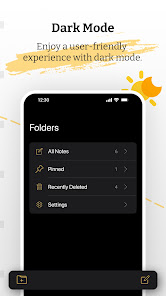
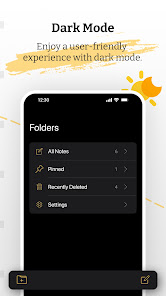
🌙 Light & Dark Mode
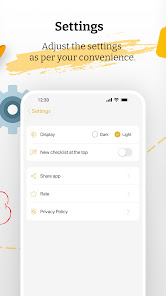
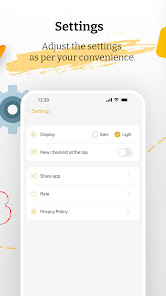
• Switch between Light and Dark themes
• Clean, minimal and easy-to-read design
🚀 WHY SMART NOTES?
• Fast, lightweight and simple
• Professional and clean UI
• Works offline
• Ideal for students, professionals, writers & daily users
• Strong privacy with secure locking
🧠 PERFECT FOR
• Study notes
• Work notes
• To-do lists & checklists
• Personal diary & planning
• Ideas & reminders
• Drawings, sketches & handwritten notes
⭐ FEATURES
📝 Fast & Simple Note Writing
• Write unlimited notes smoothly
• Format text with bold, italic, underline, headings & alignment
• Create to-do lists, checklists and bullet-style notes
• Pin important notes at the top
🖼️ Add Images Inside Notes
• Insert photos inside any note
• Useful for study, work, travel, receipts & reminders
✏️ Drawing Pad (Handwriting Notes)
• Draw, sketch or doodle directly inside notes
• Perfect for diagrams, creative ideas and handwritten planning
🔒 Secure Your Notes
• Lock any note with PIN/password
• Keep private notes safe and hidden
• Deleted notes move to Trash for recovery
📂 Organize With Custom Folders
• Create custom folders for different categories
• Organize notes by Work, Personal, Study, Ideas & more
• Smooth left-to-right swipe navigation
🌙 Light & Dark Mode
• Switch between Light and Dark themes
• Clean, minimal and easy-to-read design
🚀 WHY SMART NOTES?
• Fast, lightweight and simple
• Professional and clean UI
• Works offline
• Ideal for students, professionals, writers & daily users
• Strong privacy with secure locking
🧠 PERFECT FOR
• Study notes
• Work notes
• To-do lists & checklists
• Personal diary & planning
• Ideas & reminders
• Drawings, sketches & handwritten notes
Updated on
Safety starts with understanding how developers collect and share your data. Data privacy and security practices may vary based on your use, region, and age. The developer provided this information and may update it over time.

This app may share these data types with third parties
App info and performance and Device or other IDs

No data collected
Learn more about how developers declare collection

Data isn’t encrypted
Data can’t be deleted
What’s new
UI Improvement.
Improve User Experience.
Bugs Fix.
Improve User Experience.
Bugs Fix.
App support
About the developer
Nimmi Paresh Patel
ioskeyboardpro@gmail.com
India
undefined


