Zoo for Zotero
4.3star
616 reviews
100K+
Downloads

Everyone
info
About this app
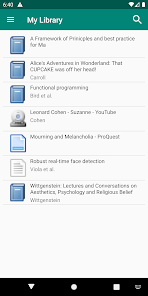
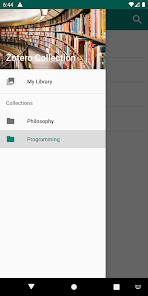
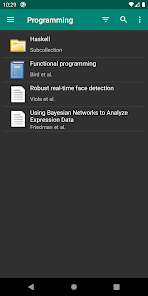
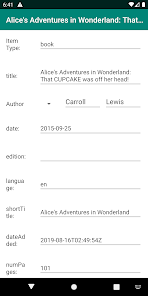
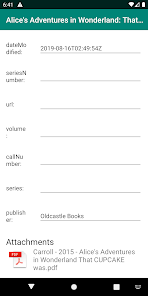
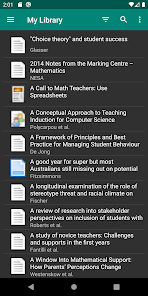
Zoo for Zotero is a free opensource program for viewing your Zotero Libraries!
It's reasonably fast and modern and supports collections, group libraries, webDAV, searching, annotation syncing for attachments, as well as other features.
Currently we only support using the official Zotero Account Syncing.
The app caches the library and only syncs changes so it should be friendly to large libraries! (after the initial sync of course)
I made this app as a hobby/passion project, and I would love it if you leave a review below!
Also if you want to contribute you can find the project page at https://github.com/mickstar/Zoo-For-Zotero
I'm 100% open to receiving feedback/problems related to the app, please use the github issues forum or alternatively email me.
Regards,
Michael Johnston
It's reasonably fast and modern and supports collections, group libraries, webDAV, searching, annotation syncing for attachments, as well as other features.
Currently we only support using the official Zotero Account Syncing.
The app caches the library and only syncs changes so it should be friendly to large libraries! (after the initial sync of course)
I made this app as a hobby/passion project, and I would love it if you leave a review below!
Also if you want to contribute you can find the project page at https://github.com/mickstar/Zoo-For-Zotero
I'm 100% open to receiving feedback/problems related to the app, please use the github issues forum or alternatively email me.
Regards,
Michael Johnston
Updated on
Safety starts with understanding how developers collect and share your data. Data privacy and security practices may vary based on your use, region, and age. The developer provided this information and may update it over time.


Ratings and reviews
4.4
495 reviews

Daniel Montesinos
- Flag inappropriate
May 9, 2024
Works flawlessly on Android devices. Just make sure that you save your edits in the external pdf app of your liking, then go back to ZforZ and a prompt tells you that it has detected changes in the file, do you wish to upload the updated version? And there you go. Only admits the official Zotero cloud, though. Can't ask more for an app developed freely on the developers' free time. BIG THANK YOU!
11 people found this review helpful

Sam OT
- Flag inappropriate
- Show review history
March 2, 2021
Just installed it. Super easy to set up. I declined options like "allow write access". All I want it for is an easy way to view and read my references which I store in Zotero with an attached PDF. Personally I don't need things like creating/editing references from the tablet---I do all that in the Zotero desktop app. I just navigate through my folders in Zotero and open the PDF attachment. I used to have to connect my tablet to my computer then copy+paste my folder of PDFs over. There was also no sorting or anything like that. It's going to be so much easier now I have this app! Not 'freemium', no ads. Thank you so much :-)
52 people found this review helpful

Kenechi
- Flag inappropriate
- Show review history
November 23, 2020
Tip for users: this might be widely known or not. I just found out, so I'd like to share. If you want to add new articles on this app, just click on the three doted icon on the top right of the app and click Zotero Save. It takes you to a new page, where you can insert the URL/Doi. This saves it to the android app and syncs to your account. However it will saved directly to your library only i.e you can't arrange it properly You still can't delete articles on this app, but I'll manage.
1 person found this review helpful
What’s new
updated for new Android 16
updated UI for signup page and Attachment storage manager
2 issues
updated UI for signup page and Attachment storage manager
2 issues
App support
About the developer
Michael Yamagiwa Johnston
mickstarify@gmail.com
7/2 Hammers Rd
Northmead NSW 2152
Australia
undefined


