
Password Autofill
Contains ads
4.0star
295 reviews
50K+
Downloads

Everyone
info
About this app
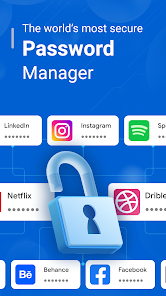
A Password Manager app is a software tool designed to securely store and manage passwords and sensitive information.
This app aim to enhance online security by generating strong, unique passwords for each account and ensuring you don't have to remember multiple complex passwords.
A Password Manager app typically offers:
1. Secure Password Storage:
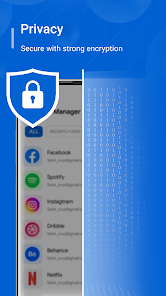
The app securely stores passwords, credit card details, and other sensitive information in an encrypted format. Encryption ensures that even if the data is intercepted, it remains unreadable without the decryption key.
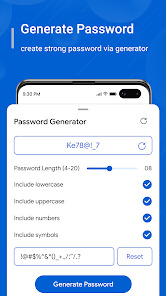
2. Password Generation:
It includes a password generator that helps you create strong and unique passwords for different accounts. These passwords usually consist of a mix of uppercase and lowercase letters, numbers, and special characters.
3. Secure Notes and Data:
Besides passwords, you can store secure notes, Wi-Fi passwords, software license keys, and other confidential information in the app.
4. Auto-Fill and Auto-Login:
Password Manager app can automatically fill in login credentials on websites and apps, streamlining the login process. Some even offer automatic login features, where the app logs in the user with a single click.
5. Backup and Recovery:
Password Manager app offer backup and recovery options, allowing user to retrieve their stored passwords in Google Drive, if they ever lose access to the app or their device.
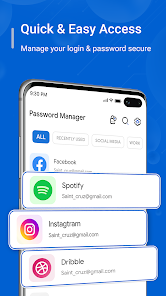
6. Intuitive User Interface:
The app typically has an easy-to-use interface, allowing you to organize passwords into categories, search for specific entries, and manage their data efficiently.
Remember, A Password Manager app offer these functionalities, more advanced versions might include features like secure password sharing, encrypted file storage, and integration with other security tools. You should choose a Password Manager app that meets their specific needs and security requirements
This app aim to enhance online security by generating strong, unique passwords for each account and ensuring you don't have to remember multiple complex passwords.
A Password Manager app typically offers:
1. Secure Password Storage:
The app securely stores passwords, credit card details, and other sensitive information in an encrypted format. Encryption ensures that even if the data is intercepted, it remains unreadable without the decryption key.
2. Password Generation:
It includes a password generator that helps you create strong and unique passwords for different accounts. These passwords usually consist of a mix of uppercase and lowercase letters, numbers, and special characters.
3. Secure Notes and Data:
Besides passwords, you can store secure notes, Wi-Fi passwords, software license keys, and other confidential information in the app.
4. Auto-Fill and Auto-Login:
Password Manager app can automatically fill in login credentials on websites and apps, streamlining the login process. Some even offer automatic login features, where the app logs in the user with a single click.
5. Backup and Recovery:
Password Manager app offer backup and recovery options, allowing user to retrieve their stored passwords in Google Drive, if they ever lose access to the app or their device.
6. Intuitive User Interface:
The app typically has an easy-to-use interface, allowing you to organize passwords into categories, search for specific entries, and manage their data efficiently.
Remember, A Password Manager app offer these functionalities, more advanced versions might include features like secure password sharing, encrypted file storage, and integration with other security tools. You should choose a Password Manager app that meets their specific needs and security requirements
Updated on
Safety starts with understanding how developers collect and share your data. Data privacy and security practices may vary based on your use, region, and age. The developer provided this information and may update it over time.

This app may share these data types with third parties
App activity and Device or other IDs

No data collected
Learn more about how developers declare collection

Data is encrypted in transit

Data can’t be deleted
Ratings and reviews
4.0
292 reviews

Victor Mcdaniel
- Flag inappropriate
December 4, 2025
As soon as I hang up, there stops me when I gotta get back on the phone and make another phone call or when I'm trying to get my verification codes, it gets in the way.
4 people found this review helpful

Nicole Ann Hughes
- Flag inappropriate
July 30, 2025
I wish it would show up every time I need it . if it does, it is helpful . I can't make up passwords that are secure and easy to remember. or I have to write them all down.
45 people found this review helpful

Valerie Jackson
- Flag inappropriate
October 21, 2025
I can't recover my old Google account I see security key all the time what is the problem I think it's the paraphrase then I went and made another one today something white at the bottom of my screen keeps popping up with circles and I don't know what it is please troubleshooted and fix it
5 people found this review helpful
App support
About the developer
NEON APPS
neonappsapple@gmail.com
Office 321, 3rd Floor, Royal Square, Nr.Vip Circle
Utran Kosad Road
Surat, Gujarat 394105
India
+91 90335 48820


