

BooMLink (ブーエムリンク)大量ブックマーク管理に

0+
Downloads

Everyone
info


About this app
BoomLink is an app that lets you easily organize and categorize large numbers of links for instant access. Significantly improve your work and hobbies efficiency and save time.
・Fast Access: Save time at work and in your free time.
・Simple Operation: Easily manage large numbers of URLs. Smoothly navigate and sort, and add bookmarks with a single tap of the "+" button.
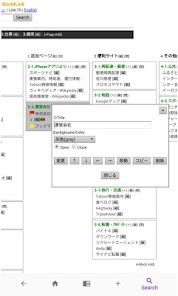
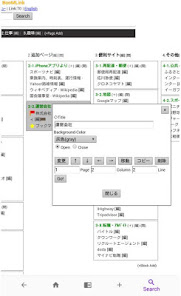
・Link Categorization: Easily categorize and save large numbers of links.
・Perfect for Work: This app is useful for organizing links by project for those who use the internet extensively. Recommended for those who want to organize thousands or even tens of thousands of links.
The more you use it, the more you'll want to use BoomLink, the more you'll want to use it. Try out the bookmark management app!
※Master the menu bar at the bottom of the app
(Left Arrow): Back button. Returns to the previous screen.
(House Icon): Home button. Returns to the main screen.
(Globe Icon): Safari button. Opens the currently displayed URL in Safari. Some websites may not work in the in-app browser. In such cases, open them in Safari. You can also check the "Always open in Safari" setting for each link to always open them in Safari.
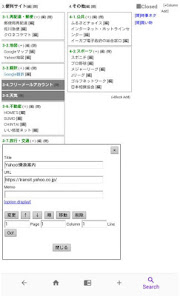
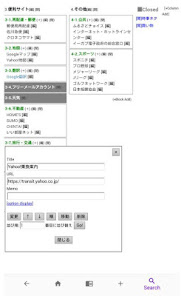
(+): Add button. Add the currently displayed URL as a bookmark to BoomLink with one click. The link will be saved in the "From iPhone App" block in the "Added Pages" column.
Recommended usage: We recommend using the Search button to display the website you want to add, then pressing this Add button. After adding, you can easily move, sort, and edit categories, so feel free to add as many as you like!
(Magnifying glass icon): Search button. Search using search sites (you can change your default search engine to Google, Yahoo!, Bing, or DuckDuckGo in the My Menu settings). Add your frequently used sites!
・Fast Access: Save time at work and in your free time.
・Simple Operation: Easily manage large numbers of URLs. Smoothly navigate and sort, and add bookmarks with a single tap of the "+" button.
・Link Categorization: Easily categorize and save large numbers of links.
・Perfect for Work: This app is useful for organizing links by project for those who use the internet extensively. Recommended for those who want to organize thousands or even tens of thousands of links.
The more you use it, the more you'll want to use BoomLink, the more you'll want to use it. Try out the bookmark management app!
※Master the menu bar at the bottom of the app
(Left Arrow): Back button. Returns to the previous screen.
(House Icon): Home button. Returns to the main screen.
(Globe Icon): Safari button. Opens the currently displayed URL in Safari. Some websites may not work in the in-app browser. In such cases, open them in Safari. You can also check the "Always open in Safari" setting for each link to always open them in Safari.
(+): Add button. Add the currently displayed URL as a bookmark to BoomLink with one click. The link will be saved in the "From iPhone App" block in the "Added Pages" column.
Recommended usage: We recommend using the Search button to display the website you want to add, then pressing this Add button. After adding, you can easily move, sort, and edit categories, so feel free to add as many as you like!
(Magnifying glass icon): Search button. Search using search sites (you can change your default search engine to Google, Yahoo!, Bing, or DuckDuckGo in the My Menu settings). Add your frequently used sites!
Updated on
Safety starts with understanding how developers collect and share your data. Data privacy and security practices may vary based on your use, region, and age. The developer provided this information and may update it over time.


What’s new
APIをバージョンアップしました
App support
phone
Phone number
+81369143537
About the developer
NET ACTIVITY, K.K.
sada@netacti.com
2-61-8, IKEBUKURO
AZALEA AOSHIN 407
TOSHIMA-KU, 東京都 171-0014
Japan
+81 3-6914-3537


