
personalDNSfilter
3.9star
4.05K reviews
1M+
Downloads

Everyone
info


About this app
personalDNSfilter - a DNS filter with encrypted DNS support - for your privacy.
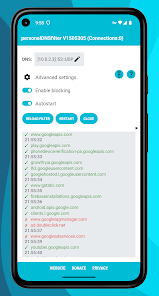
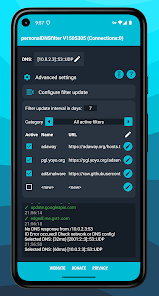
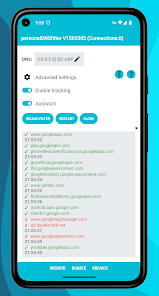
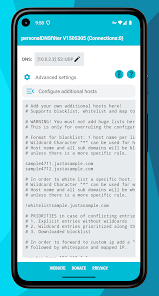
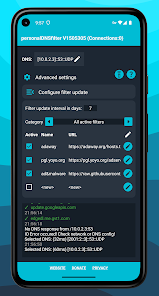
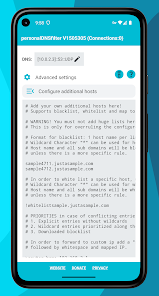
personalDNSfilter is a DNS filter app for Android. It hooks into the domain name (DNS) resolution and blocks access to filtered hosts. It can be used for filtering any unwanted hosts which are related to malware, phishing, tracking and more based on a host list.
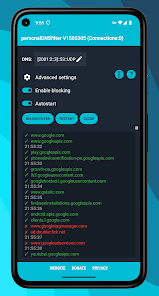
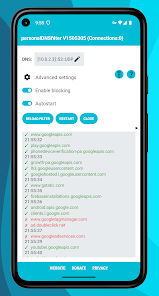
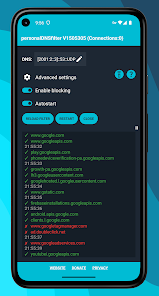
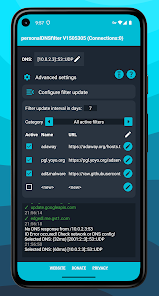
It will be an eye opener, when you see the personalDNSfilter live log showing all the different domains accessed from your mobile under the hood.
On Android 4.2 and newer it can be used as effective malware, tracking and ad server filter without root access!
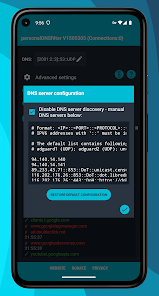
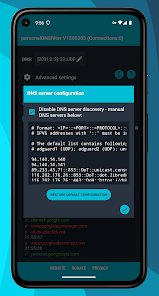
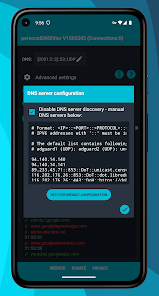
personalDNSfilter is also a DNS changer app, you can set any upstream DNS server you trust. It also supports encrypted DNS servers via DoH (DNS over HTTPS) and DoT (DNS over TLS).
Filtering is completely local - no tracking, no data is sent to us!
You can run it locally on your device or centrally as DNS server in your network.
A big telegram community is already in place, with friendly people
from around the world, willing to support you. ( t.me/pDNSf )
▪ personalDNSfilter is not a real VPN - it does not hide your IP and does not cloak your location
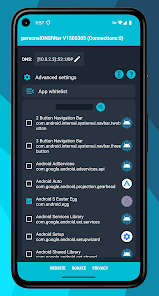
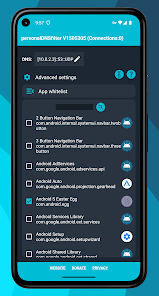
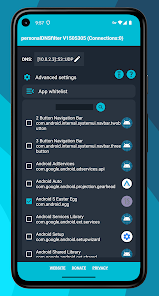
▪ App whitelist works only in VPN filter mode - not in root mode
▪ With personalDNSfilter it's not possible to block YouTube and Facebook ads (and other first party ads). Please use alternative platform clients
▪ We don't collect user data - no data is sent to us in any way
FAQ page: https://www.zenz-solutions.de/faq/
Help page: https://www.zenz-solutions.de/help/
CAUTION: With version 1.50.48.0 config files are now stored in storage/Android/data/dnsfilter.android/files/PersonalDNSFilter/ - use a file explorer to backup files.
Software Disclaimer
Be aware that you use this free software at your own risk.
Ingo Zenz can not in any way be hold liable
for any malfunctions or data loss of third party apps, system apps
or functionalities of your operating system that may occur
while or after you are using our software on any device.
The filterlists used in our free software are from third party sources.
Ingo Zenz can not in any way be hold liable for
any content of these filterlists, and the results of using them.
personalDNSfilter is distributed without any warranty.
See the GNU General Public License v2 for more details.
personalDNSfilter is developed by Ingo Zenz aka ize.
The awesome promo images backgrounds were made by Pawel Czerwinski. Thanks!
personalDNSfilter is a DNS filter app for Android. It hooks into the domain name (DNS) resolution and blocks access to filtered hosts. It can be used for filtering any unwanted hosts which are related to malware, phishing, tracking and more based on a host list.
It will be an eye opener, when you see the personalDNSfilter live log showing all the different domains accessed from your mobile under the hood.
On Android 4.2 and newer it can be used as effective malware, tracking and ad server filter without root access!
personalDNSfilter is also a DNS changer app, you can set any upstream DNS server you trust. It also supports encrypted DNS servers via DoH (DNS over HTTPS) and DoT (DNS over TLS).
Filtering is completely local - no tracking, no data is sent to us!
You can run it locally on your device or centrally as DNS server in your network.
A big telegram community is already in place, with friendly people
from around the world, willing to support you. ( t.me/pDNSf )
▪ personalDNSfilter is not a real VPN - it does not hide your IP and does not cloak your location
▪ App whitelist works only in VPN filter mode - not in root mode
▪ With personalDNSfilter it's not possible to block YouTube and Facebook ads (and other first party ads). Please use alternative platform clients
▪ We don't collect user data - no data is sent to us in any way
FAQ page: https://www.zenz-solutions.de/faq/
Help page: https://www.zenz-solutions.de/help/
CAUTION: With version 1.50.48.0 config files are now stored in storage/Android/data/dnsfilter.android/files/PersonalDNSFilter/ - use a file explorer to backup files.
Software Disclaimer
Be aware that you use this free software at your own risk.
Ingo Zenz can not in any way be hold liable
for any malfunctions or data loss of third party apps, system apps
or functionalities of your operating system that may occur
while or after you are using our software on any device.
The filterlists used in our free software are from third party sources.
Ingo Zenz can not in any way be hold liable for
any content of these filterlists, and the results of using them.
personalDNSfilter is distributed without any warranty.
See the GNU General Public License v2 for more details.
personalDNSfilter is developed by Ingo Zenz aka ize.
The awesome promo images backgrounds were made by Pawel Czerwinski. Thanks!
Updated on
Safety starts with understanding how developers collect and share your data. Data privacy and security practices may vary based on your use, region, and age. The developer provided this information and may update it over time.

No data shared with third parties
Learn more about how developers declare sharing

No data collected
Learn more about how developers declare collection
Ratings and reviews
3.9
3.85K reviews

Christine Pa
- Flag inappropriate
February 23, 2026
I just started using the app and so far it's working well. However, I would like the option to not have a constant notification running. When I turn off the notification, the close button within the app does not seem to work in turning the filter off. It closes the app but the filter turns right back on. I'd prefer a functioning pause button within the app as opposed to notifications.
1 person found this review helpful
Ingo Zenz
February 24, 2026
The notificatioin is needed as otherwise Android won't allow the app to run in background and it will be killed.

David Spector
- Flag inappropriate
- Show review history
April 13, 2026
This app used to work. I uninstalled it just now then installed it again to start fresh. It did nothing. There are no instructions. I turned on "enable blocking". No ads were blocked. I can't understand what most of the controls mean. And there are no instructions. Hello, has anyone gotten this app to work? What's the magic to do it? Hello?
31 people found this review helpful
Ingo Zenz
April 14, 2026
our FAQ gives help. Most likely you got an Android update and Private DNS got enabled. Please disable private DNS in Android network settings as it overwrites the system DNS and thus blocks pDNSf. In addition ensure Battery Optimization is disabled for pDNSf in android settings.

Dan Ogier
- Flag inappropriate
March 25, 2026
One of very few ways to block a domain without rooting your device to gain access to the HOSTS file. DOH support is nice to have as well.
1 person found this review helpful
Ingo Zenz
March 27, 2026
Thanks for your rating. DOH and DOT support are available. You can edit DNS settings with touching the DNS field
What’s new
- migrate to Android target 36
- added DOH over HTTP/2
- stability fixes
- added DOH over HTTP/2
- stability fixes
App support
About the developer
Ingo Maria Zenz
personaldnsfilter@gmail.com
Germany


