
eDrawings
In-app purchases

star
2.83K reviews

Everyone
info
100K+
Downloads

Everyone
Learn more


About this app
eDrawings Pro with in-app purchase.
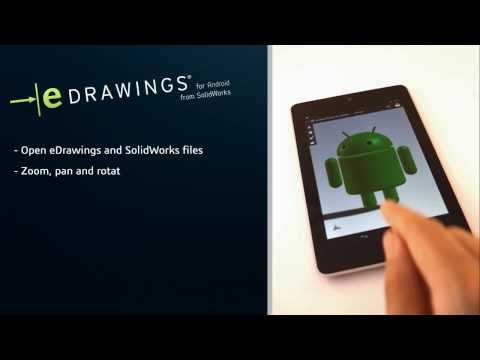
eDrawings® is the only CAD viewer on Android phones and tablets that allows you to view native eDrawings files as well as native SolidWorks® parts, assemblies and drawings files.
eDrawings is the email-enabled communication tool that dramatically eases sharing of product design information. You can load and send files via email to collaborate more effectively with everyone involved in product development, including people who are not regular CAD software users to interpret and understand 2D and 3D designs.
Multi-touch gestures let you pan, zoom, and rotate models easily. eDrawings also supports drawing sheets, and exploded views for eDrawings files published from SolidWorks®.
Features:
* Intuitive and easy-to-use user interface
* Open 3D (EASM, EPRT, SLDASM, SLDPRT, IGES, IGS, JT, STEP, STP, IFC), 2D (EDRW, SLDDRW, DWG, DXF) and associated files from any source: email attachments, cloud storage services (Dropbox™, SkyDrive®, Google Drive, Hightail®, and others), web and FTP sites and network folders.
* Zoom, pan and rotate your 2D or 3D CAD data using multi-touch
* Animate 3D standard views
* Browse your 2D drawing sheets
* View your designs in full screen and double tap to fit it on screen
* Sample files included
Upgrade to eDrawings Pro using In-app purchase and enable new capabilities :
* Measure your designs (distance, angles, lengths, point to point and more)
* Dynamically view cross sections of your models in XY, YZ, or ZX directions from both sides and easily drag the cross section plane
* Create markups in your designs, including text notes and freehand notations
* Share marked up eDrawings files with others for review and further comments. All markups with history are saved within the eDrawings file.
Thanks for using eDrawings! Don't forget to review the app. Your feedback is important to us! Please reach out to support@edrawingsviewer.com with any suggestions.
Known Issue with Augmented Reality:
Some devices clipped the Get Marker buttons and made them unavailable, you can now access them from the settings button in the top right corner when in AR mode
For more information, visit http://www.solidworks.com or http://www.edrawingsviewer.com
eDrawings® is the only CAD viewer on Android phones and tablets that allows you to view native eDrawings files as well as native SolidWorks® parts, assemblies and drawings files.
eDrawings is the email-enabled communication tool that dramatically eases sharing of product design information. You can load and send files via email to collaborate more effectively with everyone involved in product development, including people who are not regular CAD software users to interpret and understand 2D and 3D designs.
Multi-touch gestures let you pan, zoom, and rotate models easily. eDrawings also supports drawing sheets, and exploded views for eDrawings files published from SolidWorks®.
Features:
* Intuitive and easy-to-use user interface
* Open 3D (EASM, EPRT, SLDASM, SLDPRT, IGES, IGS, JT, STEP, STP, IFC), 2D (EDRW, SLDDRW, DWG, DXF) and associated files from any source: email attachments, cloud storage services (Dropbox™, SkyDrive®, Google Drive, Hightail®, and others), web and FTP sites and network folders.
* Zoom, pan and rotate your 2D or 3D CAD data using multi-touch
* Animate 3D standard views
* Browse your 2D drawing sheets
* View your designs in full screen and double tap to fit it on screen
* Sample files included
Upgrade to eDrawings Pro using In-app purchase and enable new capabilities :
* Measure your designs (distance, angles, lengths, point to point and more)
* Dynamically view cross sections of your models in XY, YZ, or ZX directions from both sides and easily drag the cross section plane
* Create markups in your designs, including text notes and freehand notations
* Share marked up eDrawings files with others for review and further comments. All markups with history are saved within the eDrawings file.
Thanks for using eDrawings! Don't forget to review the app. Your feedback is important to us! Please reach out to support@edrawingsviewer.com with any suggestions.
Known Issue with Augmented Reality:
Some devices clipped the Get Marker buttons and made them unavailable, you can now access them from the settings button in the top right corner when in AR mode
For more information, visit http://www.solidworks.com or http://www.edrawingsviewer.com
Experience and share your SolidWorks designs on your Android® phone and tablet.
Updated on
Safety starts with understanding how developers collect and share your data. Data privacy and security practices may vary based on your use, region, and age. The developer provided this information and may update it over time.
- No data shared with third partiesLearn more about how developers declare sharing
- No data collectedLearn more about how developers declare collection


Ratings and reviews
2.38K reviews

Sean Higgins
- Flag inappropriate
October 8, 2022
This app has been made worthless. I bought it years ago and it could do more. I just reinstalled the latest version and it has become clumsy to use and very limited in capability. In lieu of making meaningful improvements to their products, Dassault just removes functionality and charges more to get it back. I am pretty sure we will see a for-pay addon to open files soon.
49 people found this review helpful
SolidWorks
November 28, 2022
Hi User,
We are sorry for the unpleasant experience. Please share your concern at
http://www.edrawingsviewer.com/ed/edrawings-support.htm along with your device details. We will get this checked immediately.
Thanks,
eDrawings Support Team.

Sylvain Grossmann
- Flag inappropriate
- Show review history
July 24, 2026
Panning with two fingers works well, but rotation with one finger is around the origin. It would be great to allow rotation based on where I touch the screen. Also, the part and assembly name gets cropped when it's too long. Update: It's still not possible to set the rotation point (similar to the mouse center button in Windows)
SolidWorks
April 3, 2026
Hi User,
We would love to help you with this issue. Please write to us at http://www.edrawingsviewer.com/ed/edrawings-support.htm so that we can help you along with some screenshot or video demonstrating the issue at your end. We will get this checked immediately.
Thanks,
eDrawings Support Team.

Josh Letofsky
- Flag inappropriate
June 12, 2026
Only paid for it to open a STEP file and it crashes immediately.
SolidWorks
June 23, 2026
Hi User,
We are sorry for the unpleasant experience. Please share your concern at
http://www.edrawingsviewer.com/ed/edrawings-support.htm along with some screenshot or video demonstrating the issue at your end. We will get this checked immediately.
Thanks,
eDrawings Support Team.
What’s new
Bug Fixes
Removed AR functionality
Removed AR functionality
Everyone
Learn moreApp support
phone
Phone number
+17818105011
About the developer
Dassault Systemes Solidworks Corporation
support-edrawings-google@3ds.com
175 Wyman St
Waltham, MA 02451
United States
+1 781-810-3061


