
Egnyte
4.5star
1.86K reviews
100K+
Downloads

Everyone
info




About this app
Connect better. Protect better.
Overview
Extend your office onto your Android device and work from anywhere with ease. Collaborate seamlessly with internal and external users and boost your organization’s productivity.
Access Content Anytime, Anywhere
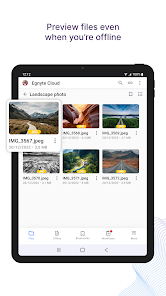
Access sensitive data securely, preview files, upload new content, and collaborate on folders and file links - wherever they’re stored and without a VPN.
Integrate your Apps
Integrate seamlessly with popular business applications for easy deployment and minimal training.
Manage your Content
Easily set up permissions for authorized access, create link expirations, and receive notifications if/when files are accessed. Keep files secure on your mobile device with data encryption, application-specific passcodes, and remote wipe capabilities for lost/stolen devices.
Overview
Extend your office onto your Android device and work from anywhere with ease. Collaborate seamlessly with internal and external users and boost your organization’s productivity.
Access Content Anytime, Anywhere
Access sensitive data securely, preview files, upload new content, and collaborate on folders and file links - wherever they’re stored and without a VPN.
Integrate your Apps
Integrate seamlessly with popular business applications for easy deployment and minimal training.
Manage your Content
Easily set up permissions for authorized access, create link expirations, and receive notifications if/when files are accessed. Keep files secure on your mobile device with data encryption, application-specific passcodes, and remote wipe capabilities for lost/stolen devices.
Updated on
Safety starts with understanding how developers collect and share your data. Data privacy and security practices may vary based on your use, region, and age. The developer provided this information and may update it over time.


Ratings and reviews
4.5
1.71K reviews

Steven Farnum
- Flag inappropriate
November 3, 2023
Was good until about a month or so ago when a annotation bar was added to the screen. On coworkers phones they can touch the annotation highlight at the top to remove the bar. But on two of our other phones the bar can only be moved from one side to the other side of the screen. It's constantly in the way. Egnyte please help and ill give you 6 stars!
4 people found this review helpful
Egnyte, Inc.
November 15, 2023
Thank you for taking the time to share your opinion about Egnyte. We'll analyze the suggestion to find a more convenient positioning for the PDF annotations toolbar and the technical feasibility of it. Please feel free to contact us directly at support@egnyte.com and we will be happy to discuss your feedback.

Michelle Perez
- Flag inappropriate
December 10, 2025
Constantly asks to automatically find my project location. I put "No, thanks" and it keeps asking. I set location permission off and it's still asking. I do not want this constantly asked!
Egnyte, Inc.
December 16, 2025
Thanks for the feedback, and sorry for the frustration this caused. We have not had this issue reported before, but our team is checking it and will add a fix to the next release. In the meantime, please contact Egnyte Support for assistance so we can help you directly.

Brandon Novogradac
- Flag inappropriate
November 14, 2025
It's pretty simple to pick up and use. Took only a couple minutes to figure out how to select and transfer files.
1 person found this review helpful
What’s new
This release includes:
Bug Fixes
Bug Fixes
App support
About the developer
Egnyte Inc.
mobile@egnyte.com
1350 W Middlefield Rd
Mountain View, CA 94043-3061
United States
+1 650-772-6216


