
Screenshot
Contains ads
4.1star
427K reviews
10M+
Downloads

Everyone
info

About this app
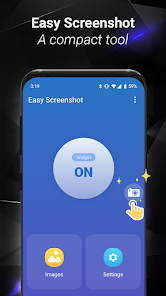
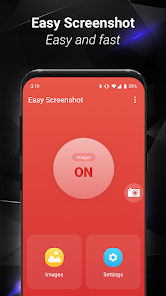
Easy Screenshot gives you the easiest way to capture your screen into images, it is the best snapshot tool.
1. You can take a screenshot by touching the shot icon or pressing power button and volume down button at the same time, or pressing power button and home button at the same time(on most Samsung phones).
2. You can specify the folders which the screenshots will be saved as images.
3. You can preview the screenshot and decide saving it or discarding it.
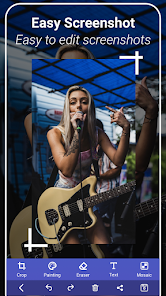
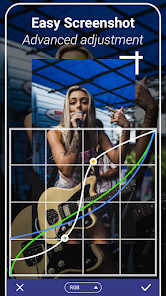
4. Croping any part of the screenshot.
5. Drawing on the screenshot.
6. Making mosaics on the screenshot.
7. Inputting custom text on the screenshot.
8. Sharing the screenshot after it’s taken.
Foreground Service & Screen Capture Notice
This app uses a foreground service with MediaProjection permission to enable the following core features:
Screen capturing and saving it to photo.
Why is this needed?
The foreground service ensures smooth performance while capturing your screen, and a persistent notification will remind you that the service is active. You can stop it anytime by closing the app or tapping the notification.
Privacy Promise:
We only capture content when you explicitly start the feature.
No background recording or unauthorized data collection.
1. You can take a screenshot by touching the shot icon or pressing power button and volume down button at the same time, or pressing power button and home button at the same time(on most Samsung phones).
2. You can specify the folders which the screenshots will be saved as images.
3. You can preview the screenshot and decide saving it or discarding it.
4. Croping any part of the screenshot.
5. Drawing on the screenshot.
6. Making mosaics on the screenshot.
7. Inputting custom text on the screenshot.
8. Sharing the screenshot after it’s taken.
Foreground Service & Screen Capture Notice
This app uses a foreground service with MediaProjection permission to enable the following core features:
Screen capturing and saving it to photo.
Why is this needed?
The foreground service ensures smooth performance while capturing your screen, and a persistent notification will remind you that the service is active. You can stop it anytime by closing the app or tapping the notification.
Privacy Promise:
We only capture content when you explicitly start the feature.
No background recording or unauthorized data collection.
Updated on
Safety starts with understanding how developers collect and share your data. Data privacy and security practices may vary based on your use, region, and age. The developer provided this information and may update it over time.


Ratings and reviews
4.2
391K reviews

Ashish Mehta
- Flag inappropriate
November 13, 2025
kindly add the facility to copy beautiful gifs we are coming across the web in storage as it is to reuse appearing the same way. thank you

Sofia Russkie
- Flag inappropriate
October 12, 2025
Ever time I go to use it. it wipes out. it had a bug recently. it might still have a bug.
2 people found this review helpful

Sofia Russkie
- Flag inappropriate
- Show review history
October 14, 2025
it keeps stopping or wiping out. still bugs in it now. it doesnt go at all now. Sabotaged?
What’s new
3.1.18:
Bugs fixed.
Bugs fixed.
App support
About the developer
白恩
innovative_app@163.com
育慧西里14号楼1门202号
朝阳区, 北京市
China
100101


