
Office Reader - PDF,Word,Excel
In-app purchases
3.8star
3.92K reviews
500K+
Downloads

Everyone
info



About this app
Office Reader – All-in-One Document Viewer
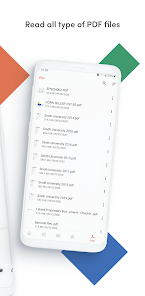
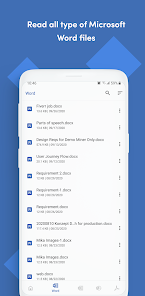
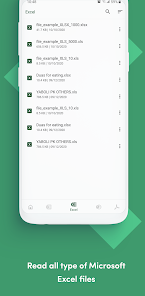
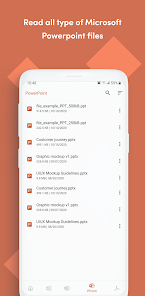
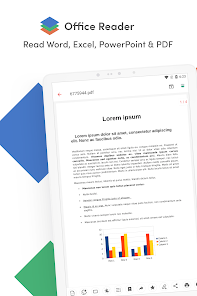
Read, view, and manage all your documents in one free app. Open Word, Excel, PowerPoint, PDF, eBooks, and more—anytime, anywhere, even offline.
✨ Key Features
• All Document Formats Supported
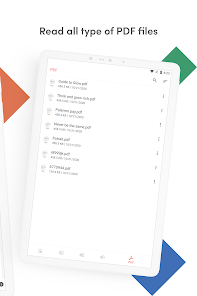
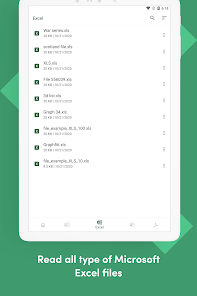
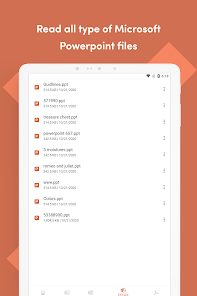
Open DOC, DOCX, XLS, XLSX, PPT, PPTX, PDF, RTF, TXT, CSV, HTML, MD, EPUB, MOBI, FB2, DJVU, AZW, EML, MSG, IPYNB, PGN, MML, and source codes (Java, Python, C++, etc.).
• Password-Protected Files
Securely view locked DOCX, XLS/XLSX, PPT/PPTX, and PDF files.
• File Conversion
Convert Word, Excel, PowerPoint, PDF, RTF, HTML, Markdown, Emails, and even source codes into PDF or text.
• Productivity Tools
📷 Doc Scan – scan documents into PDF.
📂 Folder Navigation – easily manage files.
⏱️ Quick Access – long press app icon to see recent files.
🚀 Why Choose Office Reader?
• Fast & lightweight
• 100% free, no hidden cost
• Works offline – perfect for travel or study
• Clean & simple design for easy navigation
Whether it’s business documents, study notes, eBooks, or source codes, Office Reader makes file viewing simple, fast, and secure.
Read, view, and manage all your documents in one free app. Open Word, Excel, PowerPoint, PDF, eBooks, and more—anytime, anywhere, even offline.
✨ Key Features
• All Document Formats Supported
Open DOC, DOCX, XLS, XLSX, PPT, PPTX, PDF, RTF, TXT, CSV, HTML, MD, EPUB, MOBI, FB2, DJVU, AZW, EML, MSG, IPYNB, PGN, MML, and source codes (Java, Python, C++, etc.).
• Password-Protected Files
Securely view locked DOCX, XLS/XLSX, PPT/PPTX, and PDF files.
• File Conversion
Convert Word, Excel, PowerPoint, PDF, RTF, HTML, Markdown, Emails, and even source codes into PDF or text.
• Productivity Tools
📷 Doc Scan – scan documents into PDF.
📂 Folder Navigation – easily manage files.
⏱️ Quick Access – long press app icon to see recent files.
🚀 Why Choose Office Reader?
• Fast & lightweight
• 100% free, no hidden cost
• Works offline – perfect for travel or study
• Clean & simple design for easy navigation
Whether it’s business documents, study notes, eBooks, or source codes, Office Reader makes file viewing simple, fast, and secure.
Updated on
Safety starts with understanding how developers collect and share your data. Data privacy and security practices may vary based on your use, region, and age. The developer provided this information and may update it over time.

This app may share these data types with third parties
Files and docs and Device or other IDs

No data collected
Learn more about how developers declare collection

Data is encrypted in transit
Ratings and reviews
3.9
3.77K reviews

Gurleen Kaur
- Flag inappropriate
- Show review history
March 19, 2026
Nice app. easy to use. file type at page bottom is great. doc pdf, xlsx, ppt. etc files are opening easily doesn't take much time to load. uninstalled ms powerpoint, Google docs, Adobe reader and other document readers after I installed this app. i don't have docx or other extension files yet on my phone so don't know if those files can be viewed.
nTools
March 20, 2026
Hello Gurleen Kaur, thank you so much for your wonderful 5-star review. We’re truly grateful for your kind words and are delighted to hear the app is easy to use and opens files quickly. Our app supports most major document formats, including word, excel, powerpoint, text, epub, html, md, and more. We truly appreciate your support!

Allan Grier
- Flag inappropriate
February 11, 2026
I receive lots of document and spreadsheet files which I want to read, but I rarely have to edit them. This reader is perfect. It opens much more quickly than any editing app on my old phone, it displays a wide variety of files, and it is lightweight. No ads either! Very pleased to have found it.
6 people found this review helpful
nTools
February 12, 2026
Thank you very much, Allan! We’re truly glad the app helps you read documents quickly and smoothly, especially on your older phone. Our goal is to keep it lightweight and easy to use. Your kind words mean a lot to us — thank you for your support and 5★ rating!

Kaushal Kumar
- Flag inappropriate
March 23, 2026
Kindly include a phone view mode, as the current page layout is hard to read and takes extra time as I have to constantly pinch-zoom and scroll horizontally to view documents. Adding a reader mode button that reformats the text for easier reading, along with adjustable font size, would greatly improve usability.
2 people found this review helpful
nTools
March 24, 2026
Hello Kaushal Kumar, thank you for your thoughtful review and helpful suggestion. We understand that the current page layout can be difficult to read on phone screens. We appreciate your ideas about a reader mode and adjustable font size, and we will consider them for a future version of the app. Thanks!
What’s new
- Bug fixes and performance improvements.
- Added a CBZ/CBR file viewer
- Added a CBZ/CBR file viewer
App support
About the developer
Moo Chan Song
support@ntoolslab.com
673 Comet Dr
Foster City, CA 94404-1705
United States


