
Colour Screen: Button/Clock
Contains ads


Everyone
info
100+
Downloads

Everyone
Learn more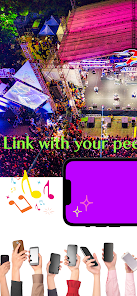
About this app
■ Overview of Colour Screen App
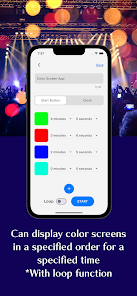
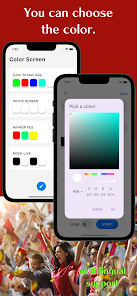
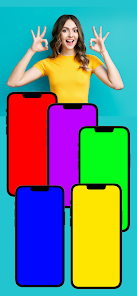
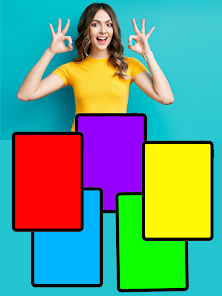
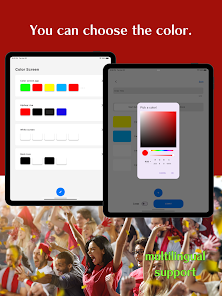
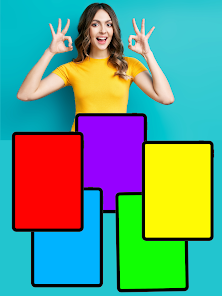
This application lets you display screens of various colours.
1. order
2. time
3. number of times
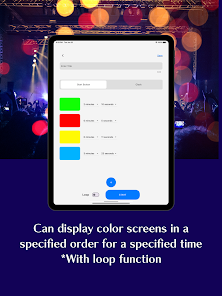
You can configure these settings to control colour-screen displays, so the app can be used in many different situations.
■ Functions of the Colour Screen App
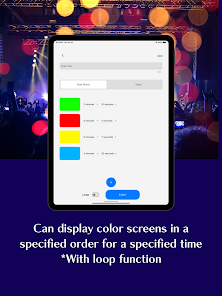
1. Display order
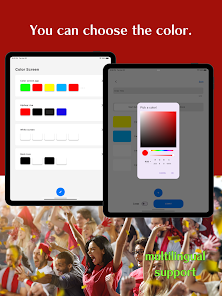
Users can set the order in which colours are shown. For example, you can set the sequence to red, blue, then green.
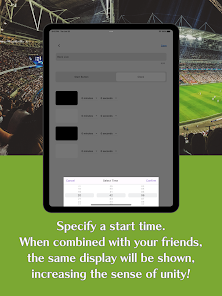
2. Display time
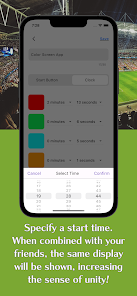
Users can set how long each colour is shown on the screen. For example, red can be displayed for 5 seconds, blue for 3 seconds, and green for 10 seconds.
3. Frequency (number of repetitions)
Users can set how many times the sequence is repeated. For example, the sequence can be set to repeat 3 times.
4. Colour screen display method
The app lets users choose how the screen advances between colours in two ways:
- Button press: The user presses a button to show the next colour. This lets the user switch colours at their own pace.
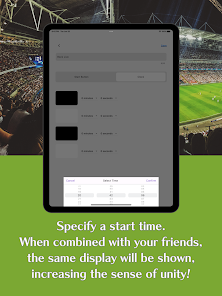
- At a set time: The user sets the display time for each colour, and when the time expires the next colour is shown automatically. This means the user does not need to press a button; the screen advances automatically at the specified times.
5. Loop function
The app offers a loop function. When the loop is enabled, the colour sequence repeats either a user-defined number of times or continuously until the app is closed.
A colour-screen app with these features can be used in many different contexts.
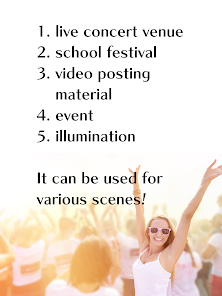
■ Use Cases for Colour Screen App
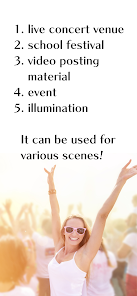
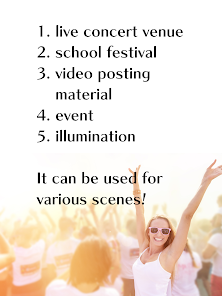
1. Live concert venues
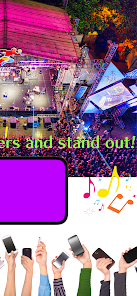
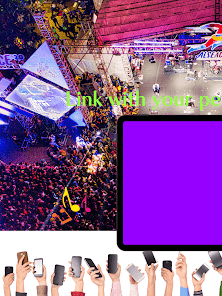
The app can enhance live productions. Specific colours or sequences can be matched to the music and displayed as part of a performance to create visual effects.
2. School festivals
Using the app in a booth or on stage at a cultural festival can create eye-catching effects. Specific colours and transitions can make performances and exhibits more vivid.
3. Short-form videos (e.g., TikTok)
Colour-screen clips can attract attention on social platforms. Combining specific colours or transitions can produce creative visual effects to engage viewers.
4. Illumination and lighting
The app can be used for lighting effects. Connecting it to a building or park lighting system and displaying specified colours or patterns can create a special atmosphere.
5. Signalling and Morse-code-style messages
The app can be used to convey messages or symbols. Specific colours or sequences can be displayed prominently or used to create light patterns similar to Morse code for communication.
6. Dance and entertainment effects
The app can support dance performances and entertainment shows. Colour changes timed to music and rhythm can visually reinforce dancers’ movements and make performances more compelling.
■ Intended Users
1. Event organizers
People involved in planning and producing events such as concerts, festivals, and cultural events.
2. Performers and artists
Dancers, musicians, theatre groups, and other performers.
3. Visual artists
Creators of visual art and installations.
4. Content creators
Producers of short-form and long-form video content for platforms like TikTok and YouTube.
This application lets you display screens of various colours.
1. order
2. time
3. number of times
You can configure these settings to control colour-screen displays, so the app can be used in many different situations.
■ Functions of the Colour Screen App
1. Display order
Users can set the order in which colours are shown. For example, you can set the sequence to red, blue, then green.
2. Display time
Users can set how long each colour is shown on the screen. For example, red can be displayed for 5 seconds, blue for 3 seconds, and green for 10 seconds.
3. Frequency (number of repetitions)
Users can set how many times the sequence is repeated. For example, the sequence can be set to repeat 3 times.
4. Colour screen display method
The app lets users choose how the screen advances between colours in two ways:
- Button press: The user presses a button to show the next colour. This lets the user switch colours at their own pace.
- At a set time: The user sets the display time for each colour, and when the time expires the next colour is shown automatically. This means the user does not need to press a button; the screen advances automatically at the specified times.
5. Loop function
The app offers a loop function. When the loop is enabled, the colour sequence repeats either a user-defined number of times or continuously until the app is closed.
A colour-screen app with these features can be used in many different contexts.
■ Use Cases for Colour Screen App
1. Live concert venues
The app can enhance live productions. Specific colours or sequences can be matched to the music and displayed as part of a performance to create visual effects.
2. School festivals
Using the app in a booth or on stage at a cultural festival can create eye-catching effects. Specific colours and transitions can make performances and exhibits more vivid.
3. Short-form videos (e.g., TikTok)
Colour-screen clips can attract attention on social platforms. Combining specific colours or transitions can produce creative visual effects to engage viewers.
4. Illumination and lighting
The app can be used for lighting effects. Connecting it to a building or park lighting system and displaying specified colours or patterns can create a special atmosphere.
5. Signalling and Morse-code-style messages
The app can be used to convey messages or symbols. Specific colours or sequences can be displayed prominently or used to create light patterns similar to Morse code for communication.
6. Dance and entertainment effects
The app can support dance performances and entertainment shows. Colour changes timed to music and rhythm can visually reinforce dancers’ movements and make performances more compelling.
■ Intended Users
1. Event organizers
People involved in planning and producing events such as concerts, festivals, and cultural events.
2. Performers and artists
Dancers, musicians, theatre groups, and other performers.
3. Visual artists
Creators of visual art and installations.
4. Content creators
Producers of short-form and long-form video content for platforms like TikTok and YouTube.
Updated on
Safety starts with understanding how developers collect and share your data. Data privacy and security practices may vary based on your use, region, and age. The developer provided this information and may update it over time.

No data shared with third parties
Learn more about how developers declare sharing

This app may collect these data types
Location, App activity and 2 others

Data is encrypted in transit

Data can’t be deleted
Everyone
Learn moreApp support
phone
Phone number
+818072361490
About the developer
MINERVA K.K.
minerva.kyoto@gmail.com
44, SUJAKUHOZOCHO, SHIMOGYO-KU
KYOEI BLDG. 2F KYOTO SUZAKU STUDIO
KYOTO, 京都府 600-8846
Japan
+81 80-7236-1490


