
App to fix monitor burn-in
Contains ads

Everyone
info
10K+
Downloads

Everyone
Learn more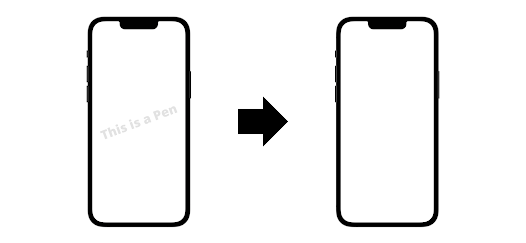
About this app
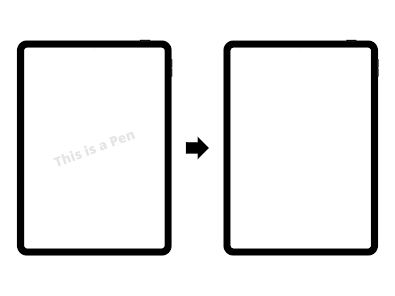
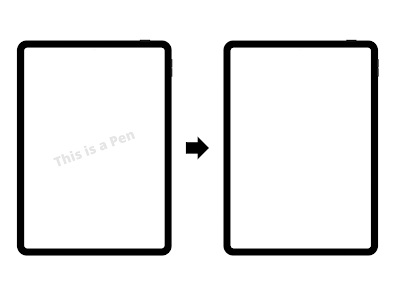
This app fixes screen burn-in by continuously displaying a white screen. Leave the app running with the white screen displayed for several hours.
It’s very simple: just start the app and leave the screen on. Apple also recommends this method on their official website:
https://support.apple.com/HT201786
■ Overview
"Screen Burn-in Repair" is an app for fixing burn-in on screens of devices such as smartphones and tablets. This app can effectively remove burn-in caused by displaying the same image for extended periods.
Screen burn-in happens when fixed elements are shown on a screen for a long time. For example, icons on the home screen, the status bar, or persistent UI elements in games can become burned in after prolonged display.
This app detects screen burn-in and automatically repairs it. The repair method displays a suitable pattern on the screen to remove burn-in. The required time is short—often only a few minutes—making it easy to use.
The app also has an intuitive, easy-to-use interface and is designed to run smoothly even on lower-spec devices, making it suitable for a wide range of users.
■ How to Repair Screen Burn-in
1. Enable the screensaver
Enable a screensaver so the same image is not displayed for long periods. Screensavers that change the image gradually or use random full-screen patterns are effective.
2. Adjust the brightness
Reducing screen brightness can help prevent burn-in. Set the brightness to a moderate level, since very high brightness can accelerate burn-in.
3. Give the screen a rest
When using a screen for long periods, give it regular breaks. Turning the screen off or switching what’s displayed can help prevent burn-in.
4. Use screen-repair apps
If burn-in occurs, you can repair it with a screen-repair app that displays appropriate patterns to remove the burn-in.
This app provides method 4. It fixes screen burn-in by continuously displaying a white screen. Leave the app running with the white screen displayed for several hours.
■ Features of this app
1. Display a white screen
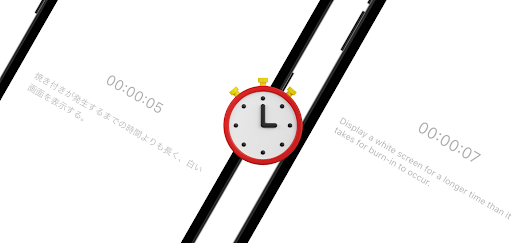
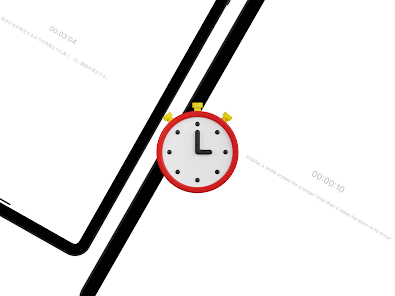
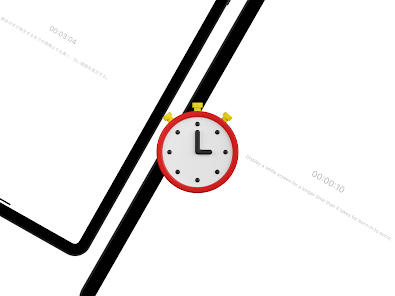
2. Display elapsed time
■ Use cases for repairing burn-in with a white screen
1) Smartphone screen burn-in
Displaying the same image for long periods can cause burn-in on smartphone screens. Showing a white screen can help remove it.
2) TV screen burn-in
Long-term display of the same image can cause TV screen burn-in. A white screen can help eliminate it.
3) Computer screen burn-in
Prolonged display of the same image can cause computer screen burn-in. A white screen can help remove it.
4) Digital signage in stores
Digital signage that displays the same content for long periods can develop burn-in. Displaying a white screen can help remove it.
These are examples of situations where a white screen can be used to repair screen burn-in. To prevent burn-in, regular maintenance is important.
It’s very simple: just start the app and leave the screen on. Apple also recommends this method on their official website:
https://support.apple.com/HT201786
■ Overview
"Screen Burn-in Repair" is an app for fixing burn-in on screens of devices such as smartphones and tablets. This app can effectively remove burn-in caused by displaying the same image for extended periods.
Screen burn-in happens when fixed elements are shown on a screen for a long time. For example, icons on the home screen, the status bar, or persistent UI elements in games can become burned in after prolonged display.
This app detects screen burn-in and automatically repairs it. The repair method displays a suitable pattern on the screen to remove burn-in. The required time is short—often only a few minutes—making it easy to use.
The app also has an intuitive, easy-to-use interface and is designed to run smoothly even on lower-spec devices, making it suitable for a wide range of users.
■ How to Repair Screen Burn-in
1. Enable the screensaver
Enable a screensaver so the same image is not displayed for long periods. Screensavers that change the image gradually or use random full-screen patterns are effective.
2. Adjust the brightness
Reducing screen brightness can help prevent burn-in. Set the brightness to a moderate level, since very high brightness can accelerate burn-in.
3. Give the screen a rest
When using a screen for long periods, give it regular breaks. Turning the screen off or switching what’s displayed can help prevent burn-in.
4. Use screen-repair apps
If burn-in occurs, you can repair it with a screen-repair app that displays appropriate patterns to remove the burn-in.
This app provides method 4. It fixes screen burn-in by continuously displaying a white screen. Leave the app running with the white screen displayed for several hours.
■ Features of this app
1. Display a white screen
2. Display elapsed time
■ Use cases for repairing burn-in with a white screen
1) Smartphone screen burn-in
Displaying the same image for long periods can cause burn-in on smartphone screens. Showing a white screen can help remove it.
2) TV screen burn-in
Long-term display of the same image can cause TV screen burn-in. A white screen can help eliminate it.
3) Computer screen burn-in
Prolonged display of the same image can cause computer screen burn-in. A white screen can help remove it.
4) Digital signage in stores
Digital signage that displays the same content for long periods can develop burn-in. Displaying a white screen can help remove it.
These are examples of situations where a white screen can be used to repair screen burn-in. To prevent burn-in, regular maintenance is important.
Updated on
Safety starts with understanding how developers collect and share your data. Data privacy and security practices may vary based on your use, region, and age. The developer provided this information and may update it over time.

No data shared with third parties
Learn more about how developers declare sharing

This app may collect these data types
Location, App activity and 2 others

Data is encrypted in transit

Data can’t be deleted
Everyone
Learn moreApp support
phone
Phone number
+815068726465
About the developer
MINERVA K.K.
minerva.kyoto@gmail.com
44, SUJAKUHOZOCHO, SHIMOGYO-KU
KYOEI BLDG. 2F KYOTO SUZAKU STUDIO
KYOTO, 京都府 600-8846
Japan
+81 80-7236-1490


