Fast Scanner - PDF Scan App
Contains adsIn-app purchases

4.7star
200k reviews
10m+
Downloads

Everyone
info
Enjoy this app for free, and many more free of ads and in-app purchases, with a Google Play Pass subscription. Learn more





About this app
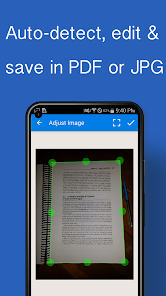
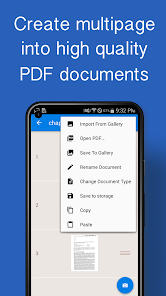
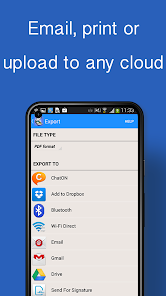
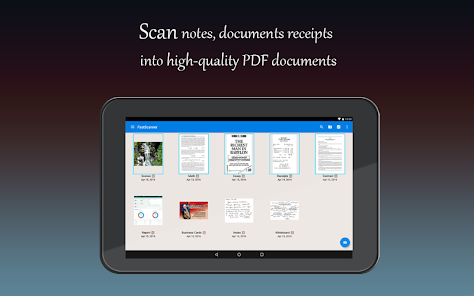
Fast Scanner turns your Android devices into a multiple pages scanner for documents, receipts, notes, invoices, business cards, whiteboards and other paper text. With Fast Scanner, you can quickly scan your document, then print or email them as multiple pages PDF or JPEG files. Moreover you can save the PDF files in your device or open them in other apps.
FAST SCANNER FEATURES:
+ Scan documents
Fast Scanner scans any type of documents, ranging from a receipt to multiple pages book.
+ Export to PDF file
All scanned documents are exported as industry-standard PDF file. You can add new pages or delete existed pages within the PDF file.
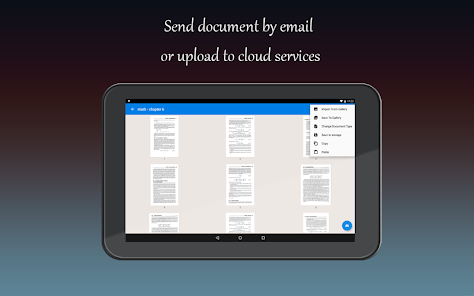
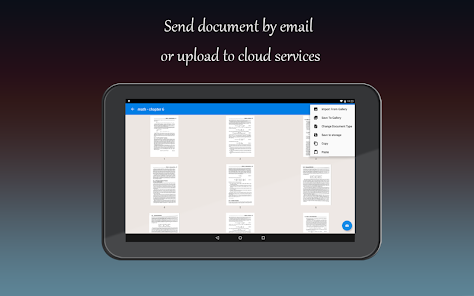
+ Email scanned documents
Just scan any documents and tap "Send" button.
+ Extremely Fast
Fast Scanner is optimized to run very fast.
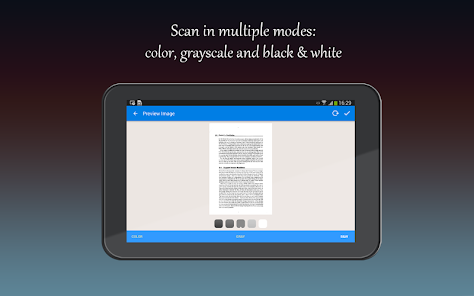
+ Multiple editing support scanned document
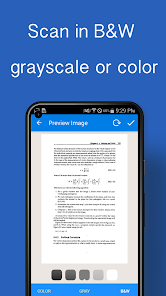
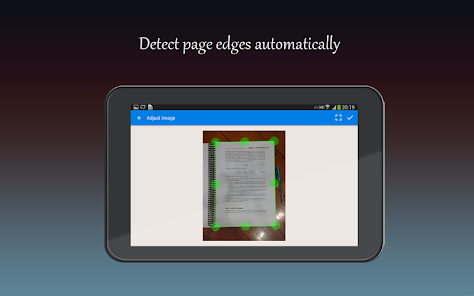
Fast Scanner support a lot of image editing options so you can make the scanned images as easy to read as possible.
+ Scans are saved to your device as images or PDFs.
+ Open PDFs or JPEGs in other apps like the free Dropbox app (or Evernote, SkyDrive, GoogleDrive app, etc) to send to clouds or fax apps.
+ Printing via Cloud Print or other print apps.
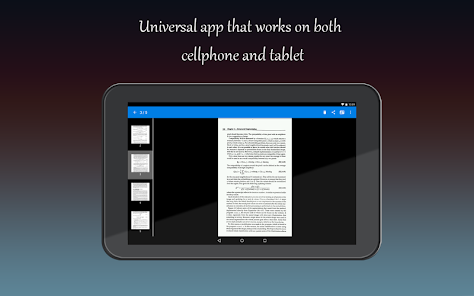
+ Universal - a single app that works on phone and tablet too.
This is Fast Scanner Free app but you have:
- UNLIMITED NUMBER OF SCAN DOCUMENTS.
- UNLIMITED ANY FEATURE.
Fast Scanner: a little app that scans everything!
We are committed to provide frequently updated versions to all of our users. You only buy Fast Scanner once and get all FREE updated version later.
FAST SCANNER FEATURES:
+ Scan documents
Fast Scanner scans any type of documents, ranging from a receipt to multiple pages book.
+ Export to PDF file
All scanned documents are exported as industry-standard PDF file. You can add new pages or delete existed pages within the PDF file.
+ Email scanned documents
Just scan any documents and tap "Send" button.
+ Extremely Fast
Fast Scanner is optimized to run very fast.
+ Multiple editing support scanned document
Fast Scanner support a lot of image editing options so you can make the scanned images as easy to read as possible.
+ Scans are saved to your device as images or PDFs.
+ Open PDFs or JPEGs in other apps like the free Dropbox app (or Evernote, SkyDrive, GoogleDrive app, etc) to send to clouds or fax apps.
+ Printing via Cloud Print or other print apps.
+ Universal - a single app that works on phone and tablet too.
This is Fast Scanner Free app but you have:
- UNLIMITED NUMBER OF SCAN DOCUMENTS.
- UNLIMITED ANY FEATURE.
Fast Scanner: a little app that scans everything!
We are committed to provide frequently updated versions to all of our users. You only buy Fast Scanner once and get all FREE updated version later.
Updated on
Safety starts with understanding how developers collect and share your data. Data privacy and security practices may vary based on your use, region and age. The developer provided this information and may update it over time.


Ratings and reviews
4.7
195k reviews

Emily Kukura
- Flag inappropriate
23 April 2021
I have used it to send docs--many, both jpg and pdf. The pictures are super easy to take, and images much better and more clear than just a camera pic. Go figure! It must be to auto adjustments within the app. I still have not found how scans can be automately put onto my SD card. It doesn't seem to be an option. I move them manually, and the pgm seems to find them ok. It is the ONLY app I have ever considered paying for, but cant figure out how to do that! Update:
43 people found this review helpful

A Google user
- Flag inappropriate
5 March 2019
I went through four different apps before settling on this one. The deal-sealer for me was they don't force you to pay after only 4 or 5 scans, and as a truck driver who scans a minimum of twice a week, that's a huge deal. Minimal adds, easy interface, user friendly, if I know for a fact that I'll be with this company long-term, I'd strongly consider the paid version. 4 stars because of ads. I hate ads. ;)
42 people found this review helpful

Sariah Huntington
- Flag inappropriate
13 March 2021
I really appreciate this app. I've used it to save recipes, letters, notes to my phone. It works super well, allows you to adjust the whiteness contrast so you can see everything, and then becomes a file that you can later upload to your computer and print out, original handwriting included. Depending on the picture, it doesn't always do super well, but that's alright with me because I don't use it for recipe photos, or family photos. Also the Ads are super low and easy to get out of. A bonus.
269 people found this review helpful
What's new
- Target Android 15.
- Bug fixes.
- Bug fixes.
App support
About the developer
Nguyen Thuy Hang
easyfax@coolmobilesolution.com
340/61 Quang Trung
Thành phố Hồ Chí Minh 71400
Vietnam
undefined


