Simple Table - note-taking
In-app purchases
4.4star
1.52K reviews
1L+
Downloads

Everyone
info
About this app
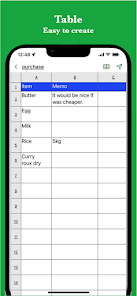
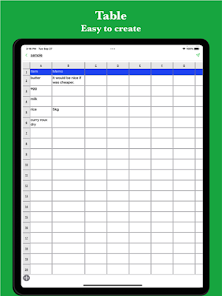
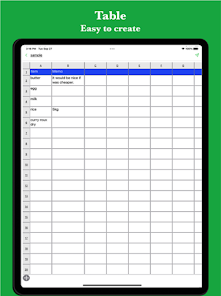
This simple table app lets you take notes effortlessly in a table format like Excel.
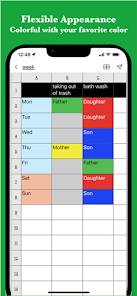
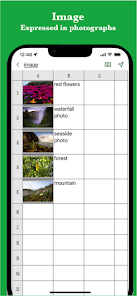
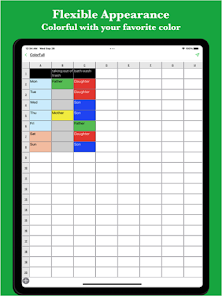
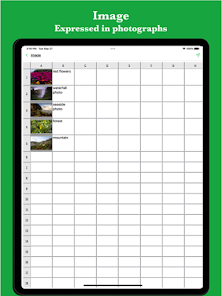
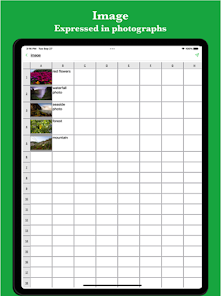
It also supports various features such as colours, images, links, and task progress.
It is used in the following scenarios:
- Creating timetables
- Creating a task table
- Creating a shift schedule
- Creating a schedule
- Creating an address book
- Creating a comparison table
Additionally, since it can be used for any table-managed data,
it is reported to have versatile uses.
If you'd like to take notes in a table, please give it a try.
[Features]
- Intuitive operation
Ease of use is the priority for simple functions.
It works smoothly, and you can edit it intuitively.
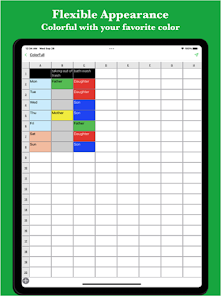
- Rich expression
Use colours and photos to personalise your table notes.
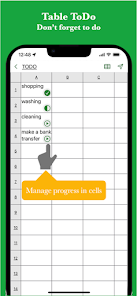
- To-do management
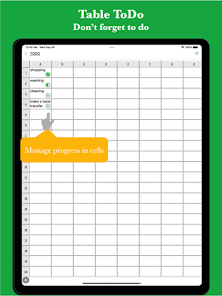
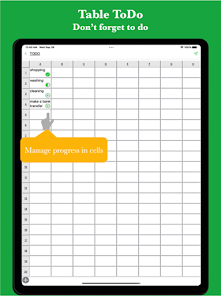
Insert progress rates for individual cells and manage your to-do items.
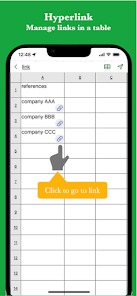
- Link function
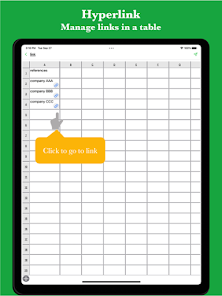
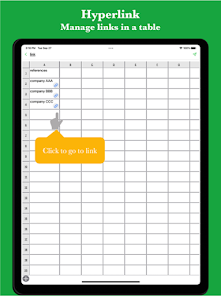
Insert links for easy reference management.
- Ready to use
Start immediately without the need to create an account.
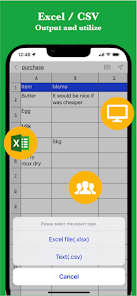
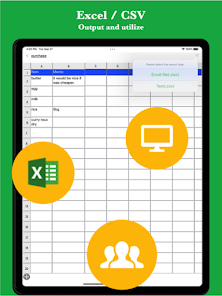
- Export and share
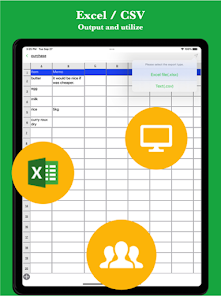
Export table data, share it, or edit it on a PC.
- Import
Import and edit csv data with ease.
- Multi-device support
Seamlessly sync across multiple devices via Google Drive.
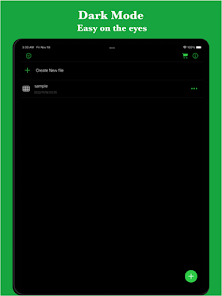
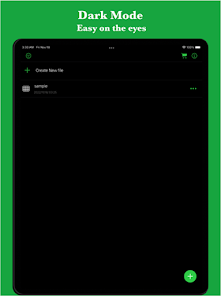
- Dark theme support
Dark theme makes it perfect for use at night.
It also supports various features such as colours, images, links, and task progress.
It is used in the following scenarios:
- Creating timetables
- Creating a task table
- Creating a shift schedule
- Creating a schedule
- Creating an address book
- Creating a comparison table
Additionally, since it can be used for any table-managed data,
it is reported to have versatile uses.
If you'd like to take notes in a table, please give it a try.
[Features]
- Intuitive operation
Ease of use is the priority for simple functions.
It works smoothly, and you can edit it intuitively.
- Rich expression
Use colours and photos to personalise your table notes.
- To-do management
Insert progress rates for individual cells and manage your to-do items.
- Link function
Insert links for easy reference management.
- Ready to use
Start immediately without the need to create an account.
- Export and share
Export table data, share it, or edit it on a PC.
- Import
Import and edit csv data with ease.
- Multi-device support
Seamlessly sync across multiple devices via Google Drive.
- Dark theme support
Dark theme makes it perfect for use at night.
Updated on
Safety starts with understanding how developers collect and share your data. Data privacy and security practices may vary based on your use, region and age. The developer provided this information and may update it over time.

No data shared with third parties
Learn more about how developers declare sharing

This app may collect these data types
App activity, App info and performance and Device or other IDs

Data is encrypted in transit

Data can’t be deleted
Ratings and reviews
4.4
1.44K reviews

Michael Katz
- Flag inappropriate
29 November 2025
would be very useful to be able cut, copy and paste cells. Or even better, to be able to drag and drop. Otherwise, exactly what I needed.

Mark Johnson
- Flag inappropriate
- Show review history
23 May 2025
Very simple and intuitive. Does what I want and nothing more. The spreadsheet in Google Sheets is a pain to use on a phone. All I want to do is make a list of products with columns for model number, color, price, etc. This is perfect for that task.
3 people found this review helpful

Adam Toynton
- Flag inappropriate
2 June 2025
everything was working brilliantly and I thought I had found just what I needed for my radio contacts but after I finished my first month I could not export the png data, this being the only free option. I have contacted the developer so hopefully the situation may resolve itself.
What's new
Made minor improvements.
App support
About the developer
棚池 祐樹
yuki.tanaike@gmail.com
大森東4丁目34−4
101
大田区, 東京都 143-0012
Japan


