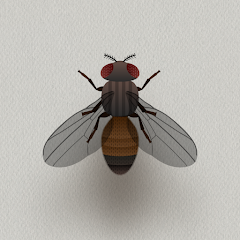
CAT ALONE - Cat Toy
Contains adsIn-app purchases

4.0star
25.1K reviews
10M+
Downloads

Everyone
info


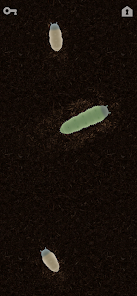
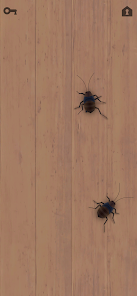
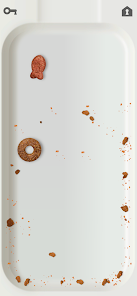
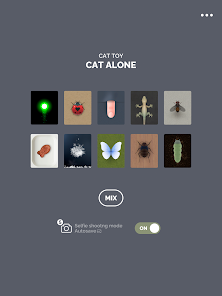


About this game
Cat Toy CAT ALONE
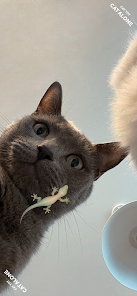
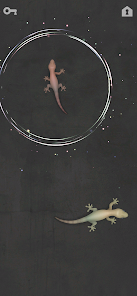
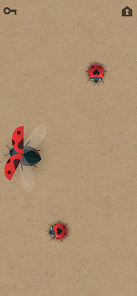
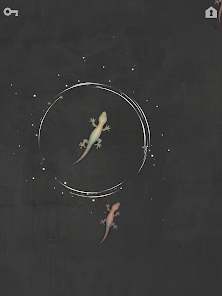
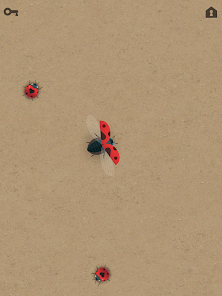
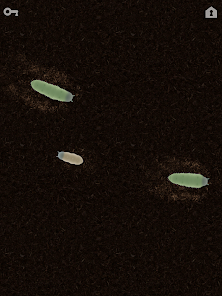
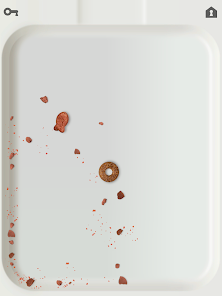
Just leave your cat alone with your android device on and let your cat try to chase and catch various objects on screen.
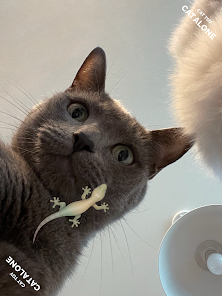
With the newly added Selfie mode on, you can even save a photo of your cat's hunting moments.
This lovely cat game app presents 10 stages with brilliant graphic stuffs and typical sound for each.
- Laser pointer
- Ladybug
- Finger
- Lizard
- Fly
- Cat snack
- Snow flake
- Butterfly
- Cockroach
- Larva
Note : Some cats may not play with this game.
** Physical damage such as scratches or breakage of the device may occur infrequently if the cat plays very vigorously.
Just leave your cat alone with your android device on and let your cat try to chase and catch various objects on screen.
With the newly added Selfie mode on, you can even save a photo of your cat's hunting moments.
This lovely cat game app presents 10 stages with brilliant graphic stuffs and typical sound for each.
- Laser pointer
- Ladybug
- Finger
- Lizard
- Fly
- Cat snack
- Snow flake
- Butterfly
- Cockroach
- Larva
Note : Some cats may not play with this game.
** Physical damage such as scratches or breakage of the device may occur infrequently if the cat plays very vigorously.
Updated on
Available on
*Powered by Intel® technology
Safety starts with understanding how developers collect and share your data. Data privacy and security practices may vary based on your use, region, and age. The developer provided this information and may update it over time.

This app may share these data types with third parties
Device or other IDs

No data collected
Learn more about how developers declare collection

Data is encrypted in transit

Data can’t be deleted
Ratings and reviews
3.9
20.6K reviews

Alicia Helmboldt
- Flag inappropriate
- Show review history
January 8, 2023
Ya know, I should give this game one-star! Why? Because now every time I get on my phone, suddenly I have a cat in my way...staring at my phone - her nose an inch from the screen - because she wants to play.... 🤪🤣 I love the timed automatic shuffle function. It would be great if there was a setting to adjust the speed of the objects because I have one cat that likes toys that move fast, and the other that likes them to move super slow. Great game! ♥️
93 people found this review helpful
GALBRO INC.
January 9, 2023
Hello, you already have the speed option. Touch menu button at the top right in home screen, you can find it. Thanks.

M.K.
- Flag inappropriate
October 21, 2023
My cat only likes the lizard but we now can't get it so we have had to delete it. You have to constantly watch an ad to get the lizards for a short while. Now no x shows to close the ad after it finishes and when you trying going back or trying to get the button on your phone to close the app it automatically installs the game from the ad. So you don't get the lizards but you get tons of new apps downloaded to your phone and hopefully those apps don't mess up your phones.
177 people found this review helpful

Alan
- Flag inappropriate
July 7, 2024
My one cat likes to get outdoor time for about 30 minutes a day, but it's been too hot lately, so I got this to see if he'd accept it as a substitute. He loves it, especially the game with the flies. Turning him into a real iPad kid. Something I heard recently that has seemed to hold up: you should make sure your device is set to run at at least a 90Hz refresh rate (120+ being ideal). Cats see at a higher frame rate than humans, and a 60Hz display can seem to flicker unpleasantly to them.
27 people found this review helpful
What’s new
Bug fixes - No Ads purchase error
App support
About the developer
(주)겔브로
cs@galbro.co.kr
대한민국 서울특별시 서대문구
서대문구 이화여대1길 38, 201-25호(대현동, 다올노블리움)
03766
+82 10-9176-7402


