
AnLinux - Run Linux on Android
Contains ads
3.5star
2.53K reviews
1M+
Downloads

Everyone
info


About this app
*Please update to the latest version to ensure all feature work correctly.
Note: This app work WITHOUT ROOT, but require Android 5 + and latest Termux app.
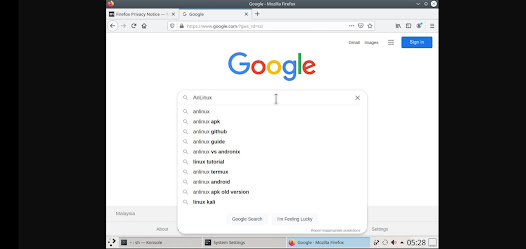
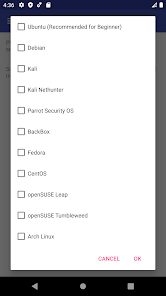
This application will allow you to run Linux on Android, by using Termux and PRoot technology, you can run a lots of popular Linux Distro, such as Ubuntu, Debian, Kali, Parrot Security OS, Fedora, CentOS Stream, Alpine and much more!
By installing Linux Distro using this app, you can run various classic Linux desktop application such as Emac, mpv player, Python 3, and lots more for you to discover!
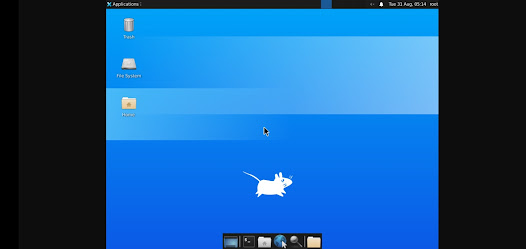
Various of Desktop Environment and Window Manager are also supported, such as KDE, Xfce4, LXDM, Mate, LXQT, Awesome Window Manager, IceWM, and more might be added in the future.
Features:
- NO ROOT ACCESS REQUIRED!!!
- Lots of Linux distro supported:
1. Ubuntu
2. Debian
3. Kali
4. Kali Nethunter
5. Parrot Security OS
6. BackBox
7. Fedora
8. CentOS
9. openSUSE Leap
10. openSUSE Tumberweed
11. Arch Linux
12. Black Arch
13. Alpine
14. Void Linux
- Multiple Desktop Environment Supported
- Install multiple distro without conflict
- Provide uninstallation script to fully uninstall distro
- Provide method to run the distro in root mode if you need permission to run penetration testing tools on distro such as Kali Linux or Parrot Security OS.
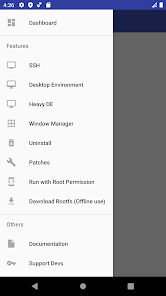
- SSH is supported for users who prefer command line.
- Various patches to support device that didn't work for running Linux on Android.
- For those who wanted or are learning Linux and command line, this app served its purpose when away from desktop.
Note :
1. This app required Termux to work, it could be install on Play Store.
2. About device requirement:
Android Version : Android 5.0 or above
Architeture : armv7, arm64, x86, x86_64
3. For any suggestion or issue, please open an issue on Github.
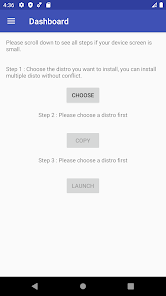
If you are new to Linux, or you don't quite understand how it works. Please look at the instruction on wiki page in the app, it may help you if you are stuck at the installation process.
This is an open source app and the source code could be found here : https://github.com/EXALAB/AnLinux-App
Note: This app work WITHOUT ROOT, but require Android 5 + and latest Termux app.
This application will allow you to run Linux on Android, by using Termux and PRoot technology, you can run a lots of popular Linux Distro, such as Ubuntu, Debian, Kali, Parrot Security OS, Fedora, CentOS Stream, Alpine and much more!
By installing Linux Distro using this app, you can run various classic Linux desktop application such as Emac, mpv player, Python 3, and lots more for you to discover!
Various of Desktop Environment and Window Manager are also supported, such as KDE, Xfce4, LXDM, Mate, LXQT, Awesome Window Manager, IceWM, and more might be added in the future.
Features:
- NO ROOT ACCESS REQUIRED!!!
- Lots of Linux distro supported:
1. Ubuntu
2. Debian
3. Kali
4. Kali Nethunter
5. Parrot Security OS
6. BackBox
7. Fedora
8. CentOS
9. openSUSE Leap
10. openSUSE Tumberweed
11. Arch Linux
12. Black Arch
13. Alpine
14. Void Linux
- Multiple Desktop Environment Supported
- Install multiple distro without conflict
- Provide uninstallation script to fully uninstall distro
- Provide method to run the distro in root mode if you need permission to run penetration testing tools on distro such as Kali Linux or Parrot Security OS.
- SSH is supported for users who prefer command line.
- Various patches to support device that didn't work for running Linux on Android.
- For those who wanted or are learning Linux and command line, this app served its purpose when away from desktop.
Note :
1. This app required Termux to work, it could be install on Play Store.
2. About device requirement:
Android Version : Android 5.0 or above
Architeture : armv7, arm64, x86, x86_64
3. For any suggestion or issue, please open an issue on Github.
If you are new to Linux, or you don't quite understand how it works. Please look at the instruction on wiki page in the app, it may help you if you are stuck at the installation process.
This is an open source app and the source code could be found here : https://github.com/EXALAB/AnLinux-App
Updated on
Safety starts with understanding how developers collect and share your data. Data privacy and security practices may vary based on your use, region, and age. The developer provided this information and may update it over time.

This app may share these data types with third parties
Personal info and Device or other IDs

No data collected
Learn more about how developers declare collection

Data is encrypted in transit

Data can’t be deleted
Ratings and reviews
3.7
2.36K reviews

Shaun Nova
- Flag inappropriate
February 13, 2022
This is a masterpiece 👏 there are some limitations, as you would expect from a mobile app trying to emulate a linux env without root access, on phones that werent designed to run it. Overall its really well done. I think one small area for improvement would be notifying the user when something is broken because of the app's limitations, as its easy to get lost in debugging something that should work on a normal linux env but doesnt in the app :)
110 people found this review helpful

Jesse Ziegler
- Flag inappropriate
November 2, 2022
I'm getting error "de-apt-xfce4.sh: line 44: vncserver-start: command not found" and did a search. I discovered that this is a known issue on their github page (issue #56). I also found that EXA Lab has not responded to anybody on the github issue tracker since Feb of 2019 despite the fact that many people are still reaching out for help. So the app is left up to collect ad revenue and waste people's time. But the developer can't be bothered to fix issues or assist users.
40 people found this review helpful
EXA Lab
November 12, 2022
This issue does not exist to begin with since the script was created, most user getting this error are not reading the step 4 instruction correctly and running the script directly in Termux. In another circumstances this happens when user's network problem occur which could't download the script or component, which isn't devs problems.

David Dahl
- Flag inappropriate
- Show review history
April 1, 2022
I got it to work but there is no audio which is sad for me. There's a problem in Android 12 where Android kills phantom processes. This interferes with Termux but there's a way to ADB shell some commands to prevent it so not a big deal. Really wish there was audio though. Also no way to restart the OS. Restart flips errors. No reply from devs in email. Cool app though regardless.
65 people found this review helpful
What’s new
- Support Android 16
- Bug fixed
- Minor improvement
- Update rootfs for Alpine and Void Linux
- Update rootfs for Fedora to 43
- Update rootfs for openSUSE Leap and Tumbleweed to Docker Image's latest version
- Fixed ArchLinux broken url for x86_64 architecture
- Bug fixed
- Minor improvement
- Update rootfs for Alpine and Void Linux
- Update rootfs for Fedora to 43
- Update rootfs for openSUSE Leap and Tumbleweed to Docker Image's latest version
- Fixed ArchLinux broken url for x86_64 architecture
App support
About the developer
Hoo Shun Jiang
exalabdevelopers@gmail.com
6296 Jalan Selandar,
Kesang Pajak
77000 Jasin
Melaka
Malaysia
undefined


