
Simple Clock Widget
Contains ads
5,0star
1,02K reviews
500K+
Downloads

Everyone
info
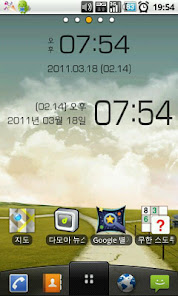
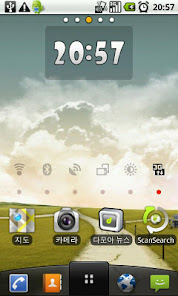
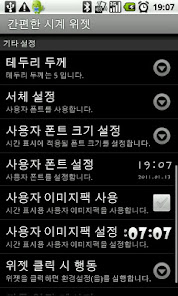
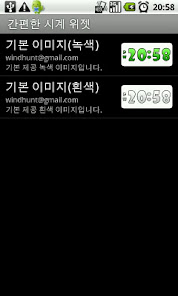
Safety starts with understanding how developers collect and share your data. Data privacy and security practices may vary based on your use, region and age. The developer provided this information and may update it over time.

No data shared with third parties
Learn more about how developers declare sharing

No data collected
Learn more about how developers declare collection
Ratings and reviews
5,0
1,01K reviews

A Google user
- Flag inappropriate
05 March 2017
I have downloaded so many clocks and they never keep time this one seems to be working fine.It would be nice if you could fix it so it reads DD mm yy thanks you.
1 person found this review helpful
A Google user
- Flag inappropriate
17 April 2014
Works fine on gzone commando. Easy clock that shows date. I use it every day
2 people found this review helpful
A Google user
- Flag inappropriate
08 December 2014
I like a clock that I can see. The short is simple and take up too much space, easy to set up
1 person found this review helpful
What's new
Ver 1.0.15 (06/02/2011)
- Bug fixed.
Ver 1.0.14 (05/05/2011)
- Bug fixed.
Ver 1.0.13 (03/18/2011)
- 4x1 size widget added.
Ver 1.0.12 (03/09/2011)
- Widget service startup errors fixed.
Ver 1.0.8
- Widget service automatic restart option added.
- Widget service startup/shutdown messages option added.
Ver 1.0.5
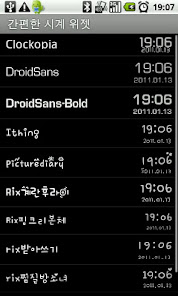
- Fonts to display the time and date can be set.
::
- Time display is available for the user image
- Default size is 2x1
- Supported languages are English and Korean.
- Bug fixed.
Ver 1.0.14 (05/05/2011)
- Bug fixed.
Ver 1.0.13 (03/18/2011)
- 4x1 size widget added.
Ver 1.0.12 (03/09/2011)
- Widget service startup errors fixed.
Ver 1.0.8
- Widget service automatic restart option added.
- Widget service startup/shutdown messages option added.
Ver 1.0.5
- Fonts to display the time and date can be set.
::
- Time display is available for the user image
- Default size is 2x1
- Supported languages are English and Korean.
App support
About the developer
김영규
windhunt@gmail.com
South Korea


