CA Mobile Authenticator
2.4star
307 Rezensionen
100 Tsg.+
Downloads

Jedes Alter
info
Über diese App
CA Mobile Authenticator works with CA Advanced Authentication product as two-factor authentication service to make your transactions more secure.
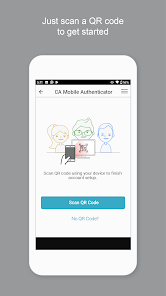
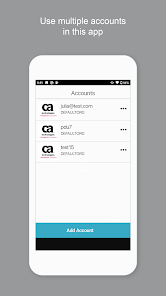
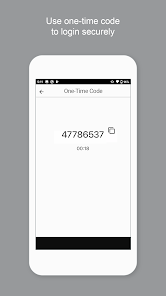
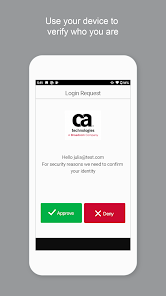
Using CA Mobile Authenticator, you can register your device and link it to your account. You can activate the device using the QR code or manually specifying the details. This app allows you to authenticate transactions using PUSH Notification as secondary authentication.
Now, you receive a new push notification with Approve or Deny options on the screen. Simply select Approve to approve or Deny to cancel the transaction.
How it works
1. Register your device for Push Notification
2. Receive a Push Notification.
3. Accept or deny the transaction.
Permissions:
CA Mobile Authenticator requests access to
- Your camera to scan QR codes when activating the accounts.
- Storage Permission for logging purpose.
Using CA Mobile Authenticator, you can register your device and link it to your account. You can activate the device using the QR code or manually specifying the details. This app allows you to authenticate transactions using PUSH Notification as secondary authentication.
Now, you receive a new push notification with Approve or Deny options on the screen. Simply select Approve to approve or Deny to cancel the transaction.
How it works
1. Register your device for Push Notification
2. Receive a Push Notification.
3. Accept or deny the transaction.
Permissions:
CA Mobile Authenticator requests access to
- Your camera to scan QR codes when activating the accounts.
- Storage Permission for logging purpose.
Aktualisiert am
Was die Sicherheit angeht, solltest du als Erstes verstehen, wie Entwickler deine Daten erheben und weitergeben. Die Datenschutz- und Sicherheitspraktiken können je nach deiner Verwendung, deiner Region und deinem Alter variieren. Diese Informationen wurden vom Entwickler zur Verfügung gestellt und können jederzeit von ihm geändert werden.

Keine Daten werden mit Drittunternehmen oder -organisationen geteilt

Keine Daten erhoben

Daten werden bei der Übertragung verschlüsselt

Du kannst das Löschen der Daten beantragen
Bewertungen und Rezensionen
2.5
298 Rezensionen
Neuerungen
Bug Fixes
Support für diese App
Informationen zum Entwickler
Broadcom Inc.
sed-googleplay.pdl@broadcom.com
3421 Hillview Ave
Palo Alto, CA 94304
United States
+1 585-709-1121


