
Image Plus

Jedes Alter
info
1 Tsg.+
Downloads

Jedes Alter
Weitere Informationen
Über diese App
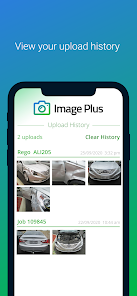
Use your smartphone to take photos and upload directly to an estimate in one of our supported estimating systems.
Say goodbye to digital cameras, USB cables and the tedious process of manually adding photos to each estimate.
How It Works:
1. Login with your existing customer account
1. Take photos using the camera within the app
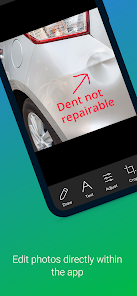
2. Edit your photos (optional) - add text, draw lines, resize, crop, rotate, adjust brightness
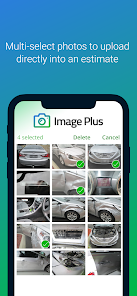
3. Select the photos on your camera roll you wish to upload and tap the upload button
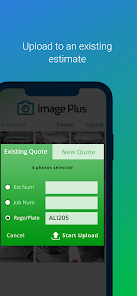
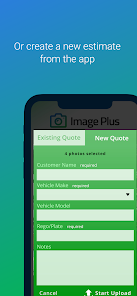
4. Enter in details of an existing estimate or tap NEW ESTIMATE to upload the images into a new estimate then tap "Start Upload"
5. Watch your photos upload to the cloud and appear in the estimate
NOTE: For photos to be downloaded to your computer, you will need the Server Tool installed. The Server Tool communicates with our cloud server and downloads images you have uploaded from Image Plus.
Account Membership:
If you are not an existing customer, you will need to get in touch with us to get you setup.
Say goodbye to digital cameras, USB cables and the tedious process of manually adding photos to each estimate.
How It Works:
1. Login with your existing customer account
1. Take photos using the camera within the app
2. Edit your photos (optional) - add text, draw lines, resize, crop, rotate, adjust brightness
3. Select the photos on your camera roll you wish to upload and tap the upload button
4. Enter in details of an existing estimate or tap NEW ESTIMATE to upload the images into a new estimate then tap "Start Upload"
5. Watch your photos upload to the cloud and appear in the estimate
NOTE: For photos to be downloaded to your computer, you will need the Server Tool installed. The Server Tool communicates with our cloud server and downloads images you have uploaded from Image Plus.
Account Membership:
If you are not an existing customer, you will need to get in touch with us to get you setup.
Aktualisiert am
Was die Sicherheit angeht, solltest du als Erstes verstehen, wie Entwickler deine Daten erheben und weitergeben. Die Datenschutz- und Sicherheitspraktiken können je nach deiner Verwendung, deiner Region und deinem Alter variieren. Diese Informationen wurden vom Entwickler zur Verfügung gestellt und können jederzeit von ihm geändert werden.

Keine Daten werden mit Drittunternehmen oder -organisationen geteilt

Keine Daten erhoben

Daten werden bei der Übertragung verschlüsselt

Daten können nicht gelöscht werden
Neuerungen
Support for Android 35
Jedes Alter
Weitere InformationenSupport für diese App
phone
Telefonnummer
+61734841210
Informationen zum Entwickler
AUTO BC PTY LTD
support@planningplus.com.au
93 BAWDEN STREET
TUMBULGUM NSW 2490
Australia
+61 409 152 314


