
Notepad Offline and Notebook
შეიცავს რეკლამასაპლიკაციის შიდა შესყიდვები
4,7star
4,92 ათ. მიმოხილვა
100 ათ.+
ჩამოტვირთვები

ყველა
info

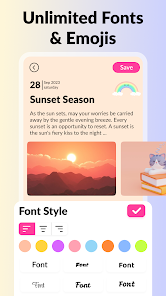




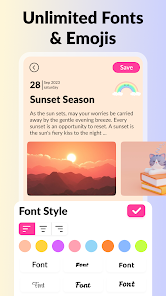

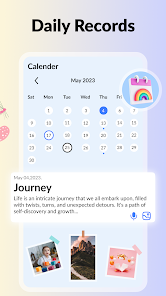


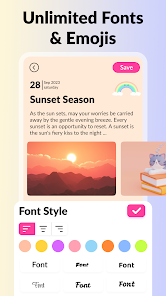


ამ აპის შესახებ
Notepad Offline: Notebook Manager – Manage Your Thoughts!
Have you ever sat in a quiet room and felt like you couldn't find a place to save your sudden ideas? It is really amusing to see how a simple piece of tech can actually take a blank screen and turn it into something that only you can manage clearly. Notepad Offline: Notebook Manager is built for those awkward moments when you just want to jot a memo without having to fumble around with a messy paper book.✨ Smart Organizing Features ✨:
🛡️ Notepad Offline: Notebook Manager for instant daily writing;
📲 Sticky Notes App: Color Notepad For Android for mobile thought security;
🔐 Keep Notes & Memos App for private memo usage;
🕵️ Checklist & Note Taking Apps to block out the clutter;
📁 Easy Notepad Tool: Notebook App with customizable folder filters;
💡 Multiple color themes to balance visibility and writing speed;
📏 Resizable font sizes to cover specific notes or long lists;
🔘 Quick save button to enable protection in one tap.
How to best enjoy your Sticky Notes App: Color Notepad For Android!
Life moves fast and honestly it is just nice to have a way to keep your notes visible without having to worry about being disorganized in a meeting. Using the Notepad Offline: Notebook Manager to save a quick thought is fun and is streamlined with no hard menus to navigate. People using this software find that the custom colors are very easy on the eyes. It is that simple to use the Sticky Notes App: Color Notepad For Android whenever you are in a busy public space.📝 Instant Writing Logic:
With the Keep Notes & Memos App, magic feels as if it can occur on your device while you adjust the folders. In just seconds, the app applies a digital layer that makes it nearly impossible to lose your data. All you have to do is tap the button and let the Keep Notes & Memos App do its magic.
📋 Daily Planning Power:
The Checklist & Note Taking Apps feature has great benefits for your peace of mind and your daily social interactions. It even helps you with high quality tools that work like a physical binder but for your mobile software. Using the built-in Checklist & Note Taking Apps system, you can highlight your important tasks even when you are standing in a long line at the bank. Everyone using the Checklist & Note Taking Apps enjoys the fact that it works so smoothly.
🖊️ High Accuracy Mode:
The Easy Notepad Tool: Notebook App is best shown off when you are using your device in a group at school. Start your draft so you can see the text while the person sitting nearby just sees a simple notepad. It is a great way to stay organized during a lecture or a project meeting when you are in a rush.
⚙️ Fully Custom Writing:
What differentiates this Sticky Notes App: Color Notepad For Android from others is the way it allows you to change the themes instantly. Within the Notepad Offline: Notebook Manager, you can find a setting that fits your specific writing habits without any trouble. It is that little extra piece of functionality that helps the Sticky Notes App: Color Notepad For Android stand out. The Notepad Offline: Notebook Manager keeps your thoughts organized and your memos protected from the clutter.
Start Using Notepad Offline: Notebook Manager Today!
Keeping your notes organized should be quick! This app is all about fast writing and fun ways to manage your memos while you are on your phone. Enjoy the software and have fun with what the Checklist & Note Taking Apps do for your peace of mind. Go ahead and download the Notepad Offline: Notebook Manager now. Experience the Easy Notepad Tool: Notebook App on your own phone today.განახლდა:
უსაფრთხოება იწყება დეველოპერების მიერ თქვენი მონაცემების შეგროვებისა და გაზიარების წესების გაცნობით. მონაცემთა კონფიდენციალურობისა და უსაფრთხოების პრაქტიკები შეიძლება განსხვავდებოდეს თქვენი აპის ვერსიის, გამოყენების, რეგიონის და ასაკის მიხედვით. ეს ინფორმაცია მოწოდებულია დეველოპერის მიერ და შეიძლება დროთა განმავლობაში განახლდეს.

ეს აპი შეიძლება მონაცემთა ამ ტიპებს აზიარებდეს მესამე მხარეებთან
მდებარეობა და მოწყობილობა ან სხვა იდენტიფიკატორები

მონაცემები შეგროვებული არ არის
შეიტყვეთ მეტი დეველოპერების მიერ კოლექციის გამოქვეყნების შესახებ

მონაცემები დაშიფრულია ტრანზიტის პროცესში

მონაცემები ვერ წაიშლება
შეფასებები და მიმოხილვები
4,7
4,35 ათ. მიმოხილვა
აპის მხარდაჭერა
დეველოპერის შესახებ
NOVAMIND AI LTD
support@cardsapp.com
1 Atirei Yeda
KFAR SABA, 4464301
Israel
+1 620-390-2435


