Smart WiFi Kill
Contient des annonces
3,3star
695 avis
100K+
Téléchargements

Tout public
info

À propos de l'application
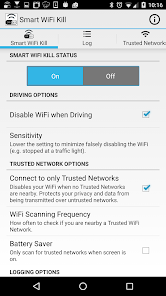
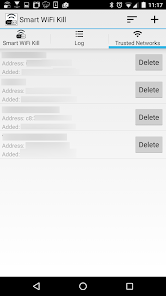
Protect your privacy and data and only connect to Trusted Networks! Simply add your trusted networks to the Trusted Network list in the app and only when one or more of those networks are nearby will your WiFi actually enable. Use the wildcard 'any' to connect to any network the name only. Or be extremely restrictive and only enable your WiFi when a network with the same name AND mac address is nearby.
Anyone that has left their WiFi on while driving knows how annoying it is when your trying to do something on the phone that requires network connectivity to only find out you device can't access the resource. This is because WiFi does not implement Mobile IP (as oppose to 4G/LTE). When your device switches between two WiFi hotspots or between a WiFi hotspot and a 4G/LTE network, your device looses all context what it was doing and needs to re-establish the session.
Features Include:
Disables WiFi when driving.
Disables WiFi if no trusted networks are nearby.
Does NOT use GPS to determine if your driving.
Add Trusted Network by name and/or MAC Address.
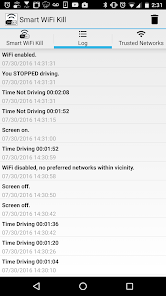
Comprehensive logging (e.g. When driving started, WiFi enabled/disabled, etc).
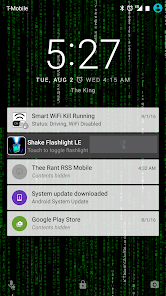
Notification for quick access and status of device/app.
Battery Saver mode to only scan for networks when screen is on.
Anyone that has left their WiFi on while driving knows how annoying it is when your trying to do something on the phone that requires network connectivity to only find out you device can't access the resource. This is because WiFi does not implement Mobile IP (as oppose to 4G/LTE). When your device switches between two WiFi hotspots or between a WiFi hotspot and a 4G/LTE network, your device looses all context what it was doing and needs to re-establish the session.
Features Include:
Disables WiFi when driving.
Disables WiFi if no trusted networks are nearby.
Does NOT use GPS to determine if your driving.
Add Trusted Network by name and/or MAC Address.
Comprehensive logging (e.g. When driving started, WiFi enabled/disabled, etc).
Notification for quick access and status of device/app.
Battery Saver mode to only scan for networks when screen is on.
Date de mise à jour
La sécurité, c'est d'abord comprendre comment les développeurs collectent et partagent vos données. Les pratiques concernant leur confidentialité et leur protection peuvent varier selon votre utilisation, votre région et votre âge. Le développeur a fourni ces informations et peut les modifier ultérieurement.

Cette appli peut partager ces types de données avec des tiers
Position, Infos et performance des applis, Appareil ou autres ID

Cette appli peut recueillir ces types de données
Position, Infos et performance des applis, Appareil ou autres ID

Les données sont chiffrées lors de leur transfert

Impossible de supprimer les données
Notes et avis
3,3
671 avis
Nouveautés
Fixed bugs.
Assistance de l'appli
À propos du développeur
J.C. Accounting & Innovative Technologies, Inc.
Paul.Lamberti@jcaccountingcpa.com
125 Midwood Ave
Nesconset, NY 11767
United States
+1 631-913-5922


