Touch Lock - screen lock
Contient des annoncesAchats via l'appli
2,6star
6,73K avis
1M+
Téléchargements

Tout public
info

À propos de l'application
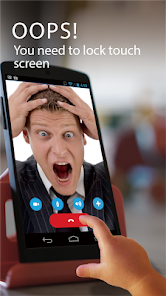
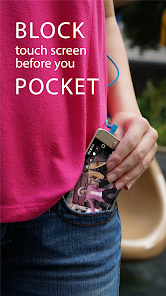
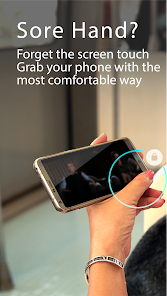
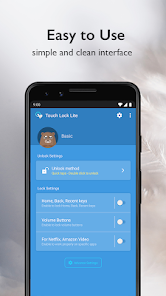
Touch Lock Lite is lightweight version and a popular app beloved by commuters, students and elderly users or any person who has finger trembling disability would find it useful because it allows them to enjoy their device's display without interruption by preventing unintended operations on the touch screen and buttons.
Uses:
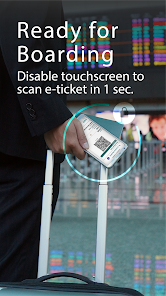
-QR Code's strongest assistant tool: whether you're boarding a plane or taking the subway, it takes only a second to scan your electronic ticket.
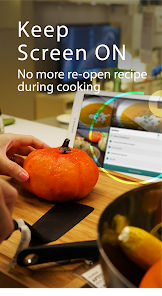
-A good help for cooking. The app keeps the screen on so you can read the recipe
-Take great underwater video. The app prevents interference from water touching the screen
-No interruption to your navigation: you can open a map and put it in your pocket
-You won't have to worry about your screen going to sleep automatically when you're copying texts or displaying content on your phone
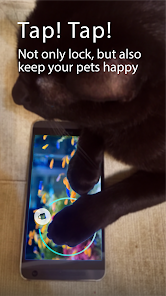
-A marvelous gadget screen freezer for mobile games: no more accidental stopping or exiting due to the touching of screens and buttons
- Isolated lock-up of physical whether you're looking through your photo album or playing a game, you can retain easy control
- Enjoy a one-handed cinema: you can walk about while watching your favorite TV series without being interrupted
- It takes one second to transform into a drawing board: a good tool to help you develop your drawing skills
-Turn your MV into a pocket music player anytime
-Drive with a locked screen and make your driving safer
-In the rain I can be sure whenever I look down the correct screen is being shown and my ride is being logged
Which will enable:
- Soft key lock (Home, Back, Recent app buttons)
- Volume keys lock.
- Fingerprint sensor lock/unlock.
- Full screen mode.
Go Premium
- Hide Unlock Screen
- VIP Services
- More New Features
LIMITATIONS:
-Due to the Android Policy. Device power button(lock button) cannot be blocked.
-To disable touching soft keys, you must enable accessibility permission first.
-This app does not make your device waterproof or water resistant.
-Your device must have a fingerprint reader to use the fingerprint unlock option.
ISSUE
-If the video always paused when you disable screen on Netflix or Amazon Prime Video , please follow this User Guide , but don't forget enable Usage Access permission
https://goo.gl/LtzxLa
-How to hidden blue message on Setting
https://www.youtube.com/watch?v=T-swRDdXF-k
-How to enable in Mi Phone/Pad (Xiaomi)
Step1. please go to settings and tap the Installed apps .
Step2. find the Touch Lock app and enable the "turn on floating windows" , now you can see the Touch Lock notification on your mi pad
Step3. go Settings—>Battery and performance—> Choose Apps—>Touch Lock—>No restrictions.
Although you might receive a privacy warning, Touch Lock never observe, collect or use any of user's privacy data.
Official Site : http://www.kidscrape.com
Some Photo License :
- White Feather Photo by evieshaffer on Unsplash
- “image: Finger”. This cover has been designed using resources from Freepik.com
Uses:
-QR Code's strongest assistant tool: whether you're boarding a plane or taking the subway, it takes only a second to scan your electronic ticket.
-A good help for cooking. The app keeps the screen on so you can read the recipe
-Take great underwater video. The app prevents interference from water touching the screen
-No interruption to your navigation: you can open a map and put it in your pocket
-You won't have to worry about your screen going to sleep automatically when you're copying texts or displaying content on your phone
-A marvelous gadget screen freezer for mobile games: no more accidental stopping or exiting due to the touching of screens and buttons
- Isolated lock-up of physical whether you're looking through your photo album or playing a game, you can retain easy control
- Enjoy a one-handed cinema: you can walk about while watching your favorite TV series without being interrupted
- It takes one second to transform into a drawing board: a good tool to help you develop your drawing skills
-Turn your MV into a pocket music player anytime
-Drive with a locked screen and make your driving safer
-In the rain I can be sure whenever I look down the correct screen is being shown and my ride is being logged
Which will enable:
- Soft key lock (Home, Back, Recent app buttons)
- Volume keys lock.
- Fingerprint sensor lock/unlock.
- Full screen mode.
Go Premium
- Hide Unlock Screen
- VIP Services
- More New Features
LIMITATIONS:
-Due to the Android Policy. Device power button(lock button) cannot be blocked.
-To disable touching soft keys, you must enable accessibility permission first.
-This app does not make your device waterproof or water resistant.
-Your device must have a fingerprint reader to use the fingerprint unlock option.
ISSUE
-If the video always paused when you disable screen on Netflix or Amazon Prime Video , please follow this User Guide , but don't forget enable Usage Access permission
https://goo.gl/LtzxLa
-How to hidden blue message on Setting
https://www.youtube.com/watch?v=T-swRDdXF-k
-How to enable in Mi Phone/Pad (Xiaomi)
Step1. please go to settings and tap the Installed apps .
Step2. find the Touch Lock app and enable the "turn on floating windows" , now you can see the Touch Lock notification on your mi pad
Step3. go Settings—>Battery and performance—> Choose Apps—>Touch Lock—>No restrictions.
Although you might receive a privacy warning, Touch Lock never observe, collect or use any of user's privacy data.
Official Site : http://www.kidscrape.com
Some Photo License :
- White Feather Photo by evieshaffer on Unsplash
- “image: Finger”. This cover has been designed using resources from Freepik.com
Date de mise à jour
La sécurité, c'est d'abord comprendre comment les développeurs collectent et partagent vos données. Les pratiques concernant leur confidentialité et leur protection peuvent varier selon votre utilisation, votre région et votre âge. Le développeur a fourni ces informations et peut les modifier ultérieurement.


Notes et avis
2,6
6,39K avis
Nouveautés
Fixed various known bugs and improved overall system performance and stability
Assistance de l'appli
À propos du développeur
KIDSCRAPE PTE. LTD.
developer@kidscrape.com
1 MAGAZINE ROAD #04-11 CENTRAL MALL
Singapore 059567
+886 928 800 941


