

TC Total Control-Multi Control
Achats via l'appli

3,6star
220 avis
100K+
Téléchargements

Tout public
info


À propos de l'application
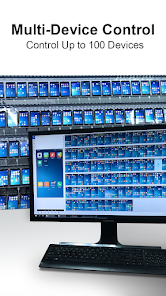
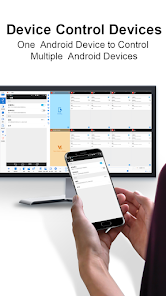
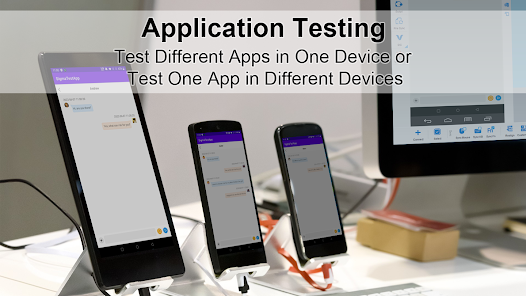
A comprehensive solution for managing Android devices, it mirrors screen and audio from multiple devices to a PC, enabling control of up to 100 devices via mouse, keyboard, and voice. You can also control multiple devices from a single Android device. Features include object/coordinate synchronization and script automation. Widely used in Android devices management, centralized customer service systems, Android mobile app testing, and other fields. Visit our website (www.sigma-rt.com/en/tc/download/) to download the compatible Windows version and get started.
Main Functions:
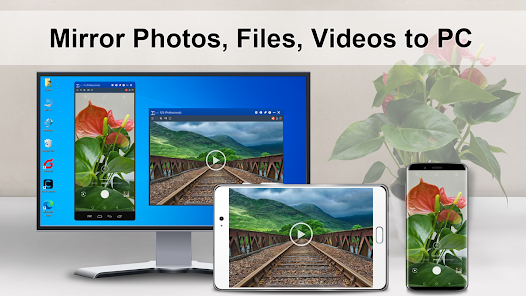
● Screen & Audio Mirroring – Project multiple Android devices to a PC.
● Flexible Connection – Supports Wi-Fi, USB, and Ethernet.
● Recording & Screenshots – Capture screen and unlimited video recordings.
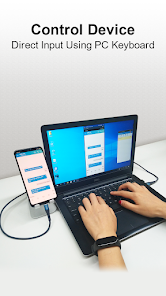
● PC Control Androids – Use a mouse, keyboard, screen, and microphone to control 1 to 100 Android devices from your PC.
● Devices Control – Control multiple devices from a single Android device.
● Notifications – View and reply to messages on your PC.
● Control with Screen Off – Operate your device while the screen is off to save battery.
● Multi-Device View – Open separate windows for each device (Windows Desktop Mode) or monitor multiple at once (Multi-Device Control Center).
● Automation – Object-based (UI elements) to replace coordinate-based actions and retrieval.
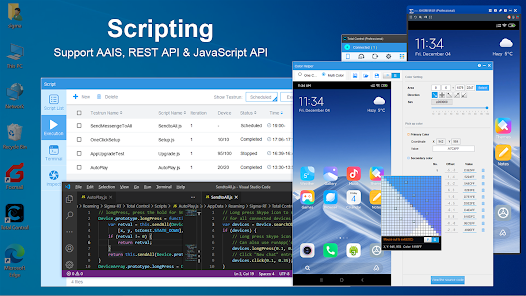
● Scripting – Supports JavaScript & REST API, with 200+ built-in APIs and easy expansion.
● AAIS – Simple command-based automation. Object-based capture and replay generate AAIS.
● Windows Input Support – Use native Windows language and input methods on Android devices.
Key Features:
● AAIS: Simple language for simple automation. The script written in AAIS can be run on 100 devices concurrently.
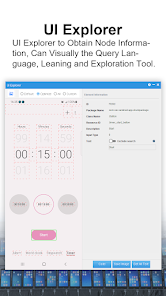
● Included powerful queries language to extract information or perform actions on certain nodes.
● Offset: {query:"T:Model name&&OX:1", action:"getText"} will obtain the model name of the device. OY/OX: will move forward or backward (negative value) to locate a node.
● Scroll to find: Can scroll until a query is found {query:"T:John", preAction:"scrollToView", action:"click"} will scroll until John is found and click on John.
● Line Mode: "LT" or "LB" for top/bottom line mode. {query:"LB:-1&&T:Chats&&OY:-1", action:"click"} will find the text on the last line of the screen, locate "Chats", move up one node (Chats icon) and click.
● Template: Provided template to limit the search. For instance: {query:"TP:textInput", action:"setText('Hello')"} will search for text field, type Hello on the first input field.
● You can compost multiple actions to accomplish a task: {query:"TP:textInput&&T:Type a message", actions:["setText(Hello)", "addQuery(OX:2)", "click"]}, this will enter "Hello" in the text field with hint of "Type a message", move right 2 nodes, click to send the message.
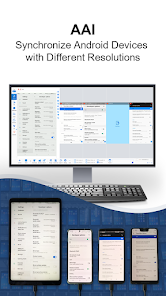
● With object-based turn on in MDCC, click on "OK" on the main device, it will send {query:"T:OK"} instead of coordinates to all selected devices. Object-based synchronization will work on devices with different resolutions and screen sizes.
● See "FindNode User Guide" for more information: https://www.sigma-rt.com/en/tc/find-node/
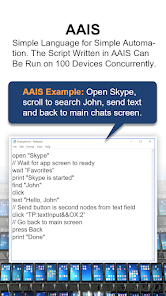
AAIS Example: Open Skype, scroll to search John, send text and back to main chats screen.
open "Skype"
wait "Favorites"
print "Skype is started"
find "John"
click "John"
text "Hello, John"
//Send button is second nodes from text field
click "TP:textInput&&OX:2"
//First back dismiss keyboard, second back go back to main screen
press Back
press Back
print "Done"
Learn more: https://www.sigma-rt.com/en/tc/aais/
● Suitable Model: Windows XP ~ Windows 11 / Android 6.x and above
● Website: http://www.sigma-rt.com/en/tc
● Getting Started: https://www.sigma-rt.com/en/tc/guide/
● Seek Technical Support: support@sigma-rt.com
● Product Cstomization or Bulk Discounts: sales@sigma-rt.com
Main Functions:
● Screen & Audio Mirroring – Project multiple Android devices to a PC.
● Flexible Connection – Supports Wi-Fi, USB, and Ethernet.
● Recording & Screenshots – Capture screen and unlimited video recordings.
● PC Control Androids – Use a mouse, keyboard, screen, and microphone to control 1 to 100 Android devices from your PC.
● Devices Control – Control multiple devices from a single Android device.
● Notifications – View and reply to messages on your PC.
● Control with Screen Off – Operate your device while the screen is off to save battery.
● Multi-Device View – Open separate windows for each device (Windows Desktop Mode) or monitor multiple at once (Multi-Device Control Center).
● Automation – Object-based (UI elements) to replace coordinate-based actions and retrieval.
● Scripting – Supports JavaScript & REST API, with 200+ built-in APIs and easy expansion.
● AAIS – Simple command-based automation. Object-based capture and replay generate AAIS.
● Windows Input Support – Use native Windows language and input methods on Android devices.
Key Features:
● AAIS: Simple language for simple automation. The script written in AAIS can be run on 100 devices concurrently.
● Included powerful queries language to extract information or perform actions on certain nodes.
● Offset: {query:"T:Model name&&OX:1", action:"getText"} will obtain the model name of the device. OY/OX: will move forward or backward (negative value) to locate a node.
● Scroll to find: Can scroll until a query is found {query:"T:John", preAction:"scrollToView", action:"click"} will scroll until John is found and click on John.
● Line Mode: "LT" or "LB" for top/bottom line mode. {query:"LB:-1&&T:Chats&&OY:-1", action:"click"} will find the text on the last line of the screen, locate "Chats", move up one node (Chats icon) and click.
● Template: Provided template to limit the search. For instance: {query:"TP:textInput", action:"setText('Hello')"} will search for text field, type Hello on the first input field.
● You can compost multiple actions to accomplish a task: {query:"TP:textInput&&T:Type a message", actions:["setText(Hello)", "addQuery(OX:2)", "click"]}, this will enter "Hello" in the text field with hint of "Type a message", move right 2 nodes, click to send the message.
● With object-based turn on in MDCC, click on "OK" on the main device, it will send {query:"T:OK"} instead of coordinates to all selected devices. Object-based synchronization will work on devices with different resolutions and screen sizes.
● See "FindNode User Guide" for more information: https://www.sigma-rt.com/en/tc/find-node/
AAIS Example: Open Skype, scroll to search John, send text and back to main chats screen.
open "Skype"
wait "Favorites"
print "Skype is started"
find "John"
click "John"
text "Hello, John"
//Send button is second nodes from text field
click "TP:textInput&&OX:2"
//First back dismiss keyboard, second back go back to main screen
press Back
press Back
print "Done"
Learn more: https://www.sigma-rt.com/en/tc/aais/
● Suitable Model: Windows XP ~ Windows 11 / Android 6.x and above
● Website: http://www.sigma-rt.com/en/tc
● Getting Started: https://www.sigma-rt.com/en/tc/guide/
● Seek Technical Support: support@sigma-rt.com
● Product Cstomization or Bulk Discounts: sales@sigma-rt.com
Date de mise à jour
La sécurité, c'est d'abord comprendre comment les développeurs collectent et partagent vos données. Les pratiques concernant leur confidentialité et leur protection peuvent varier selon votre utilisation, votre région et votre âge. Le développeur a fourni ces informations et peut les modifier ultérieurement.

Aucune donnée partagée avec des tiers
En savoir plus sur la manière dont les développeurs déclarent le partage

Aucune donnée collectée
En savoir plus sur la manière dont les développeurs déclarent la collecte
Notes et avis
3,6
211 avis
Assistance de l'appli
À propos du développeur
SIGMA RESOURCES & TECHNOLOGIES, INC.
lqiu@sigma-rt.com
1605 S Main St Ste 117
Milpitas, CA 95035
United States
+86 181 8076 6559


