PDF Document Scanner
Contient des annoncesAchats via l'appli

4,3star
2,48K avis

Tout public
info
500K+
Téléchargements

Tout public
En savoir plus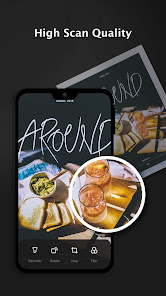
À propos de l'application
⭐ Features:
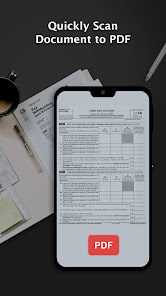
*Quickly scan the document
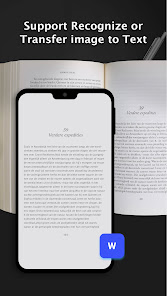
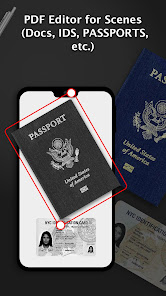
We offer single and batch mode, just use your phone camera to scan kinds of paper documents, for example, certificates, business contracts, receipts, notes, etc.
*High-quality scanner
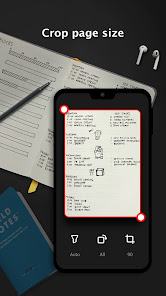
Automatic cropping helps increase productivity, filters ensure that the text and graphics in the scanned document are clear and crisp. You can even apply the filter effect to all pages with one click
*Share PDF/JPEG Files
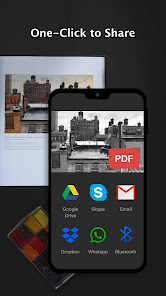
Easily share documents in PDF or JPG format with friends in a variety of ways. You can use email to quickly post to social networks, or save pictures in albums.
*Quick search
When you have a large number of documents, you can easily find them using keywords.
👉Permission Overview:
1. Storage: PDF Document Scanner needs permission to store documents on your phone.
🏆 PDF Document Scanner is the Fastest and Safest mobile scan app in the google play store. Create quickly, high-quality PDF scans or JPG scans with your mobile in just one tap. It is an essential app for every Android device. Download it for Free!
2. Album; To get your photo when you need to choose pictures from it.
3. Camera: To use the camera to scan documents requires permission.
Subscription:
Subscriptions provided in PDF are updated regularly, and you can enjoy the full content during the lifetime of your subscription. This is an auto-renewal subscription that automatically renews after a 3-day free trial. If you subscribe to PDF, we will charge your Google Play account and charge your account for renewals within 24 hours of the end of the current period. You can turn off auto-renewal at any time after purchase by going to the settings in the Play Store. The current subscription price is $19.99 per month and $69.99 per year and may differ from country and period. Prices are in US dollars and may vary from country to country outside the United States and are subject to change without notice. If you do not choose to purchase PDF, you can continue to use it for free.
*Quickly scan the document
We offer single and batch mode, just use your phone camera to scan kinds of paper documents, for example, certificates, business contracts, receipts, notes, etc.
*High-quality scanner
Automatic cropping helps increase productivity, filters ensure that the text and graphics in the scanned document are clear and crisp. You can even apply the filter effect to all pages with one click
*Share PDF/JPEG Files
Easily share documents in PDF or JPG format with friends in a variety of ways. You can use email to quickly post to social networks, or save pictures in albums.
*Quick search
When you have a large number of documents, you can easily find them using keywords.
👉Permission Overview:
1. Storage: PDF Document Scanner needs permission to store documents on your phone.
🏆 PDF Document Scanner is the Fastest and Safest mobile scan app in the google play store. Create quickly, high-quality PDF scans or JPG scans with your mobile in just one tap. It is an essential app for every Android device. Download it for Free!
2. Album; To get your photo when you need to choose pictures from it.
3. Camera: To use the camera to scan documents requires permission.
Subscription:
Subscriptions provided in PDF are updated regularly, and you can enjoy the full content during the lifetime of your subscription. This is an auto-renewal subscription that automatically renews after a 3-day free trial. If you subscribe to PDF, we will charge your Google Play account and charge your account for renewals within 24 hours of the end of the current period. You can turn off auto-renewal at any time after purchase by going to the settings in the Play Store. The current subscription price is $19.99 per month and $69.99 per year and may differ from country and period. Prices are in US dollars and may vary from country to country outside the United States and are subject to change without notice. If you do not choose to purchase PDF, you can continue to use it for free.
Date de mise à jour
La sécurité, c'est d'abord comprendre comment les développeurs collectent et partagent vos données. Les pratiques concernant leur confidentialité et leur protection peuvent varier selon votre utilisation, votre région et votre âge. Le développeur a fourni ces informations et peut les modifier ultérieurement.

Aucune donnée partagée avec des tiers
En savoir plus sur la manière dont les développeurs déclarent le partage

Cette appli peut recueillir ces types de données
Position

Les données sont chiffrées lors de leur transfert

Impossible de supprimer les données
Notes et avis
4,3
2,45K avis
Nouveautés
- Instant HD Scan: Snap documents and convert to PDF/JPG in seconds.
- Auto Crop & Correction: AI edge-detection for perfect framing and perspective.
- On-Device Editing: Highlight, annotate, and insert text or images right after scanning.
- One-Tap Sharing: Generate shareable links or send via WhatsApp, Email, and more.
- E-Signature & Cloud Sync: Sign digitally and auto-upload to Google Drive or Dropbox.
- Auto Crop & Correction: AI edge-detection for perfect framing and perspective.
- On-Device Editing: Highlight, annotate, and insert text or images right after scanning.
- One-Tap Sharing: Generate shareable links or send via WhatsApp, Email, and more.
- E-Signature & Cloud Sync: Sign digitally and auto-upload to Google Drive or Dropbox.
Tout public
En savoir plusAssistance de l'appli
À propos du développeur
Fan Technology Limited
support@allinai.global
Rm 1526 15/F & UNIT 1 WAH WAN INDL BLDG
2 KIN FAT LANE
屯門
Hong Kong
+852 5610 0956


