
DS Camera Scanner & Photo
Yra skelbimųPirkimai programoje

star
168 tūkst. apžvalgos

Visiems
info
10 mln.+
Atsisiuntimai

Visiems
Sužinokite daugiau


Apie šią programą
An all-in-one scanner app to scan documents, convert to pdf, extract text from image and edit your files. With DS Camera Scanner & Photo, you can turn your phone into a powerful, easy-to-use PDF converter and document scanner that meet your needs.
MAIN FEATURES OF DSCANNER: CAMERA SCANNER
📝 A Smart Document Scanner
DS Camera Scanner & Photo is a powerful tool to help you scan documents, or digitize all kinds of paper documents. Whether you want to scan PDF, text files, excel sheets, or images, our document scanner application makes it easy.
Simply scan your files with our camera scanner or upload your documents. The scan camera will automatically detect document edges, ensuring perfect alignment and clarity in every scan.
📘 Fast PDF reader and PDF Converter
In just one scan, our app will help you open and view your PDF documents. Feel free to scroll, zoom in and out your PDF scan.
On top of being a PDF viewer, our file scanner also helps you scan to PDF. Whenever you’re ready with your scanned documents, you can convert photo to PDF within seconds. This PDF creator is easy to use, time-saving and handy.
Let’s streamline your workflow and productivity on the go with the help of PD converter.
📜Image to Text Scanner
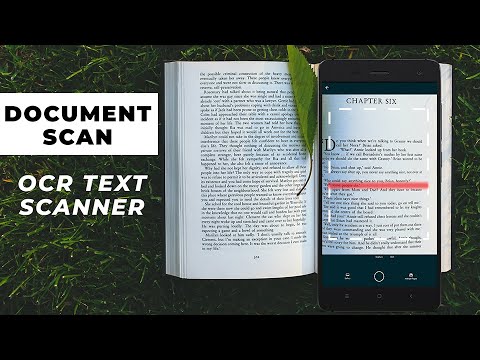
Leveraging advanced OCR technology and smart camera scanner, the scanner app allows you to effortlessly scan and convert PDF to text, photo to text or any type of documents into editable text.
It’s time to scan to text, turn your printed reports, handwritten notes, book pages into digital text with simple taps. This OCR PDF to text feature saves you time and ensures precision in converting your physical documents into editable digital files.
✏️Comprehensive Document Editor
After scanning your documents with this paper scanner, take advantage of the comprehensive editing tools our doc scanner offers.
Edit text for accuracy or change of content
Scan in color, grayscale, or black & white
Crop scanned images to focus on the essential parts
Rotate images to make sure documents are perfectly aligned
Draw, or import signature with just one click. Edit and sign PDF signature with ease. You can also rotate and scale your e-signature
Multiple levels of contrast for crisp monochrome texts
Thumbnail or list view, sort scans by date or title
Once you’ve perfected your document, DS Camera Scanner & Photo allows you to save and share your files easily. Keep your files organized and let’s share them via email or social media.
DS Camera Scanner & Photo is your all-in-one solution for efficient document management. Let’s streamline your workflow, save your time and become more precise and professional with this app.
If you have any questions or recommendations while using our app, feel free to reach out to us via contact emails. Have a nice day!
MAIN FEATURES OF DSCANNER: CAMERA SCANNER
📝 A Smart Document Scanner
DS Camera Scanner & Photo is a powerful tool to help you scan documents, or digitize all kinds of paper documents. Whether you want to scan PDF, text files, excel sheets, or images, our document scanner application makes it easy.
Simply scan your files with our camera scanner or upload your documents. The scan camera will automatically detect document edges, ensuring perfect alignment and clarity in every scan.
📘 Fast PDF reader and PDF Converter
In just one scan, our app will help you open and view your PDF documents. Feel free to scroll, zoom in and out your PDF scan.
On top of being a PDF viewer, our file scanner also helps you scan to PDF. Whenever you’re ready with your scanned documents, you can convert photo to PDF within seconds. This PDF creator is easy to use, time-saving and handy.
Let’s streamline your workflow and productivity on the go with the help of PD converter.
📜Image to Text Scanner
Leveraging advanced OCR technology and smart camera scanner, the scanner app allows you to effortlessly scan and convert PDF to text, photo to text or any type of documents into editable text.
It’s time to scan to text, turn your printed reports, handwritten notes, book pages into digital text with simple taps. This OCR PDF to text feature saves you time and ensures precision in converting your physical documents into editable digital files.
✏️Comprehensive Document Editor
After scanning your documents with this paper scanner, take advantage of the comprehensive editing tools our doc scanner offers.
Edit text for accuracy or change of content
Scan in color, grayscale, or black & white
Crop scanned images to focus on the essential parts
Rotate images to make sure documents are perfectly aligned
Draw, or import signature with just one click. Edit and sign PDF signature with ease. You can also rotate and scale your e-signature
Multiple levels of contrast for crisp monochrome texts
Thumbnail or list view, sort scans by date or title
Once you’ve perfected your document, DS Camera Scanner & Photo allows you to save and share your files easily. Keep your files organized and let’s share them via email or social media.
DS Camera Scanner & Photo is your all-in-one solution for efficient document management. Let’s streamline your workflow, save your time and become more precise and professional with this app.
If you have any questions or recommendations while using our app, feel free to reach out to us via contact emails. Have a nice day!
Scanner app to scan documents with precision &ease. Smart PDF scanner, converter
Atnaujinta
Svarbiausios istorijos

Norint užtikrinti saugą pirmiausia reikia suprasti, kaip kūrėjai renka ir bendrina jūsų duomenis. Duomenų privatumo ir saugos praktika gali skirtis, atsižvelgiant į jūsų naudojimą, regioną ir amžių. Kūrėjas pateikė šią informaciją ir gali atnaujinti per laiką.
- Ši programa gali bendrinti šių tipų duomenis su trečiosiomis šalimisFailai ir dokumentai ir Įrenginio arba kiti ID
- Nerenkami jokie duomenysSužinokite daugiau, kaip kūrėjai apibrėžia rinkimą
- Perduodami duomenys šifruojami
- Duomenų ištrinti nepavyko


Įvertinimai ir apžvalgos
167 tūkst. apžvalgos

Ignas Rentelis
- Pažymėti kaip netinkamą
2026 m. sausio 17 d.
just ads ads ads and more ada. just dump.

Oksana Tuinylienė
- Pažymėti kaip netinkamą
2023 m. gegužės 10 d.
ok
Ši apžvalga buvo naudinga 1 žmogui

Inga Kuliukė
- Pažymėti kaip netinkamą
2022 m. spalio 22 d.
Išbandžiau🤔 patogus meniu naudojimui, atrodo įdomi pasirinkimais priemonė.
Ši apžvalga buvo naudinga 1 žmogui
Visiems
Sužinokite daugiauProgramos palaikymas
Apie kūrėją
APERO TECHNOLOGIES GROUP PTE. LTD.
store@apero.global
C/O: GATEWAY OF ASIA PTE. LTD.
114 Lavender Street
Singapore 338729
+84 336 050 100


