
TV remote control for Roku
มีโฆษณาการซื้อในแอป

2.7star
4.41K รีวิว
1M+
ดาวน์โหลด

วัยรุ่น
info
เกี่ยวกับแอปนี้
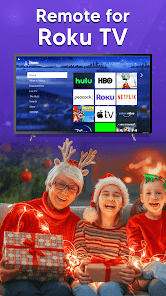
The Number-1 TV remote control for Roku and Universal TV Remote Control (Wifi and IR Remotes) in All countries.
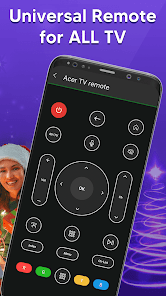
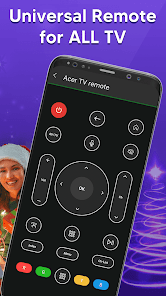
Want a TV remote that supports WIFI and IR? Then Universal Remote Control For TV is for you.
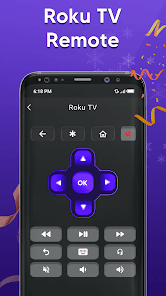
Remote control for roku and all TV is one of the best apps to support all your smart TVs. Using universal TV Remote Control you can access your tv with WIFI and IR functionalities. This universal tv the provides all functionalities that you need to control your TV. One of the best TV Remote app that supports almost all TV brands. Now monitor your smart television using the smart TV remote app
The main setting required to connect your mobile with your TV is, your mobile has IR or you have a WIFI network. Your Mobile and TV will be connected to the same network. Also If there is IR functionality in your mobile then you can easily connect with the TV through universal remote control for all tv. With the infrared (IR) feature, your phone sends signals to the TV so your device works like a common remote TV.
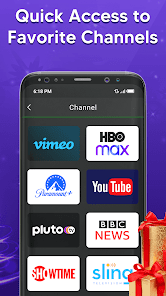
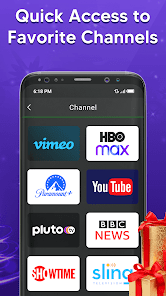
So don’t worry, if your original remote is missing or not working properly. Now you can control smart TV from your smartphone. This universal TV remote control for any TV supports all TV brands in every country. You can watch your favourite channels and controls volume and other functionalities through this Universal remote Control.
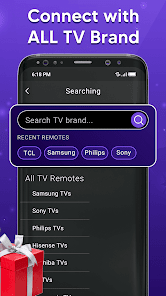
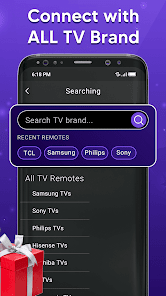
Main TV Brands Supported by Universal Remote control for all TV:
✔️ Smart TV remote for Samsung TV
✔️ Remote for Sony TV
✔️ TV remote for LG TV
✔️ Universal TV remote for Philips TV
✔️ TV Remote for TCL TV
✔️ Smart TV remote for Gree TV
✔️ Universal TV remote for Kenwood
✔️ TV remote for Panasonic
✔️ smart tv remote for Tcl Roku tv
✔️ Remote for Haier Tv
✔️ TV remote for Xiaomi TV
✔️ Remote control for EcoStar TV
✔️ TV remote for Toshiba
✔️ Smart TV remote for Orient TV and many more.
How to Use Universal Smart TV Remote Control App:
Install TV remote control app.
Select WIFI or IR Mode
After that, search for your smart tv.
Select the TV brand from the available list.
Select remote for your required device.
Code appears on tv, put it on your phone
Tap on pair, your remote is ready to use
Feature of Universal Remote control for any TV:
• Universal TV remote control supports all TV brands.
• Easily control your smart TV through WIFI and IR
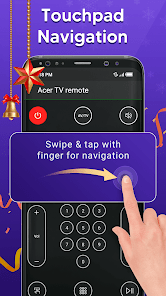
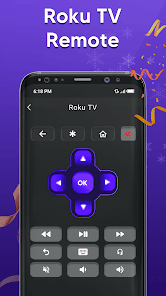
• Up / Down / Left / Right Navigation.
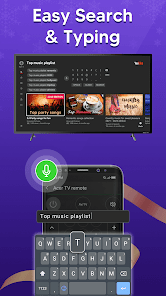
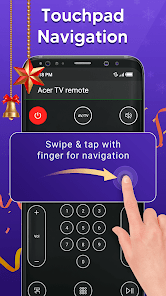
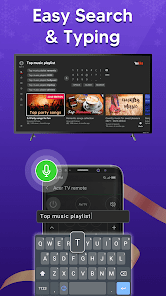
• Touchpad and keyboard functionality
• Easily control Volume and channels of all TV
• Both IR and Wi-Fi functionalities supported
• Button for muting and unmute
• Each and every remote control function in this app
• Beautiful design with simple UI.
It is always good and easy to use a single Universal remote control for tv to control all your smart TVs. Now a day’s mobile phone has become a major gadget that people always carry with them, it becomes a part of our life, so having a remote application installed on your mobile device that works as a smart remote control for tv will make your life easier.
Important Notice with smart TV Remote:
Your smartphone requires an IR feature or WIFI connection. If your mobile does not have an IR sensor it works with a WIFI network. Make sure your smartphone and TV must be connected to the same WIFI network. Also, if your TV brand is not listed or the universal TV remote control app is not working with your television, please email us at imfotogenic@gmail.com your TV brand and remote model. We will work to make this application compatible with your TV brand. Enjoy the Universal TV Remote For all Tv.
Want a TV remote that supports WIFI and IR? Then Universal Remote Control For TV is for you.
Remote control for roku and all TV is one of the best apps to support all your smart TVs. Using universal TV Remote Control you can access your tv with WIFI and IR functionalities. This universal tv the provides all functionalities that you need to control your TV. One of the best TV Remote app that supports almost all TV brands. Now monitor your smart television using the smart TV remote app
The main setting required to connect your mobile with your TV is, your mobile has IR or you have a WIFI network. Your Mobile and TV will be connected to the same network. Also If there is IR functionality in your mobile then you can easily connect with the TV through universal remote control for all tv. With the infrared (IR) feature, your phone sends signals to the TV so your device works like a common remote TV.
So don’t worry, if your original remote is missing or not working properly. Now you can control smart TV from your smartphone. This universal TV remote control for any TV supports all TV brands in every country. You can watch your favourite channels and controls volume and other functionalities through this Universal remote Control.
Main TV Brands Supported by Universal Remote control for all TV:
✔️ Smart TV remote for Samsung TV
✔️ Remote for Sony TV
✔️ TV remote for LG TV
✔️ Universal TV remote for Philips TV
✔️ TV Remote for TCL TV
✔️ Smart TV remote for Gree TV
✔️ Universal TV remote for Kenwood
✔️ TV remote for Panasonic
✔️ smart tv remote for Tcl Roku tv
✔️ Remote for Haier Tv
✔️ TV remote for Xiaomi TV
✔️ Remote control for EcoStar TV
✔️ TV remote for Toshiba
✔️ Smart TV remote for Orient TV and many more.
How to Use Universal Smart TV Remote Control App:
Install TV remote control app.
Select WIFI or IR Mode
After that, search for your smart tv.
Select the TV brand from the available list.
Select remote for your required device.
Code appears on tv, put it on your phone
Tap on pair, your remote is ready to use
Feature of Universal Remote control for any TV:
• Universal TV remote control supports all TV brands.
• Easily control your smart TV through WIFI and IR
• Up / Down / Left / Right Navigation.
• Touchpad and keyboard functionality
• Easily control Volume and channels of all TV
• Both IR and Wi-Fi functionalities supported
• Button for muting and unmute
• Each and every remote control function in this app
• Beautiful design with simple UI.
It is always good and easy to use a single Universal remote control for tv to control all your smart TVs. Now a day’s mobile phone has become a major gadget that people always carry with them, it becomes a part of our life, so having a remote application installed on your mobile device that works as a smart remote control for tv will make your life easier.
Important Notice with smart TV Remote:
Your smartphone requires an IR feature or WIFI connection. If your mobile does not have an IR sensor it works with a WIFI network. Make sure your smartphone and TV must be connected to the same WIFI network. Also, if your TV brand is not listed or the universal TV remote control app is not working with your television, please email us at imfotogenic@gmail.com your TV brand and remote model. We will work to make this application compatible with your TV brand. Enjoy the Universal TV Remote For all Tv.
อัปเดตเมื่อ
ความปลอดภัยเริ่มต้นด้วยความเข้าใจเกี่ยวกับวิธีที่นักพัฒนาแอปรวบรวมและแชร์ข้อมูล แนวทางปฏิบัติด้านความเป็นส่วนตัวและความปลอดภัยของข้อมูลอาจแตกต่างกันไปตามการใช้งาน ภูมิภาค และอายุของคุณ นักพัฒนาแอปได้ให้ข้อมูลนี้ไว้และอาจอัปเดตข้อมูลในส่วนนี้เมื่อเวลาผ่านไป

ไม่มีการแชร์ข้อมูลกับบุคคลที่สาม
ดูข้อมูลเพิ่มเติมเกี่ยวกับวิธีที่นักพัฒนาแอปประกาศเรื่องการแชร์ข้อมูล

แอปนี้อาจรวบรวมข้อมูลประเภทต่างๆ เหล่านี้
กิจกรรมบนแอป ข้อมูลและประสิทธิภาพของแอป และรหัสอุปกรณ์หรือรหัสอื่นๆ

ระบบจะเข้ารหัสข้อมูลขณะส่ง

ลบข้อมูลไม่ได้
การให้คะแนนและรีวิว
2.7
4.35K รีวิว

Sethasart Intharaphanit
- แจ้งว่าไม่เหมาะสม
23 มิถุนายน 2565
ส่วนใครจะคิดอย่างไรก็แล้วแต่นะครับ แต่ส่วนตัวบอกเลยโหลดมาใช้งานแล้ว ใช้งานไม่ได้ มีแต่โฆษณา โหลดมาปุ๊บไม่ถึง 5 นาทีลบทิ้งครับ
11 คนพบว่ารีวิวนี้มีประโยชน์

ผมชื่อเบย์ครับ
- แจ้งว่าไม่เหมาะสม
24 กรกฎาคม 2565
ไม่มีทีวีรุ่น hotrock ช่วยเพิมให้ด้วยครับ
7 คนพบว่ารีวิวนี้มีประโยชน์

Free Player
- แจ้งว่าไม่เหมาะสม
26 มิถุนายน 2566
ใช้งานไม่ได้ แถมโฆษณาเยอะมาก
1 คนพบว่ารีวิวนี้มีประโยชน์
การสนับสนุนของแอป
เกี่ยวกับนักพัฒนาแอป
Mehboob UR Rahman
imfotogenic@gmail.com
Mohala Ghani Khyal mian Khan Mardan
Mardaan, 23200
Pakistan


