
WiFi Analyzer
Contains adsIn-app purchases

4.5star
282K reviews
10M+
Downloads

Everyone
info





About this app
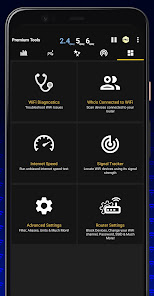
Introducing a new way to analyze and optimize your WiFi, Turn you android device into WiFi Analyzer!
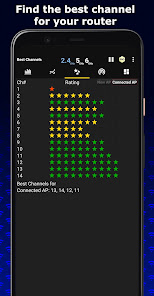
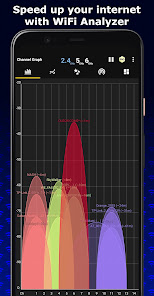
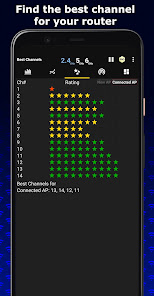
WiFi Analyzer Recommends the best channel and place for your network.
WiFi Analyzer gives you the most useful optimization information to help decrease interference and increase connection speed and stability.
Features:
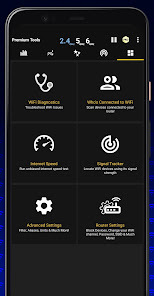
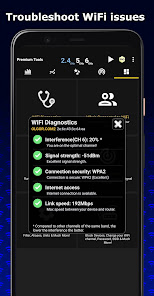
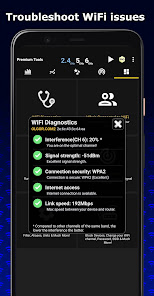
- WiFi Optimizer for Interference Issues
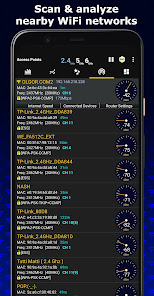
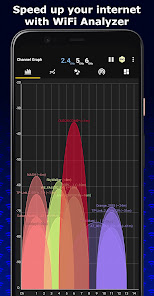
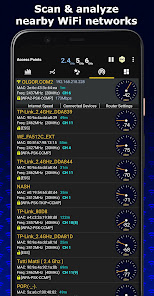
- Channel Analyzer for Nearby APs
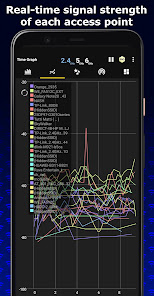
- Real-time data and distance calculations.
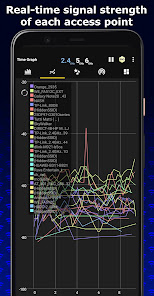
- History of signal strength
- Supports 2.4GHz/5GHz/6GHz
- View Hidden WiFis
- Copy MAC address
- Channel Optimizer + Much More!
WiFi Analyzer Recommends the best channel and place for your network.
WiFi Analyzer gives you the most useful optimization information to help decrease interference and increase connection speed and stability.
Features:
- WiFi Optimizer for Interference Issues
- Channel Analyzer for Nearby APs
- Real-time data and distance calculations.
- History of signal strength
- Supports 2.4GHz/5GHz/6GHz
- View Hidden WiFis
- Copy MAC address
- Channel Optimizer + Much More!
Updated on
Safety starts with understanding how developers collect and share your data. Data privacy and security practices may vary based on your use, region, and age. The developer provided this information and may update it over time.


Ratings and reviews
4.5
269K reviews

ernest horning
- Flag inappropriate
- Show review history
May 24, 2025
Awesome app. The reaction time is quick, so you can walk around to see Wi-Fi strength. Works with 2.4G, 5G, and 6G bands. *** For an improvement *** I'd like to see a way to connect to a specific Wi-Fi signal. This would be very handy when multiple bands all have the same name. Since most smart home products use only the 2.4ghz band, this would be a godsend for some installations.
81 people found this review helpful

Bryan Shannon (Gula)
- Flag inappropriate
- Show review history
February 20, 2025
Edit: the devs listened to my feedback and made the ads less obstructing. For this I'll restore 5 stars! Thank you --- Old: Look I love this app and all, but the free version has been completely reworked to have nearly nonstop ads including when you are closing it. The ironic part is that this is usually used as a troubleshooting tool so any bandwidth I'm receiving is going straight to the ads. The ads used to be way more toned down so I'm taking this down 2 stars. Otherwise, a solid product.
195 people found this review helpful
olgor.com
February 20, 2025
We appreciate your feedback! We're committed to a good user experience and have released an update that significantly reduces ad frequency. For an even better experience, our premium version is ad-free and offers many more features.

Limitless
- Flag inappropriate
October 16, 2025
Great app for diagnosing WiFi issues. With just a few taps our WiFi changed a laggy mess, to a buttery smooth connection. If you're having trouble with poor quality WiFi, then this app will give you all the info you need to get things running smoothly. You need to pay a small fee for the pro version to get all the tools etc, but it's 100% worth it!
22 people found this review helpful
What’s new
WiFi Analyzer now works even better!
Translated to 17 languages, more are coming soon!
New Features:
- Supports WiFi 6GHz
- Displays channel width by default
- Supports Android 13
- Best channels for connected AP
- Remembers your preferences
- Export Graphs
- View information about your connection
- Connect to open WiFi networks within the app
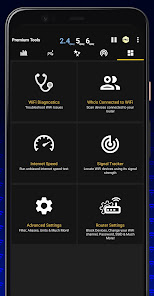
- Detect who is connected to your WiFi
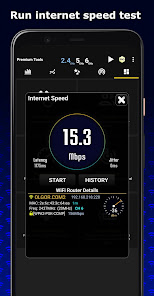
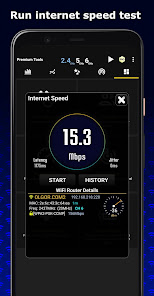
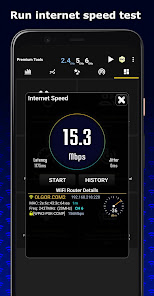
- WiFi Speed Test
- Signal Tracker
Translated to 17 languages, more are coming soon!
New Features:
- Supports WiFi 6GHz
- Displays channel width by default
- Supports Android 13
- Best channels for connected AP
- Remembers your preferences
- Export Graphs
- View information about your connection
- Connect to open WiFi networks within the app
- Detect who is connected to your WiFi
- WiFi Speed Test
- Signal Tracker
App support
About the developer
Abdelrahaman Mohamed Sid Mahmoud
contact@olgor.com
Area 6 - 3rd District - 5th Settlement
Villa 143
Cairo
القاهرة 11676
Egypt


