
SecureKeep: Family Vault
In-app purchases


Everyone
info
10+
Downloads

Everyone
Learn more


About this app
SecureKeep is a family vault for estate planning. Keep the passwords, documents, notes and wishes your family would need if something happened to you, all in one place on your phone. Everything is encrypted with AES-256 and stays on your device. There's no account, no cloud and no subscription. Try it free, and unlock everything with one purchase.
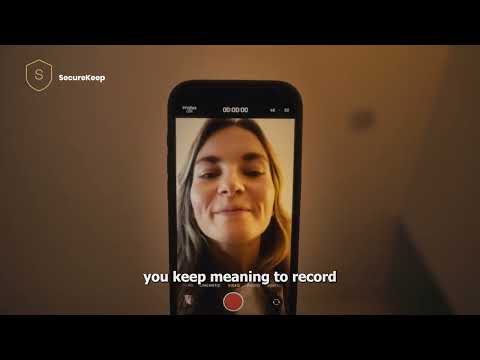
Use it as an offline password manager, a digital legacy folder, an emergency information binder for your spouse or parents, and a place to leave video or voice messages for the people you love.
BUILD A VAULT FOR SOMEONE YOU LOVE
• Bank, email and insurance logins, moved over in minutes with one CSV file from your browser or password manager (Chrome, Edge, Brave, LastPass, Bitwarden, 1Password, Dashlane, Apple Passwords)
• Scanned documents: wills, property deeds, insurance cards, IDs
• Private notes with instructions, safe combinations and key contacts
• Video and voice messages they can play when it matters most
• An emergency card with medical info, emergency contacts and insurance details
• Separate vaults: one for your spouse, one for your parents, one for you
READY FOR THE PERSON YOU TRUST
• Recovery Kit: print a one-page guide that tells them what your vault is and how to open it. It holds no passwords, so it's safe to keep with the backup file.
• Encrypted backup files you can keep anywhere: Google Drive, a USB stick, a safe
• Step-by-step instructions for giving your spouse or a family member their own encrypted copy
• Restore everything on a new phone with your backup passphrase
QUICK TO USE
• Adding a password takes under 30 seconds
• Two-factor codes: scan a site's QR code, read it from a screenshot, or paste the setup key, and SecureKeep shows the current code next to the password
• Password generator, with an option to skip look-alike characters such as 0 and O
• Password health check flags weak, reused and old passwords
PRIVATE BY DESIGN
• AES-256-GCM encryption, with keys derived from your master password
• No servers and no accounts. Your vault is never sent to us, and we couldn't read it if it were.
• Fingerprint or face unlock
• Locks when idle and the moment you leave the app
• Face-down lock: turn your phone over to lock it at once
• Blocks screenshots and screen recording, and hides the vault in your recent apps
• Copied passwords clear from the clipboard after 30 seconds
• Backup codes and two-factor secrets are stored separately and hidden until you tap
FREE AND PRO, PLAINLY
• Free: one vault, up to 10 items, your emergency card, encrypted backups and restore
• Pro, one purchase: unlimited items, more vaults, video and voice messages, CSV import
• Viewing, editing, exporting and backups are never behind the paywall
No subscription and no ads.
SecureKeep is not a substitute for professional legal or estate planning advice.
What SecureKeep can and can't do: securekeep.app/limits
Privacy policy: securekeep.app/privacy
Support: support@securekeep.app
Use it as an offline password manager, a digital legacy folder, an emergency information binder for your spouse or parents, and a place to leave video or voice messages for the people you love.
BUILD A VAULT FOR SOMEONE YOU LOVE
• Bank, email and insurance logins, moved over in minutes with one CSV file from your browser or password manager (Chrome, Edge, Brave, LastPass, Bitwarden, 1Password, Dashlane, Apple Passwords)
• Scanned documents: wills, property deeds, insurance cards, IDs
• Private notes with instructions, safe combinations and key contacts
• Video and voice messages they can play when it matters most
• An emergency card with medical info, emergency contacts and insurance details
• Separate vaults: one for your spouse, one for your parents, one for you
READY FOR THE PERSON YOU TRUST
• Recovery Kit: print a one-page guide that tells them what your vault is and how to open it. It holds no passwords, so it's safe to keep with the backup file.
• Encrypted backup files you can keep anywhere: Google Drive, a USB stick, a safe
• Step-by-step instructions for giving your spouse or a family member their own encrypted copy
• Restore everything on a new phone with your backup passphrase
QUICK TO USE
• Adding a password takes under 30 seconds
• Two-factor codes: scan a site's QR code, read it from a screenshot, or paste the setup key, and SecureKeep shows the current code next to the password
• Password generator, with an option to skip look-alike characters such as 0 and O
• Password health check flags weak, reused and old passwords
PRIVATE BY DESIGN
• AES-256-GCM encryption, with keys derived from your master password
• No servers and no accounts. Your vault is never sent to us, and we couldn't read it if it were.
• Fingerprint or face unlock
• Locks when idle and the moment you leave the app
• Face-down lock: turn your phone over to lock it at once
• Blocks screenshots and screen recording, and hides the vault in your recent apps
• Copied passwords clear from the clipboard after 30 seconds
• Backup codes and two-factor secrets are stored separately and hidden until you tap
FREE AND PRO, PLAINLY
• Free: one vault, up to 10 items, your emergency card, encrypted backups and restore
• Pro, one purchase: unlimited items, more vaults, video and voice messages, CSV import
• Viewing, editing, exporting and backups are never behind the paywall
No subscription and no ads.
SecureKeep is not a substitute for professional legal or estate planning advice.
What SecureKeep can and can't do: securekeep.app/limits
Privacy policy: securekeep.app/privacy
Support: support@securekeep.app
Estate planning vault: passwords, documents & notes for family. Works offline.
Updated on
Safety starts with understanding how developers collect and share your data. Data privacy and security practices may vary based on your use, region, and age. The developer provided this information and may update it over time.
- No data shared with third partiesLearn more about how developers declare sharing
- No data collectedLearn more about how developers declare collection


What’s new
Recovery Kit: a printable page that tells a trusted person how to open this vault, with no passwords on it.
Two-factor codes: scan a site's QR code (or a screenshot of it) and SecureKeep shows the current code.
Rename documents after saving, and a generator option that skips look-alike characters. The keyboard no longer covers Save, and printed emergency cards keep their colours.
Free plan: 10 items across all vaults. No subscription, no account, and your vault is never sent to us.
Two-factor codes: scan a site's QR code (or a screenshot of it) and SecureKeep shows the current code.
Rename documents after saving, and a generator option that skips look-alike characters. The keyboard no longer covers Save, and printed emergency cards keep their colours.
Free plan: 10 items across all vaults. No subscription, no account, and your vault is never sent to us.
Everyone
Learn moreApp support
phone
Phone number
+918097225088
About the developer
Heston Baptist Dsouza
kchlabs@gmail.com
Legend II, D201
KANDARPADA DAHISAR WEST
Mumbai, Maharashtra 400068
India


